Configuring Dynamic Domain Name Routes Using the Web UI
Procedure
- Choose .
- Click Add in Dynamic Domain Route List.
- Set parameters for dynamic domain name-based routes.
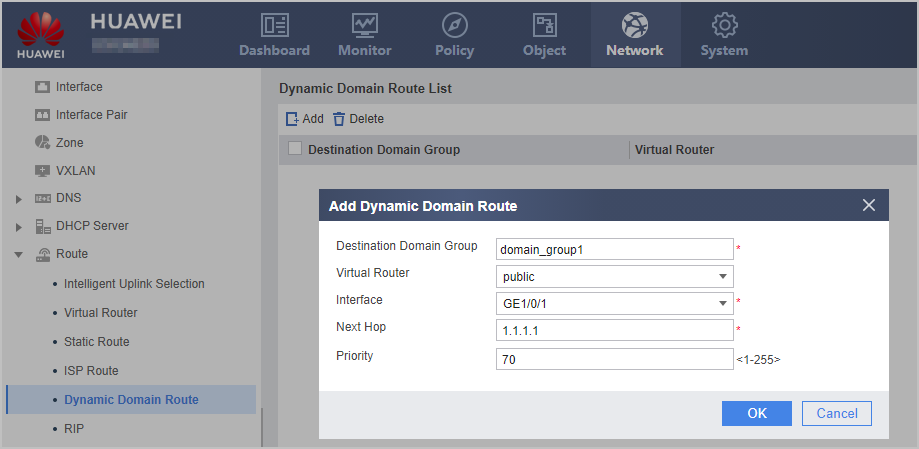
Parameter
Description
Destination Domain Group
Select a domain group from the drop-down list.
Virtual Router
Bound virtual router, which is a VPN instance name.
Interface
Select an outbound interface from the drop-down list.
For the same domain group, if both the NULL interface and non-NULL interfaces are specified as outbound interfaces, the dynamic domain name-based route with the NULL interface as the outbound interface automatically becomes invalid.
Next Hop
Next-hop IP address of the route.
The outbound interface and next hop must be both specified.
If the outbound interface is the NULL interface or a tunnel interface, the next-hop IP address can be any (except 0.0.0.0).
Priority
Priority of a dynamic domain name-based route.
You can set priorities for dynamic domain name-based routes flexibly for different purposes. For example, if you set the same priority for multiple routes to one destination, the routes load balance each other; if you set different priorities for such routes, they back up each other.