Policy Matching Report
This topic describes how to check policy matching reports.
Viewing Reports
You can view security policy matching situations in policy matching reports.
On the web UI, choose , and click Security Policy.
The following figure shows the specific operations and data display for checking top rankings in policy matching reports.
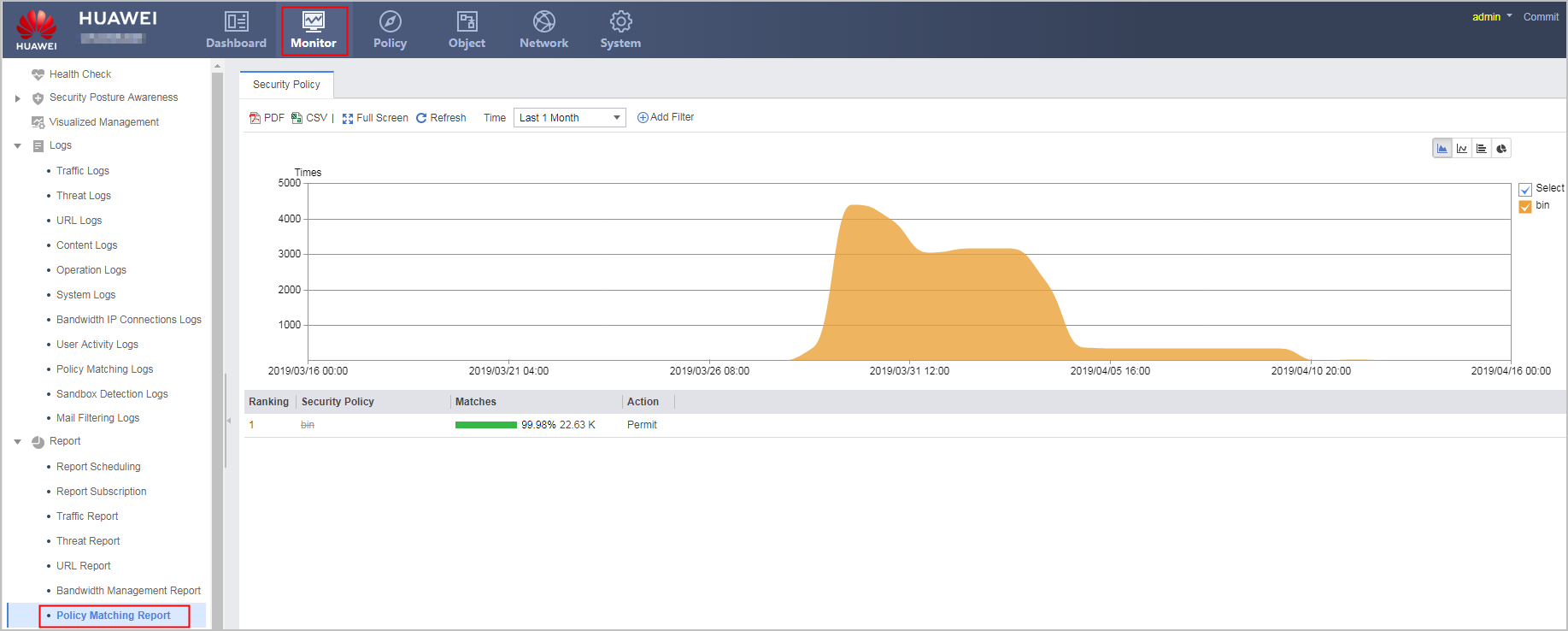
If you find inappropriate security policy configurations through analysis and need to modify the security policies, you can click the security policy and optimize it in Modify Security Policy.
Customizing Generated Reports
the policy matching report supports advanced query by policy name. Click Add Filter and select Security Policy or Action.
Drilling Traffic Statistics in the Source Address or Destination Address, Dimension
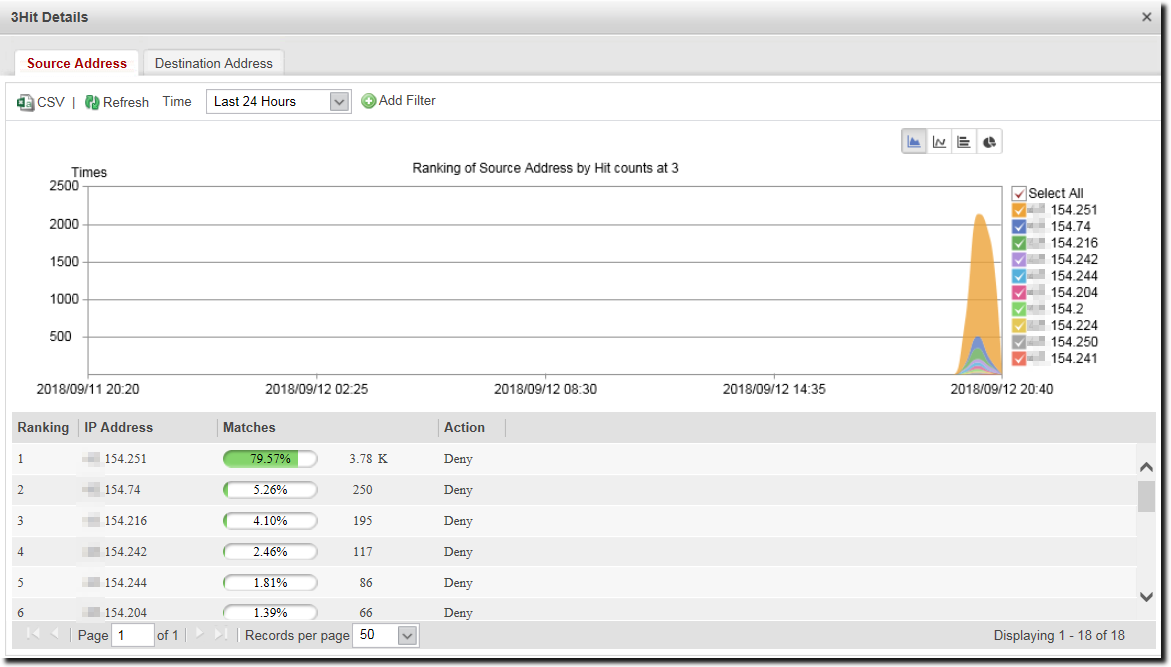
The policy matching report allows you to drill down to the source and destination addresses of a traffic record. If you click a security policy, the ranking of source or destination addresses matching this policy is displayed. For example, the administrator finds that the traffic matching a security policy is heavy. To view the ranking of source IP addresses matching this security policy, right-click the security policy name and choose Hit Details from the shortcut menu, as shown in the following figure.