Data Filtering Report
This topic describes how to check data filtering reports.
You can view keywords commonly used in files and applications in data filtering reports.
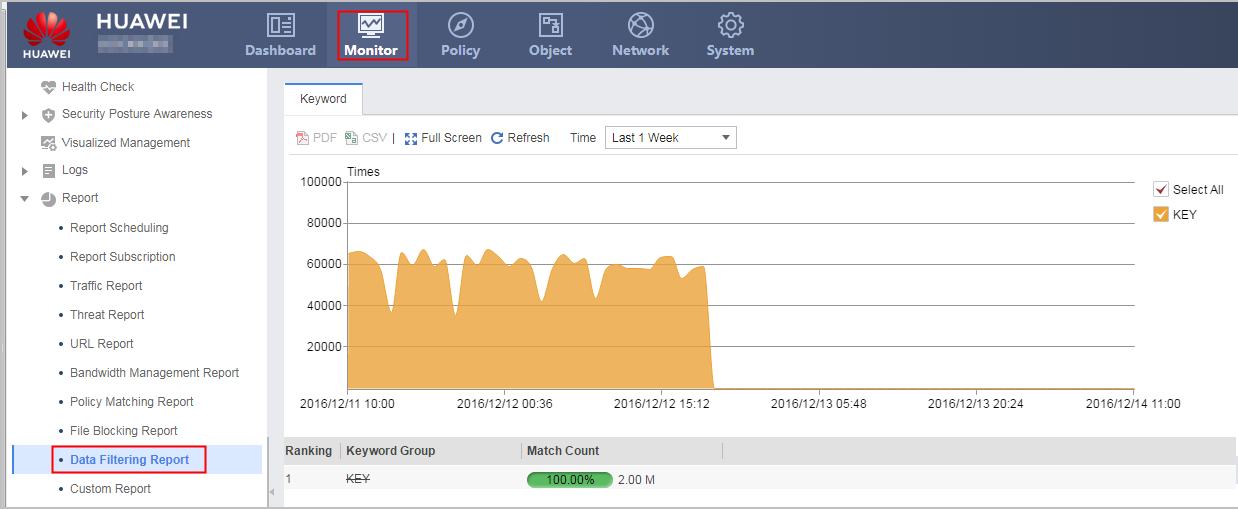
On the web UI, choose , and click Keyword.
The following figure shows the specific operations and data display for checking top rankings in data filtering reports.