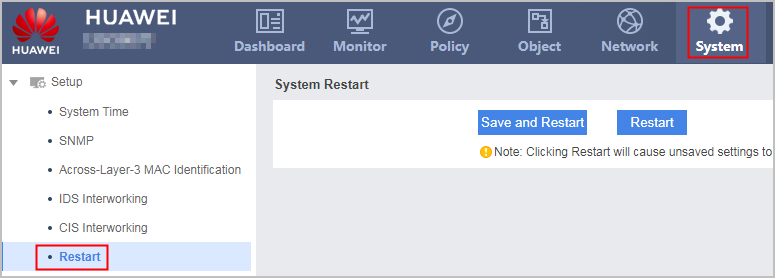
Restarting the System Using the Web UI
This section describes how to use the Web UI to restart the system.
Context

If the FW works improperly, try to rectify the fault. Do not restart the system frequently in case that services are affected.
If you must restart the system, select off-peak hours in non-emergent cases, such as in the early morning.
Restarting the FW may result in temporary data loss. Before the restart, make sure that the configuration data is backed up.
You are advised to back up the configuration file in use before you restart the system.