Checking Host OS
Procedure
- Choose .
- Click
 for an SSL VPN gateway.
 - Choose .
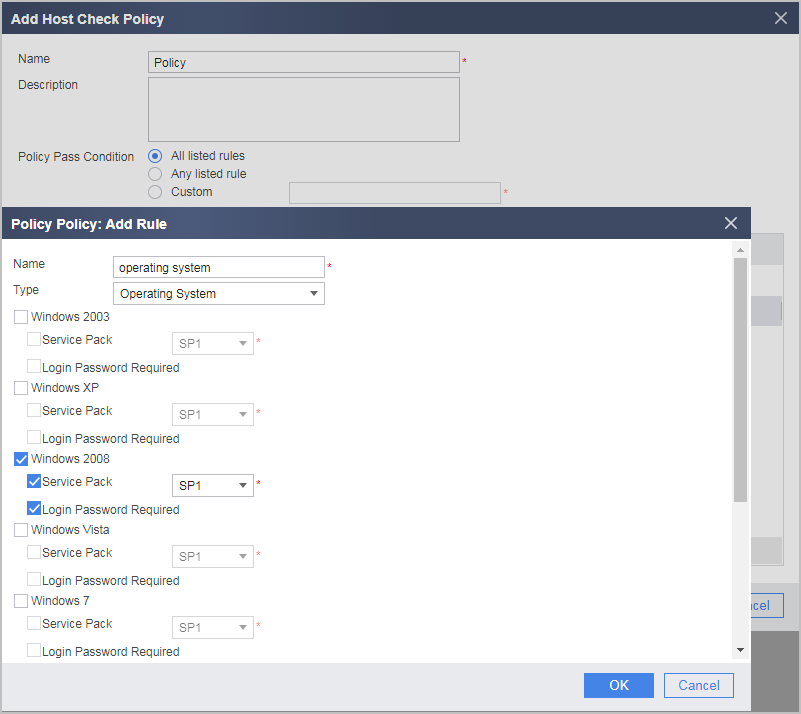
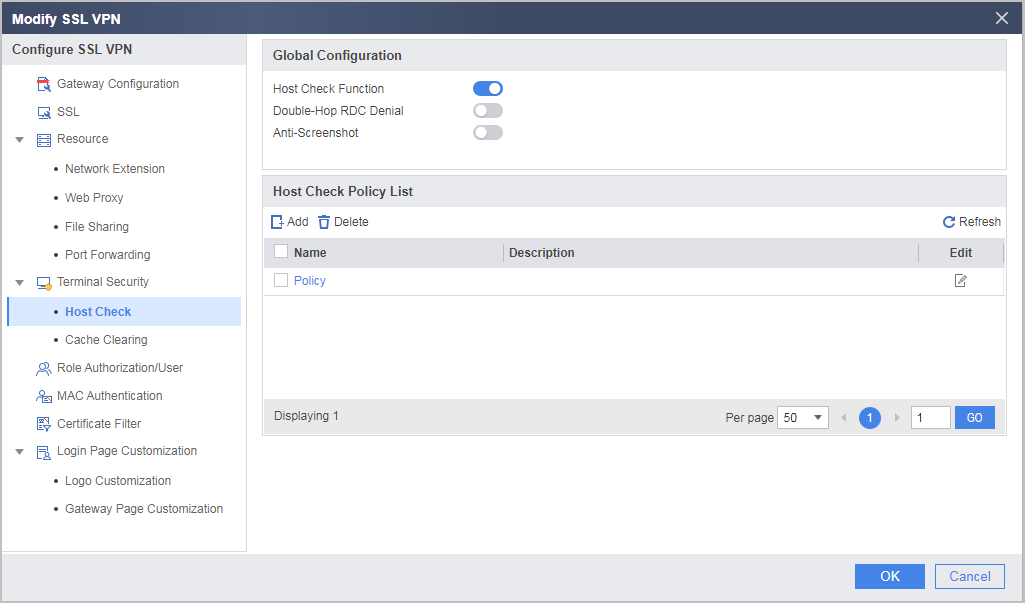
- Select Host Check Function under Global Configuration, click Add under Host Check Policy List, and create a host check policy.
The minimum SP version refers to the minimum patch version supported by Windows. For example, if you select Windows 2008 but not Service Pack, terminals running Windows 2008, including Windows 2008 SP1 and SP2, can pass the policy check. If you select Service Pack and SP2, only terminals running Windows 2008 SP2 can pass the policy check, and terminals running Windows 2008 SP1 or earlier versions cannot pass the policy check.
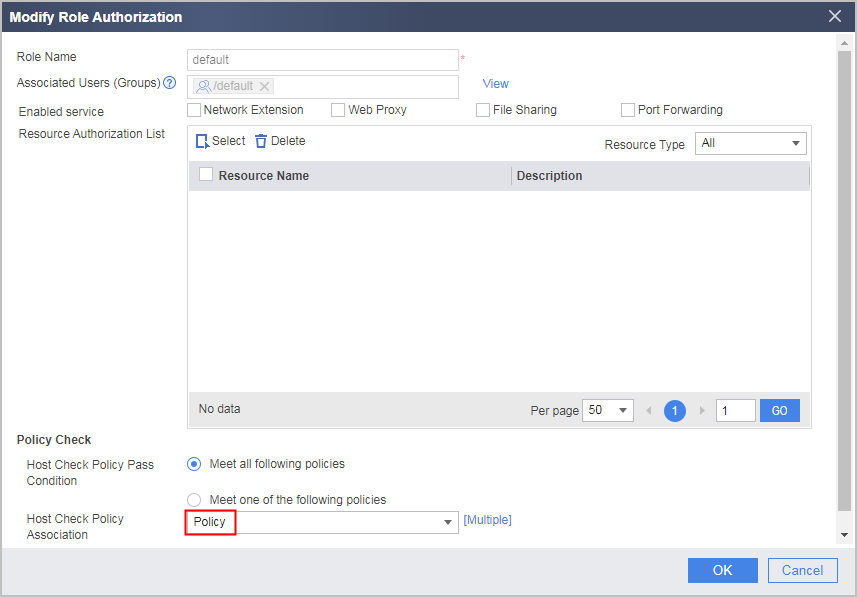
- Select Role Authorization/User, reference a created host check policy in the corresponding role, and click OK.
Verifying the Configuration
- Enter https://1.1.1.1:443 in the address bar of Internet Explorer to access the SSL VPN login page.
- In the login window, enter the user name and password, and then click Login.
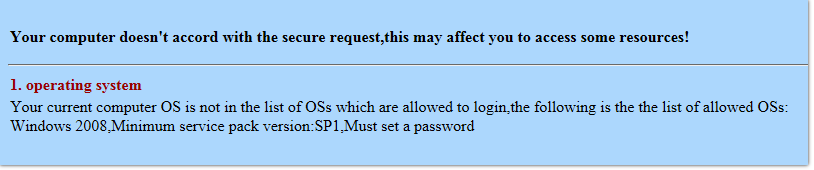
If the operating system of the host passes the check, the user can log in to the virtual gateway successfully. If the operating system of the host does not meet the requirements, a message indicating that the terminal security check fails is displayed in the browser. The browser also provides suggestions on how to pass the security check.