Web: Example for Configuring DDoS Attack Defense
This section provides an example for configuring DDoS attack defense for intranet servers.
Networking Requirements
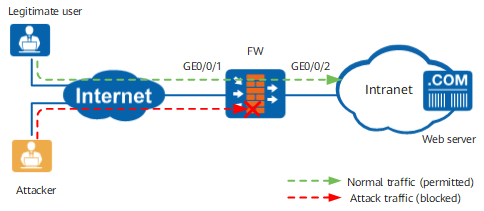
As shown in Figure 1, the FW protects the intranet web server. It is detected that the web server usually suffers from attacks SYN flood, UDP flood, and HTTP flood attacks. To defend against these attacks, enable attack defense on the FW.
Configuration Roadmap
- Enable traffic statistics on GigabitEthernet 0/0/1 that connects the FW to the Internet to collect statistics on the inbound traffic from the Internet to the intranet.
To set a proper anti-DDoS threshold, enable threshold learning on the FW. To automatically apply the threshold learned, enable automatic application on the FW.
Enable attack defense against SYN flood, UDP flood, and HTTP flood on the FW. Do not change the default threshold for each defense function. The thresholds learned will be automatically applied after the learning process ends.
Procedure
- Choose .
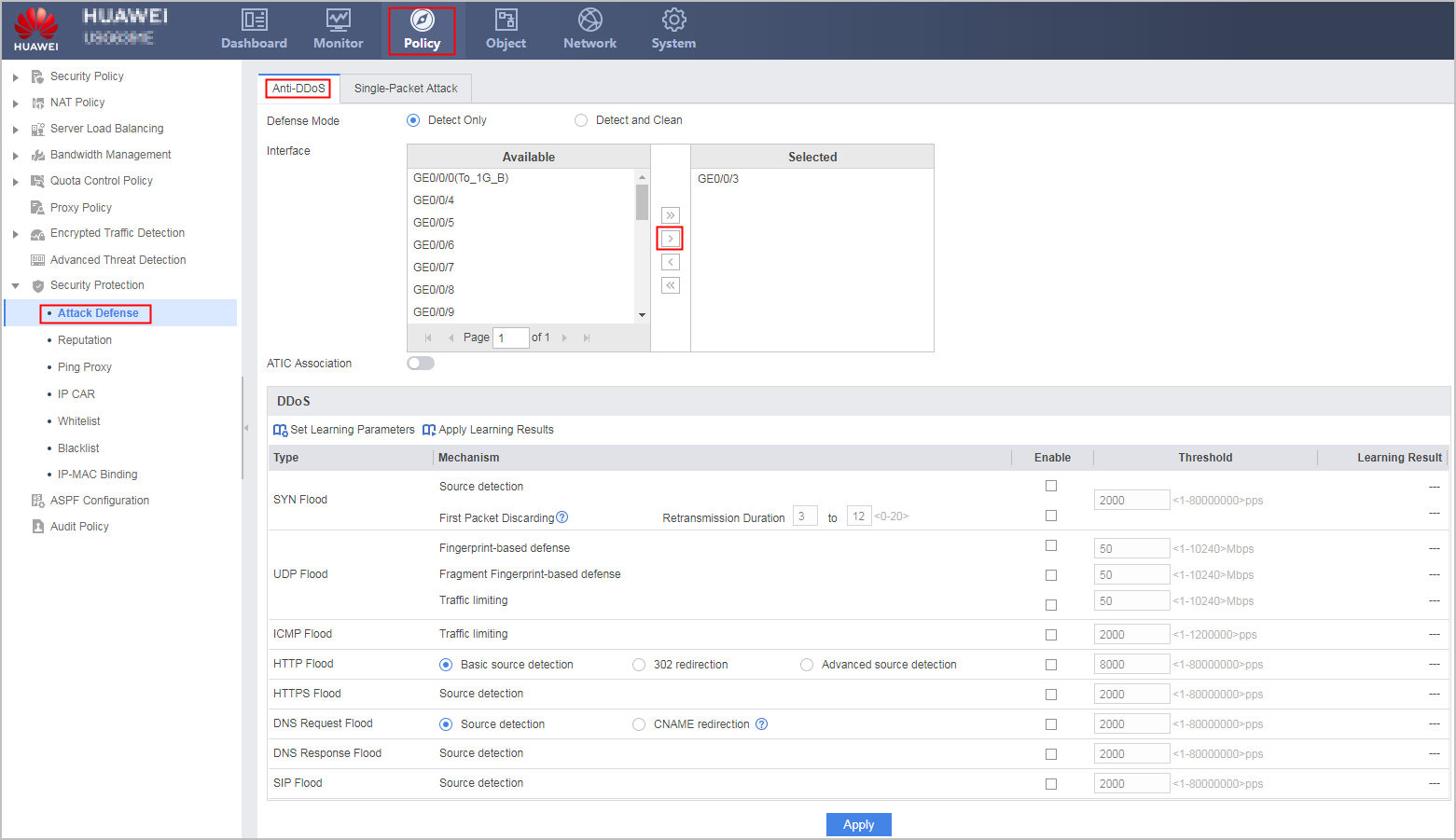
- Double-click GE0/0/1 in Unbound Interface to add GE0/0/1 to the list in Bound Interface, so that traffic statistics is enabled on GE0/0/1.
- Click Set Learning Parameters on the DDoS tab to configure threshold learning parameters.
Learning
Enable
Learning Duration
7 day
Learning mode
One-off Learning
Automatic application
Enable
Learning Tolerance
100
- Click OK.
- Select Enable next to UDP Flood, ICMP Flood, and HTTP Flood on the DDoS page, as shown in Figure 1. Do not change the default threshold for each defense function.

During threshold learning, Learning Status is Learning. After the learning process is complete, the FW automatically applies the learning result.
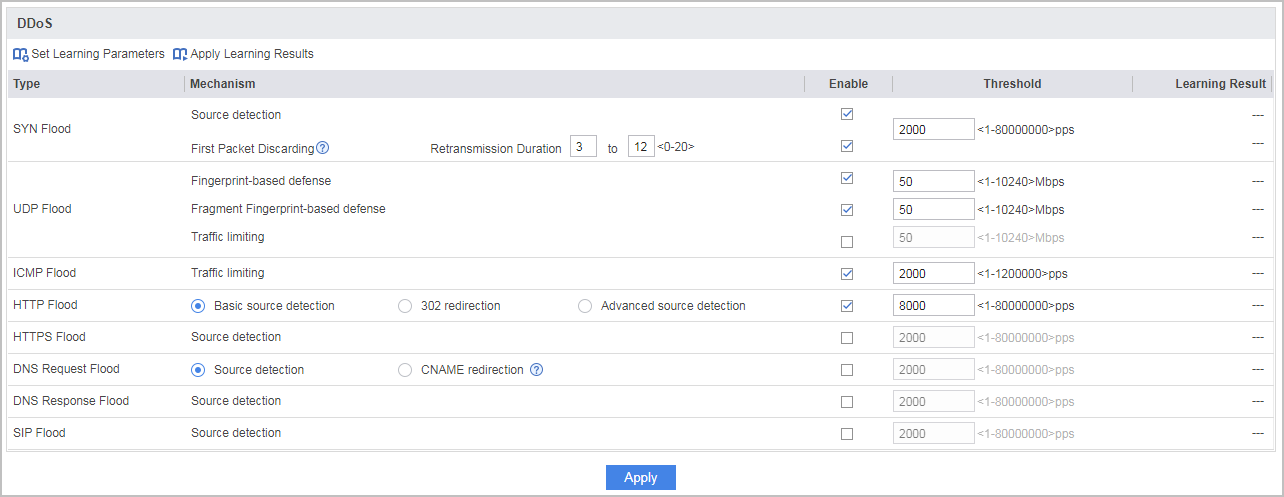
- Click Apply.
- Click Save on the upper right of the interface and click OK in the dialog box that is displayed.
Verification
After the configuration is complete, all anti-DDoS defenses use the default thresholds. The thresholds learned will be automatically applied after the learning process ends. After the learning process ends, check the defense effect on the web server. If the web server is still under attacks, lower down corresponding thresholds.
After the configuration is complete, the FW logs detected attacks and outputs threat reports. Choose to view threat logs.
Configuration Scripts
The following lists only the scripts related to this configuration example.
#
 sysname FW
#
interface GigabitEthernet0/0/1
 anti-ddos flow-statistic enable
#
 anti-ddos syn-flood source-detect
 anti-ddos udp-flood dynamic-fingerprint-learn
 anti-ddos udp-frag-flood dynamic-fingerprint-learn
 anti-ddos http-flood defend alert-rate 2000
 anti-ddos http-flood source-detect mode basic
 anti-ddos baseline-learn tolerance-value 100
 anti-ddos baseline-learn start
 anti-ddos baseline-learn apply
#
return