Web: Example for Configuring RBL-Based Anti-Spam
This section provides an example for configuring mail filtering on the FW that serves as the security gateway on the intranet.
Networking Requirements
The enterprise has a domain name of its own and deploys a mail server on the intranet. RBL-based anti-spam is required to protect the mail server in the DMS against spam, reducing network resource consumption.
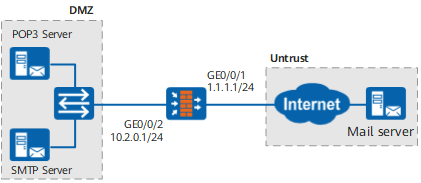
Procedure
- Set the interface IP address and add the interface to a security zone.
- Add GE0/0/1 to the untrust zone.
- Choose .
- Click
 for GE0/0/1 and set the parameters as follows: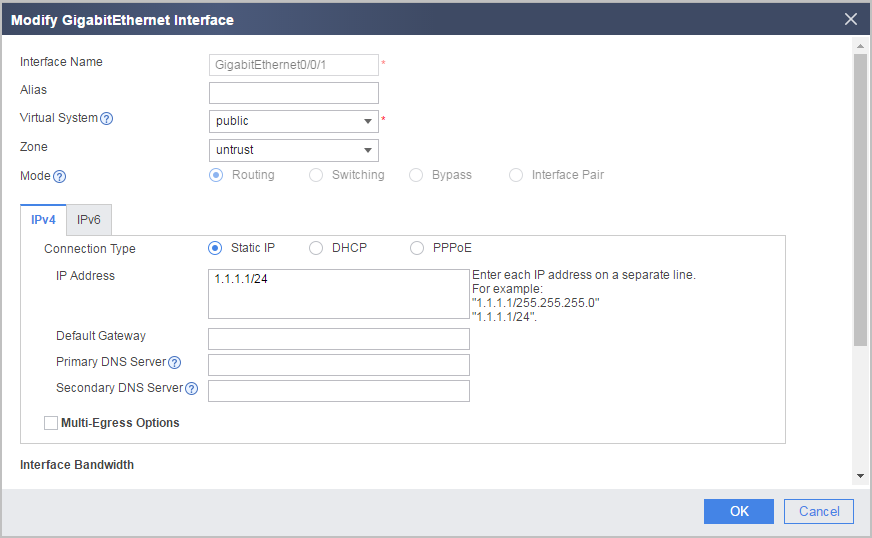
Zone
untrust
IP Address
1.1.1.1/24
- Click OK.
- Add GE0/0/1 to the untrust zone.
- Enable the RBL-based anti-spam function and set the DNS server address.
- Set the IP address of the primary DNS server to 10.10.10.10.
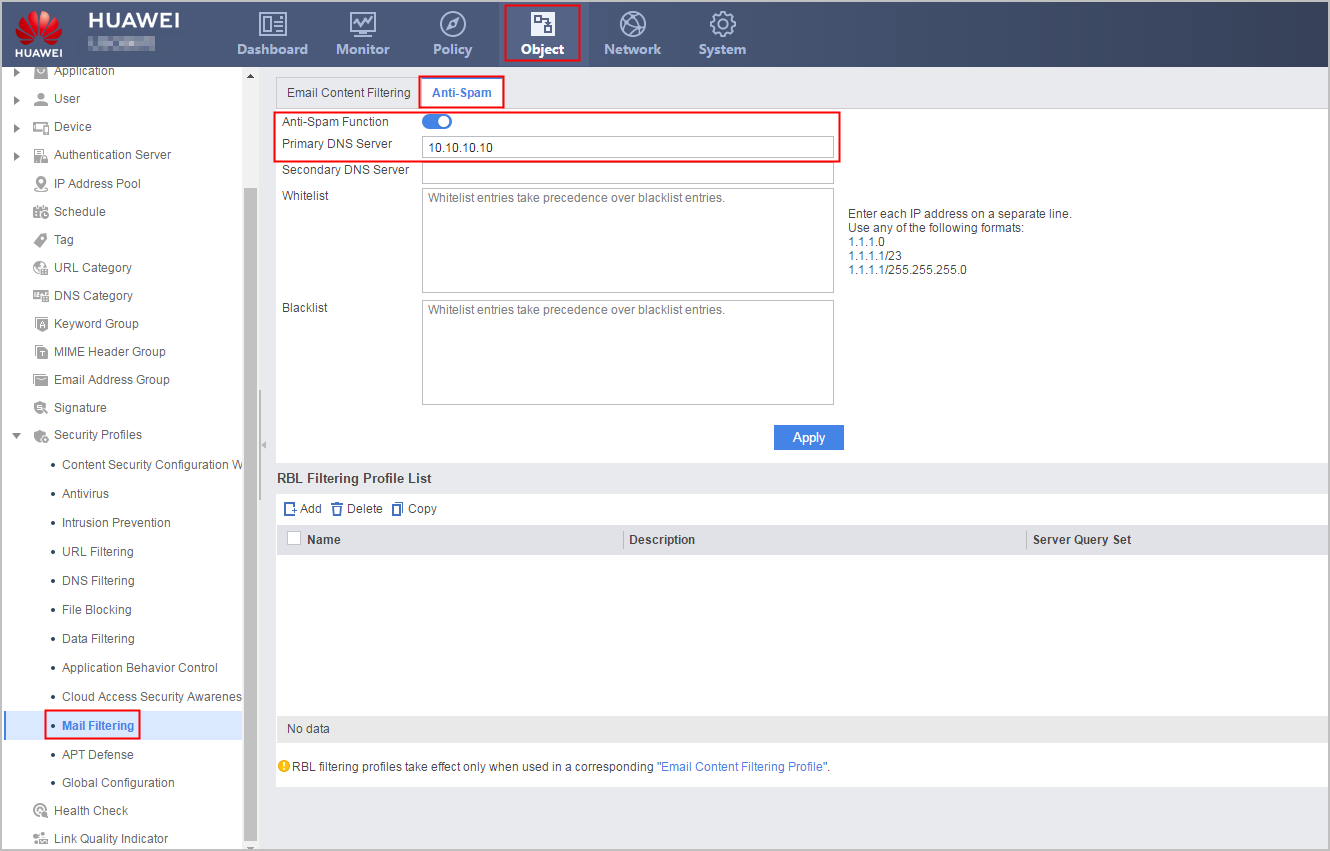
- Set the IP address of the primary DNS server to 10.10.10.10.
- Configure the mail filtering profile and use the RBL server cbl.anti-spam.org.cn.
- Set the parameters of the RBL filtering profile.
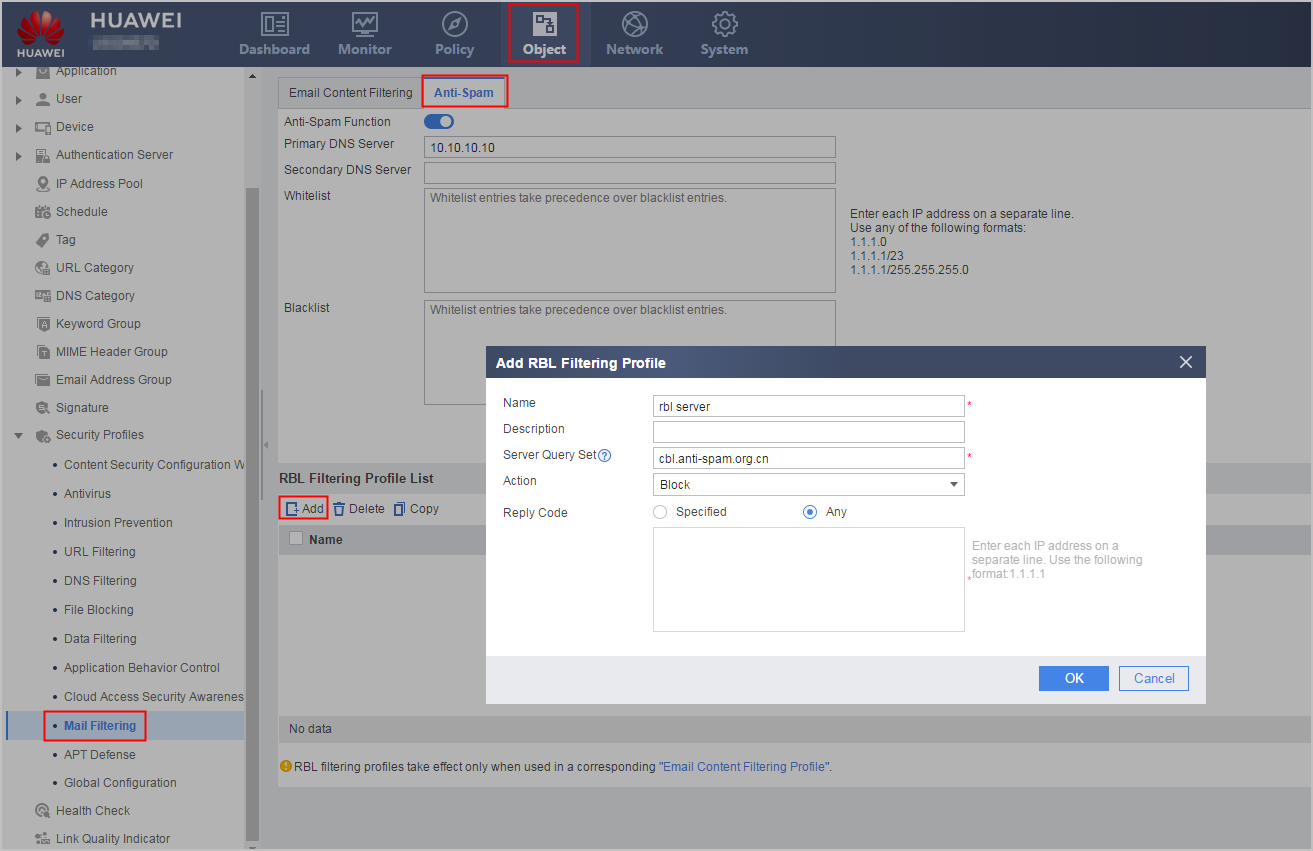
Name
rbl server
Server Query Set
The query set is the RBL service name. It is used to locate the RBL server.
For example, you can use cbl.anti-spam.org.cn as the query set.
Action
Block
Reply Code
Any Reply Code
- Set the parameters of the RBL filtering profile.
- Create a mail content filtering profile.
- Set the name and description of the mail content filtering profile.
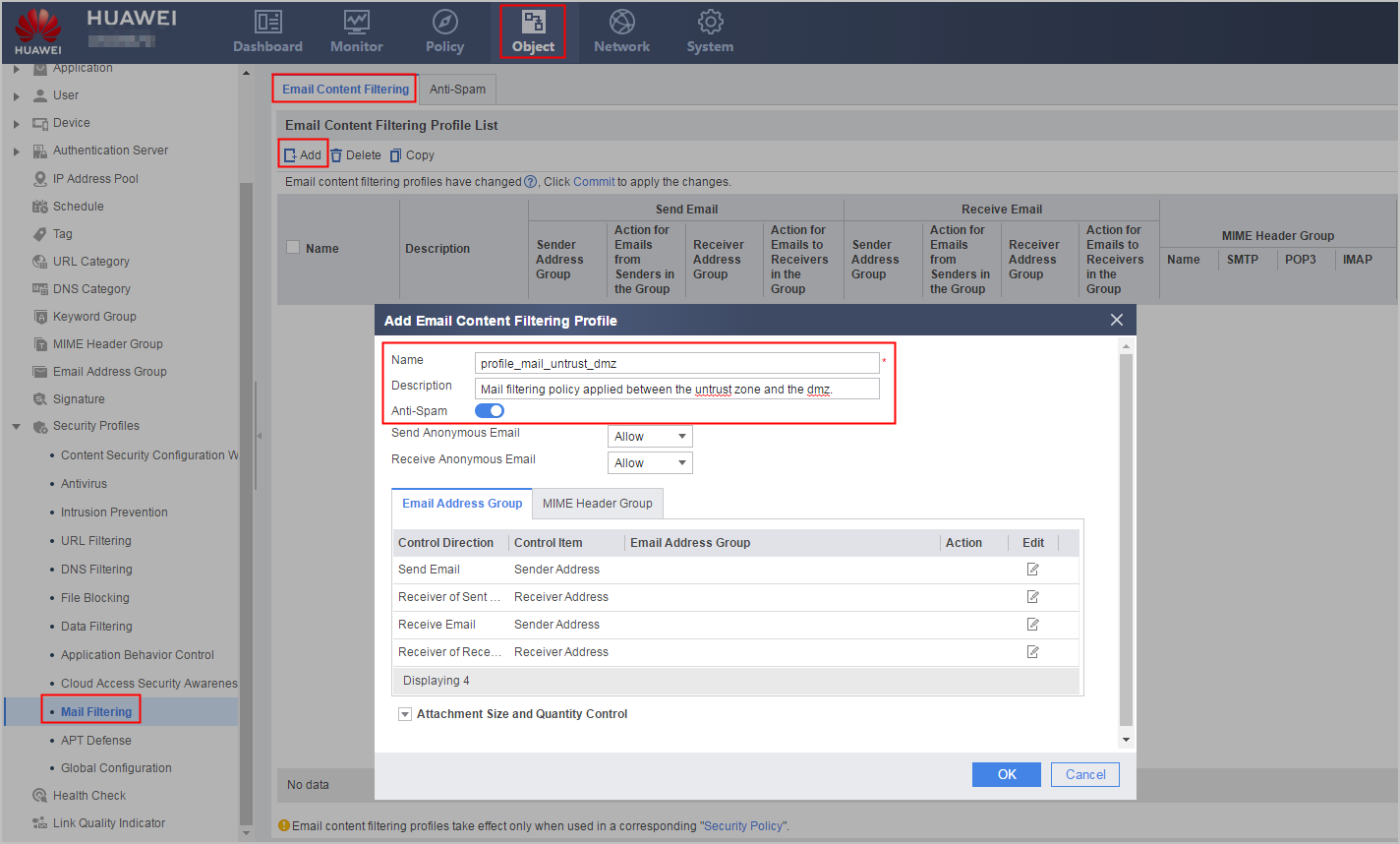
Name
profile_mail_untrust_dmz
Description
Mail filtering policy applied between the untrust zone and the dmz.
- Set the name and description of the mail content filtering profile.
- Configure a security policy to permit the DNS traffic from the FW to the zone where the RBL server resides.
- Click Add Security Policy and set the parameters as follows:
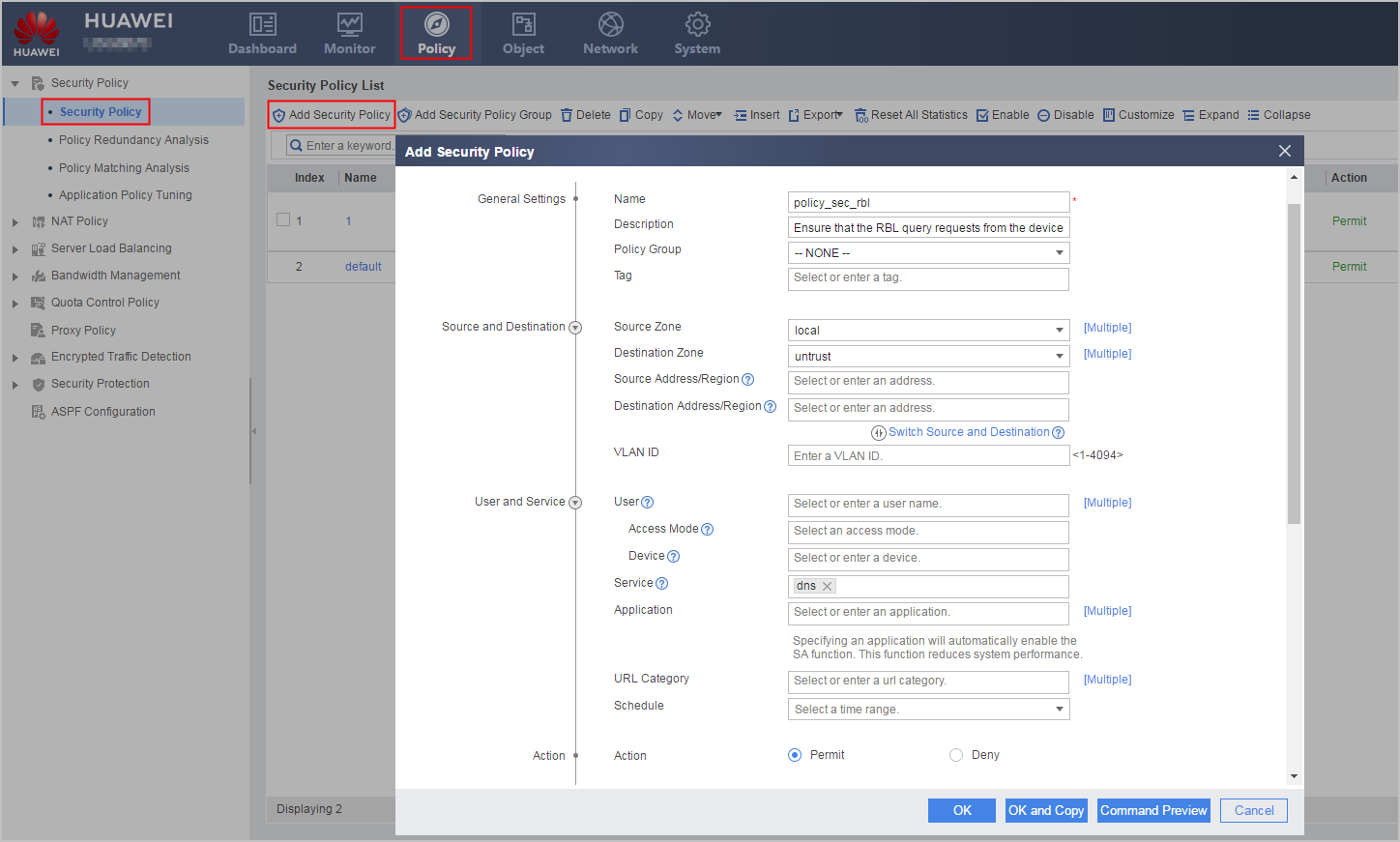
Name
policy_sec_rbl
Description
Ensure that the RBL query requests from the device are properly forwarded.
Source Zone
local
Destination Zone
untrust
Service
dns
Action
Permit
- Click Add Security Policy and set the parameters as follows:
- Configure the security policy between the dmz and the untrust zone.
- Choose .
- Click Add Security Policy and set the parameters of the security policy between the untrust zone and the dmz as follows:
Name
policy_sec_untrust_dmz
Description
Security policy applied between the untrust zone and the dmz.
Source Zone
untrust
Destination Zone
dmz
Action
Permit
Content Security
Email Filtering
profile_mail_untrust_dmz
- Click OK.
- Click Submit on the upper right of the page.
Configuration Script
#
sysname FW
#
 rbl-filter enable
 rbl-filter dns-server 10.10.10.10
 rbl-filter profile user-defined name rbl server action block
 rbl-filter profile user-defined name rbl server enable
#
interface GigabitEthernet0/0/1
 undo shutdown
 ip address 1.1.1.1 255.255.255.0
#
interface GigabitEthernet0/0/2
 undo shutdown
 ip address 10.2.0.1 255.255.255.0
#
firewall zone untrust
 add interface GigabitEthernet0/0/1
#
firewall zone dmz
 add interface GigabitEthernet0/0/2
#
profile type mail-filter name profile_mail_untrust_dmz
 rbl-filter enable
#
 rbl-filter profile user-defined name rbl server
  query cbl.anti-spam.org.cn
  reply-code any description rbl server
#
security-policy
 rule name policy_sec_untrust_dmz
  source-zone untrust
  destination-zone dmz
  profile mail-filter profile_mail_untrust_dmz
  action permit
 rule name policy_sec_rbl
  source-zone local
  destination-zone untrust
  service dns
  action permit