Web: Example for Using the NETCONF Client to Manage the Device
The FW supports the NETCONF-based northbound management interface. The administrator can use the NETCONF client to configure and manage the FW.
Networking Requirement
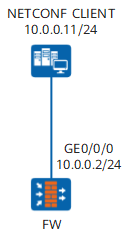
As shown in Figure 1, the customer wants to use the NETCONF client to configure and manage the FW.
Configuration Procedure
- Configure the IP address of the FW management interface, so that the FW and NETCONF client are routable.
Configure access management for the FW management interface to allow the NETCONF client to access the NETCONF interface on the FW.
Configure the FW administrator and set the service type to API. The NETCONF client uses this administrator account to log in to and configure the FW.

This example focuses on the configurations of the interconnection between the FW and NETCONF client. Configure routes to ensure that devices are routable. For the NETCONF client configuration, see its manual.
Data Planning
Item |
Data |
Description |
|
|---|---|---|---|
FW |
Interface |
Interface name: GigabitEthernet 0/0/0 IP address: 10.0.0.2/24 Access management: netconf |
Management interface, reachable to the NETCONF client If the management interface is not used, the used port must be added to a security zone. |
Administrator |
User name: netconf-admin Password: Myadmin@123 Authentication scheme: admin_local Level: 15 Service type: API |
- |
|
NETCONF port number |
1025 |
- |
|
NETCONF client |
IP address |
10.0.0.11/24 |
- |
Port |
10020 |
- |
|
Procedure
- Configure the IP address of the management interface. Configure access management for the management interface to permit NETCONF packets.
Choose and click
 on the line of the management interface.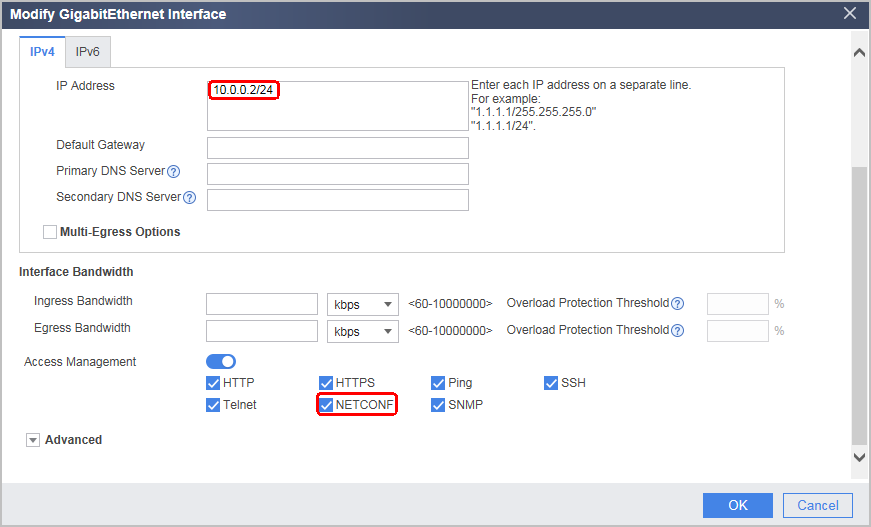
- Configure the administrator and the corresponding service type and authentication type.
Set the service type to API. The administrator is in level 15.
Choose and click Add.
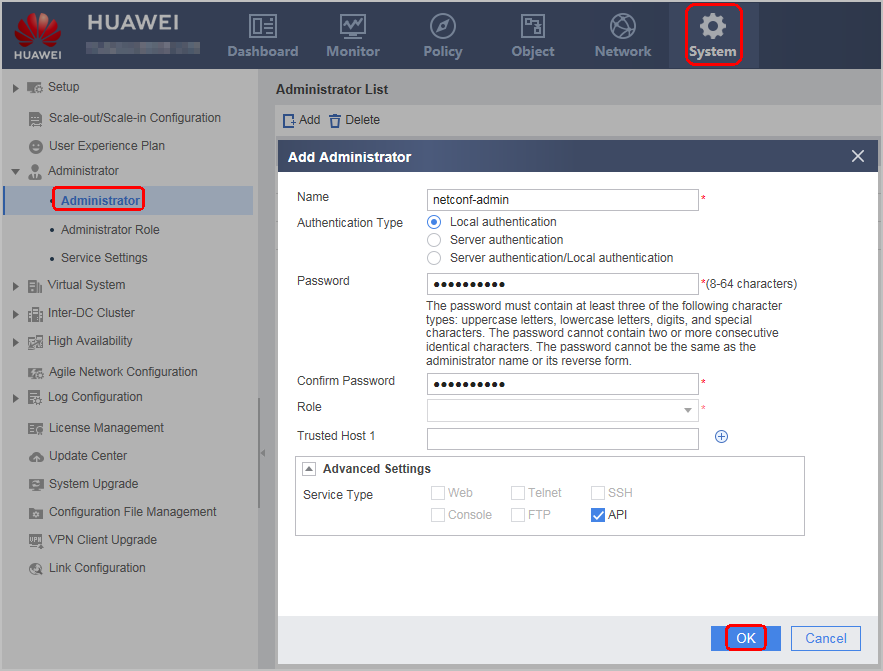
- Configure northbound interface and Call-home function.
Choose .
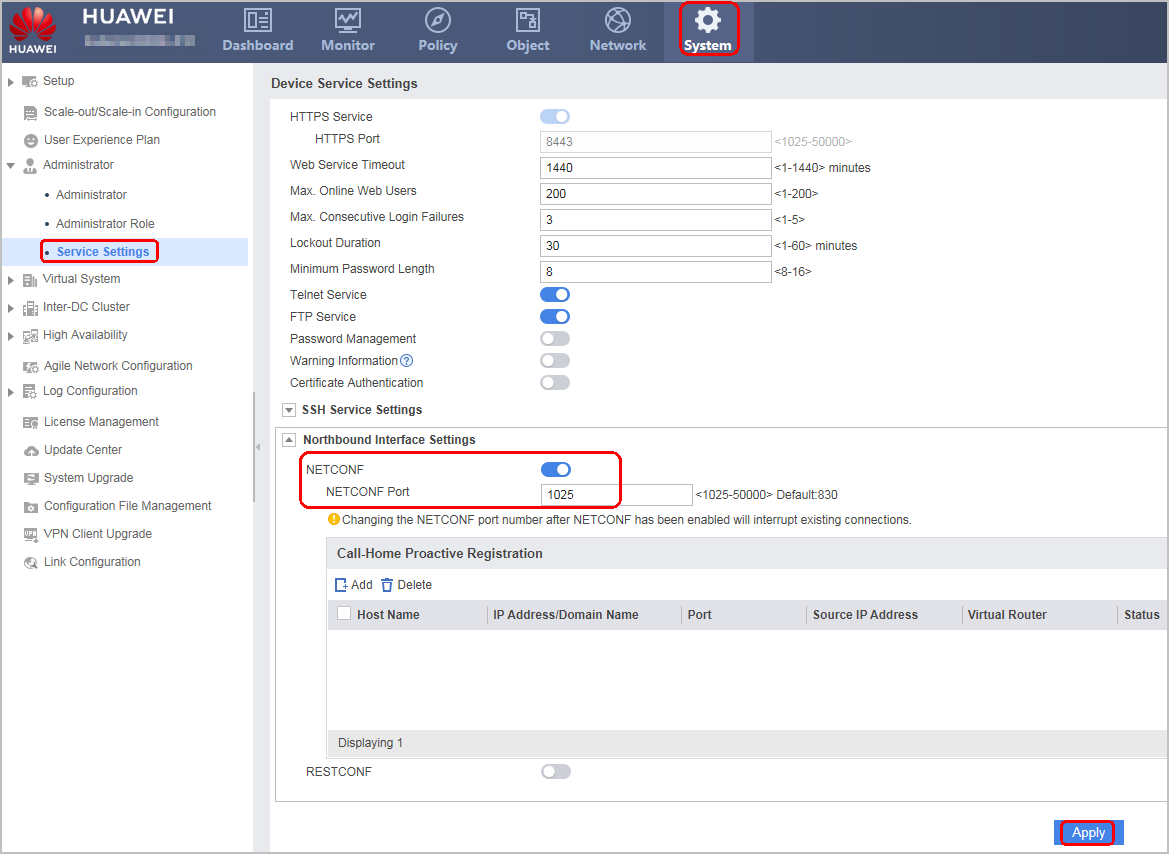
Configuration Scripts
#
aaa
 manager-user netconf-admin
  password cipher @%@%\.!W9qM+A7"0/(!S@rLG1_YNTW#lDz>ZpH]~%%Uk^#;G_YQ1@%@%
  service-type api
  level 15
  authentication-scheme admin_local

#
interface GigabitEthernet0/0/0
 undo shutdown
 ip address 10.0.0.2 255.255.255.0
 service-manage netconf permit

#
api
 api netconf port 1025
 api netconf enable