Content Security Configuration Wizard
The content security configuration wizard provides a portal for configuring all content security service functions, helping users quickly complete basic configurations of all content security service functions and simplifying user operations.
Context
Content security configuration wizard
Choose and configure content security services according to the configuration wizard. This configuration method is simple and applies to users who are not familiar with content security services.
Content security service menus
Choose , select a content security service menu, perform configuration, and reference the configuration in the security policy. This configuration method applies to users who are familiar with content security services.
Procedure
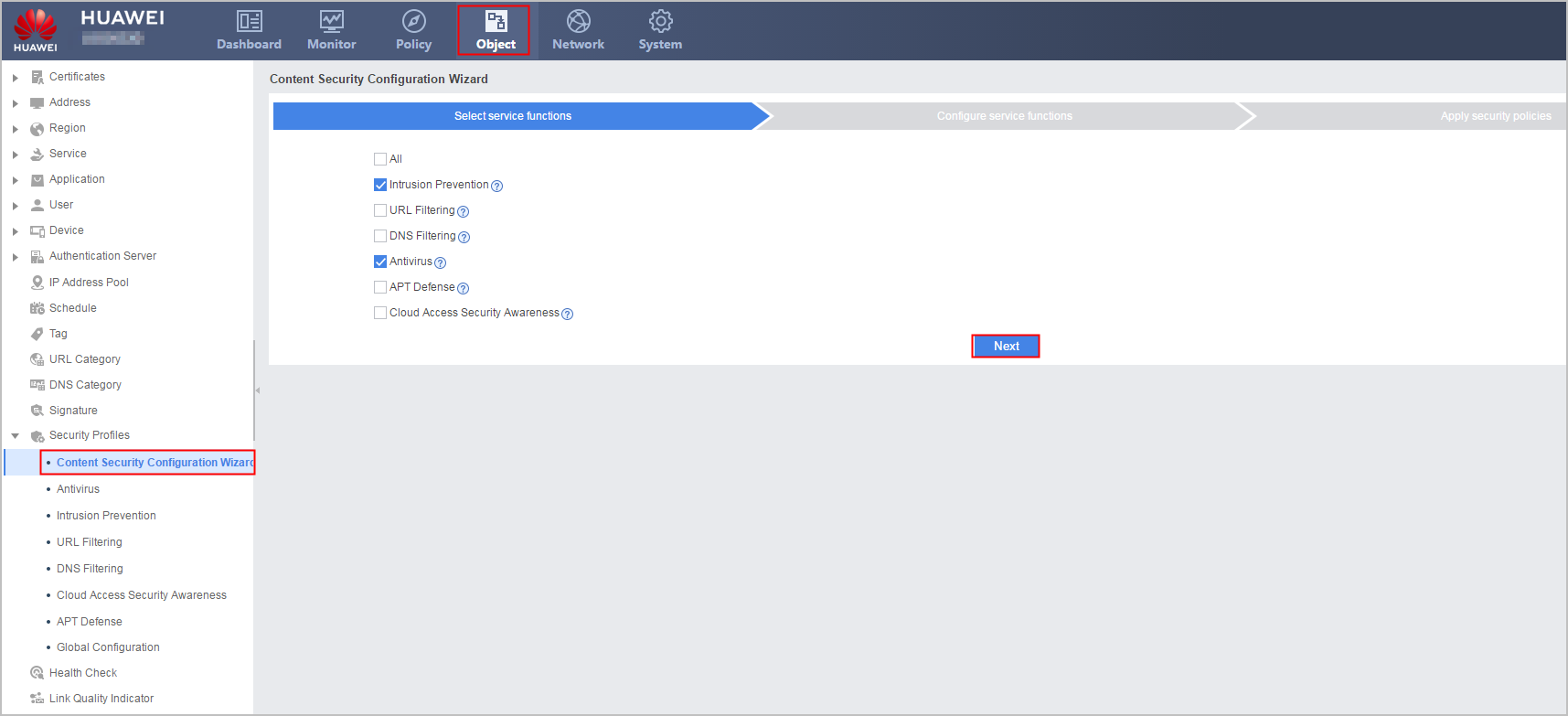
- Select content security service functions based on service requirements.
Choose . On the tab for selecting service functions, select one or more content security services and click Next.
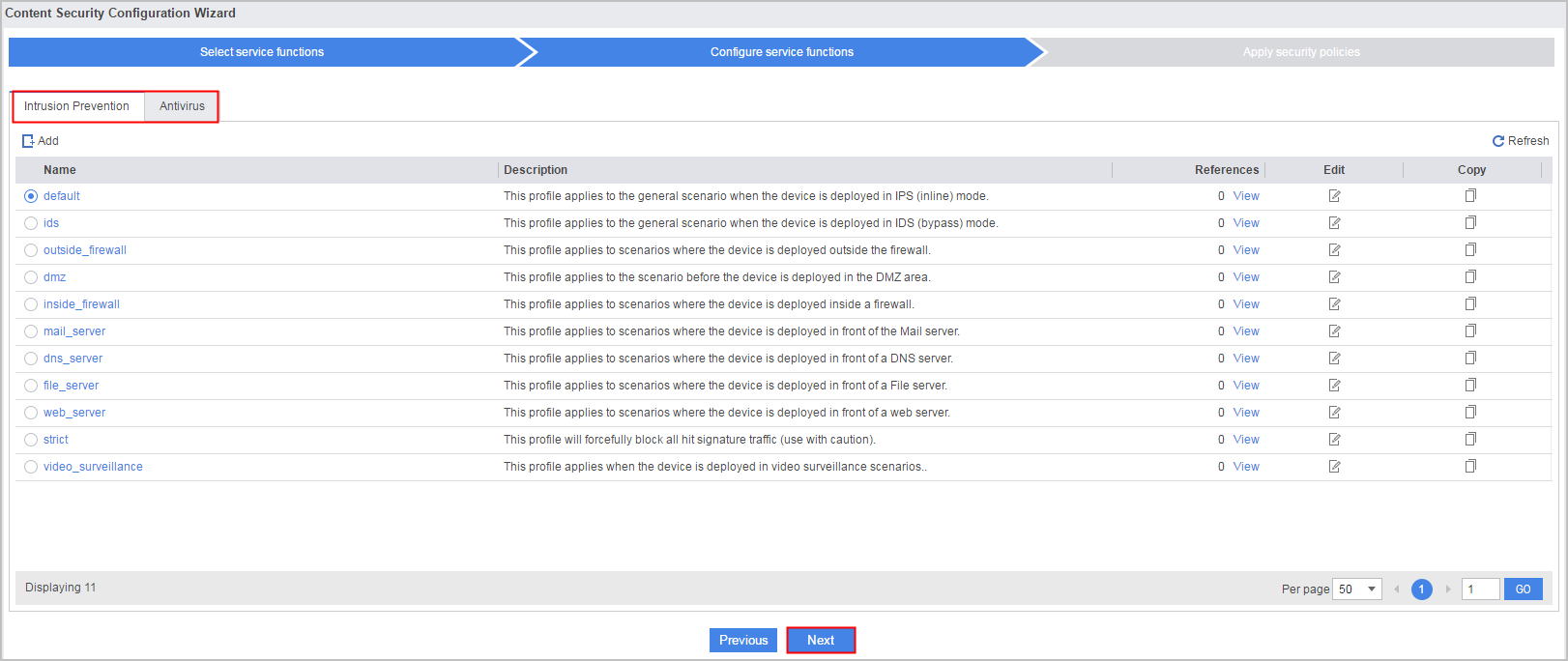
- Configure the selected content security services.
On the tab for configuring service functions, configure content security services, select existing profiles or click Add to create profiles for the services. The default profile of each service is selected by default. After configuring all service functions, click Next.
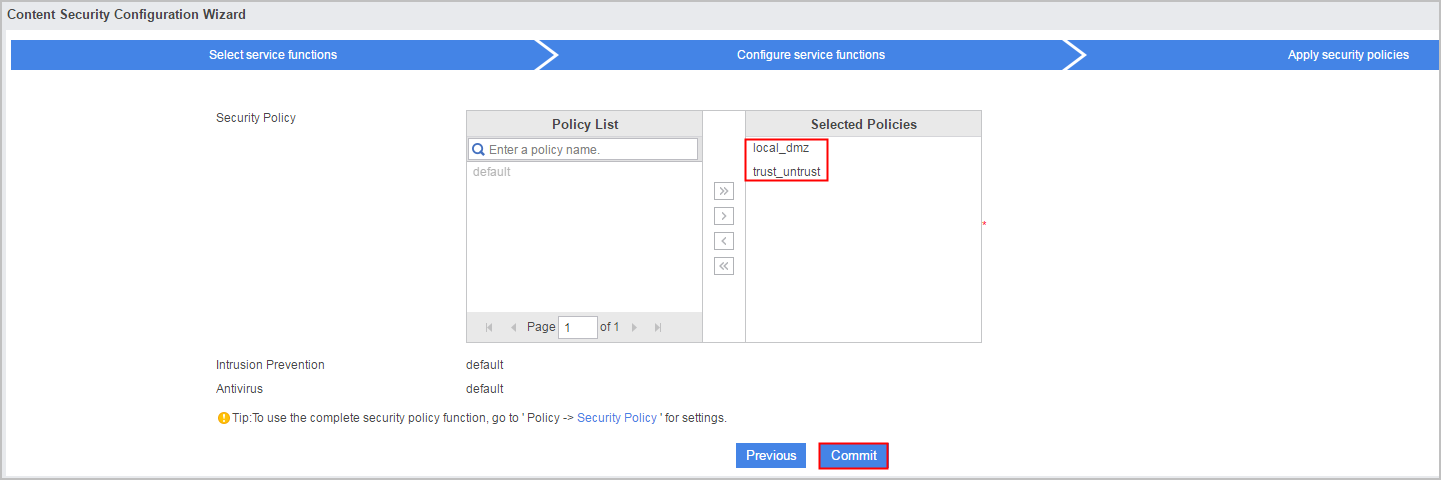
- Select security policies that reference the profiles.
On the tab for applying security policies, select security policies that need to reference the profiles. Then click Commit to complete basic configurations of content security services.