Key Points for Configuring URL Category-based URL Filtering
This section describes how to configure URL filtering based on URL categories.
To configure URL filtering based on URL categories, you need to create a URL filtering profile, specify a control action, and configure a security policy. In the security policy, specify the data flow for which URL filtering is performed and reference the URL filtering profile.
Create a URL filtering profile.
You can use the default URL filtering profile or create a URL filtering profile as required.
The name of the default URL filtering profile is default. In the default profile, the default action is Allow, the action for the malicious website category is Block, and the action for other categories is Allow. The default profile cannot be modified or deleted.
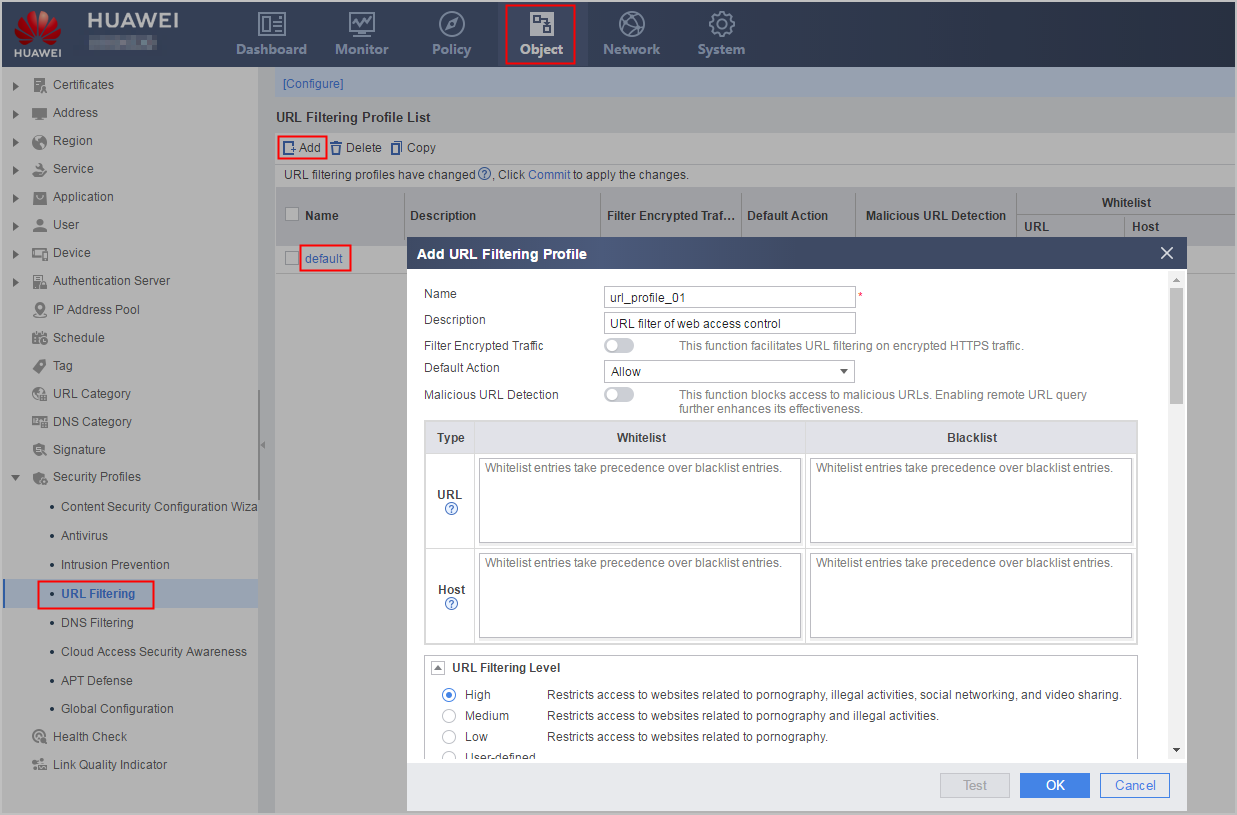
Set control action parameters in the URL filtering profile.
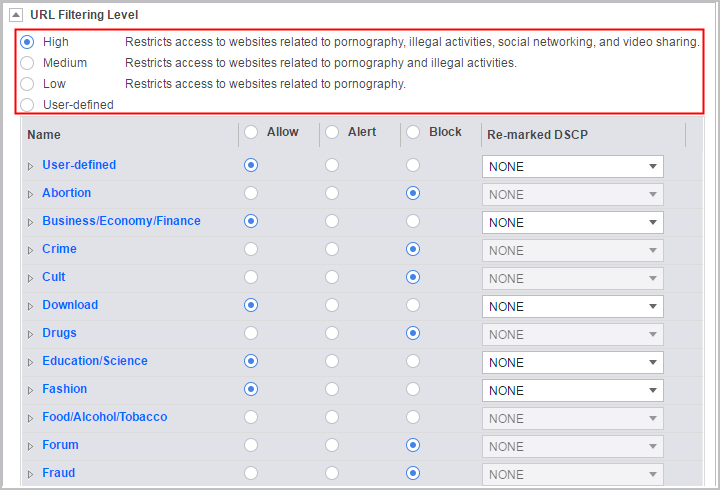
The device provides two methods of configuring URL category control actions:
- Method 1: Select the preset high, medium, or low level to simplify operations. In each level, the action for specific categories is set to Block. For details, see the description next to a specific level on the web UI.
- Method 2: Define the action for each category. This method applies if you are clear about the URL categories that need to be controlled.
Configure a security policy, specify matching conditions, and reference the URL filtering profile in the security policy.
URL filtering can allow or block requests based on the time range, user, or user group by referencing these configuration items to control users' Internet access permissions in a more refined and accurate manner.
- Optional: Configure the remote query server.
The prerequisites for using the remote URL query service are as follows:
To implement URL remote query, you need to set the country where the device resides. If the country where the FW resides is not configured or incorrect, the URL remote query is unavailable.
The DNS server address is set, and the DNS server can correctly resolve domain name sec.huawei.com.
A security policy has been configured to permit the following user-defined service traffic to pass through the FW:
- TCP: The destination port number is 443 (for interaction with scheduling center sec.huawei.com).
- TCP: The destination port number is 12612 (for interaction with a dispatch server).
- UDP: The destination port number is 12600 (for interaction with a query server).
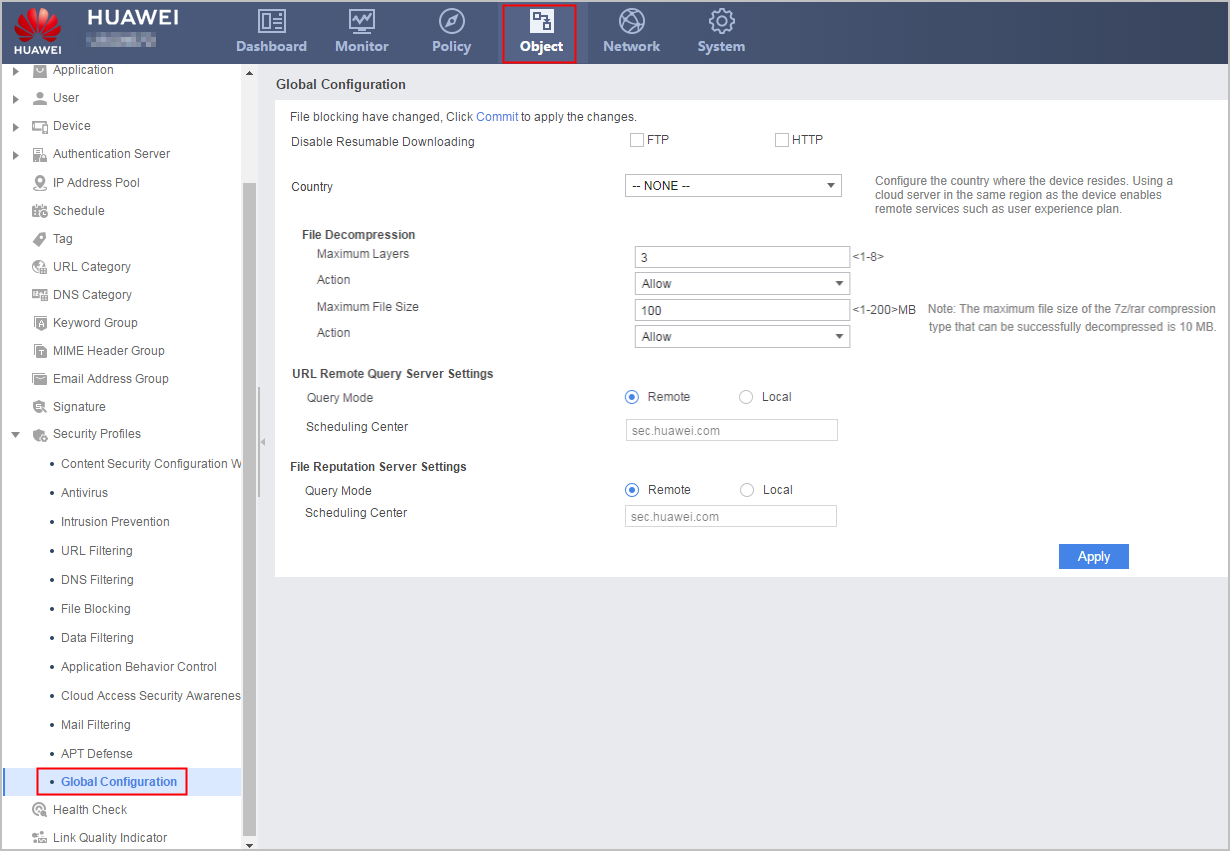

If the system prompts you to load the predefined URL categories, click Load Now or run the import url-sdb file filename command to load the predefined URL categories. If there is no initial URL category database on the local device, log in to the security center platform (isecurity.huawei.com) to download it. On the home page of the website, choose . Select information, such as the product model and version number. On the Initial URL tab, download the latest initial URL category database.