Web: Example for Configuring Bandwidth Management on Each IP Address on the Enterprise Networks with Source NAT or NAT Server Enabled
This section provides an example for configuring maximum bandwidth for each IP address to restrict the bandwidth available for each enterprise employee to access the Internet and to limit the maximum available bandwidth for intranet servers to provide services externally.
Networking Requirements
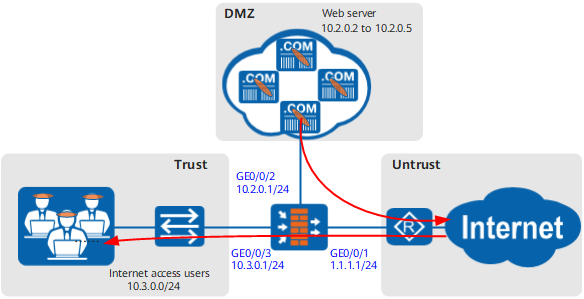
As shown in Figure 1, employees access the Internet through Source NAT, and intranet Web servers provide services through NAT Server for Internet users. In peak hours, when Internet users access the Web servers, the web pages and pictures fail to be displayed completely. On the other hand, when the Web servers suffer from burst access, the Internet access experience of enterprise employees is also compromised.
To ensure that employees can access the Internet properly and the Web servers can provide services properly for Internet users, the enterprise requires to enable the bandwidth management function on the FW to meet the following requirements:
- Assign 60 Mbit/s downstream bandwidth (untrust to trust) for intranet users to access the Internet and 40 Mbit/s downstream bandwidth (dmz to untrust) for Internet users to access the Web servers in peak hours (15:00:00 to 18:00:00 on work days).
- Limit the overall downstream bandwidth of each Web server (4 Web servers in total) within 10 Mbit/s.
- Limit the maximum downstream bandwidth of each employee (30 employees in total) to access the Internet in peak hours (15:00:00 to 18:00:00 on work days) to 2 Mbit/s.
Configuration Roadmap
- Set interface IP addresses and assign the interfaces to security zones.
- Configure a traffic policy for intranet users to access the Internet and reference the traffic profile in which the overall maximum downstream bandwidth is 60 Mbit/s and maximum downstream bandwidth for each IP address is 2 Mbit/s.
- Configure a traffic policy for intranet Web servers and reference the traffic profile in which the overall maximum downstream bandwidth is 40 Mbit/s and maximum downstream bandwidth for each IP address is 10 Mbit/s.

- Upstream and downstream depend on the direction of FW bandwidth policy. For simplicity, upstream refers to the direction from Trust to Untrust, and downstream refers to Untrust to DMZ in this section.
- Assuming that the security zones, routers, and security policies have been configured, this section introduces only how to configure bandwidth management.
Procedure
- Set interface IP addresses and assign the interfaces to security zones.
- Click
 for GE0/0/3 and set the parameters as follows:
Zone
trust
IPv4
IP Address
10.3.0.1/24
- Click
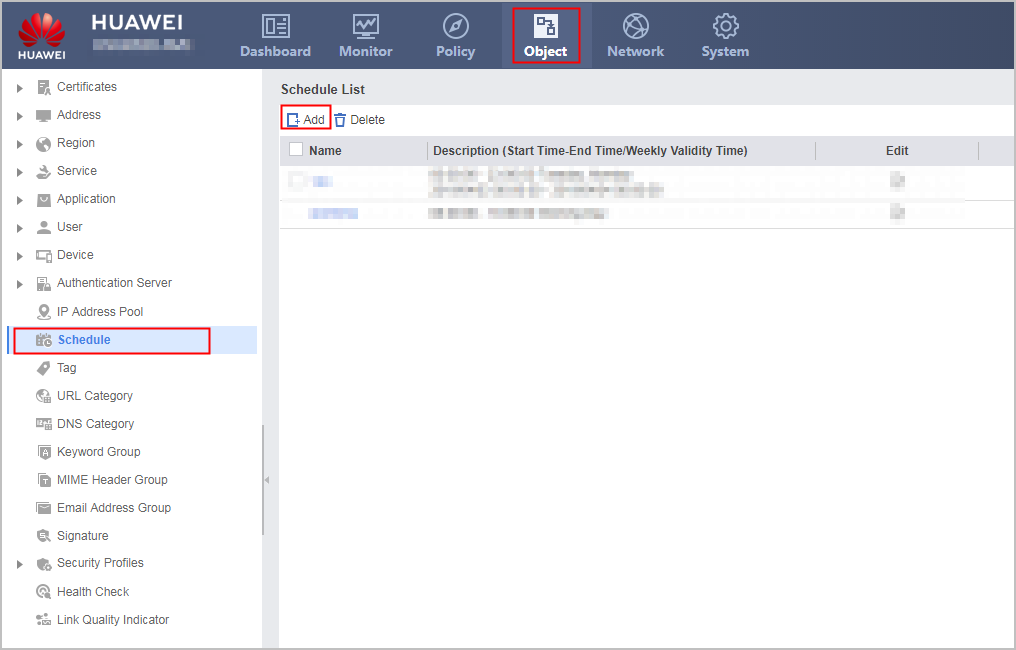
- Configure a schedule.
- Choose .
- Choose .
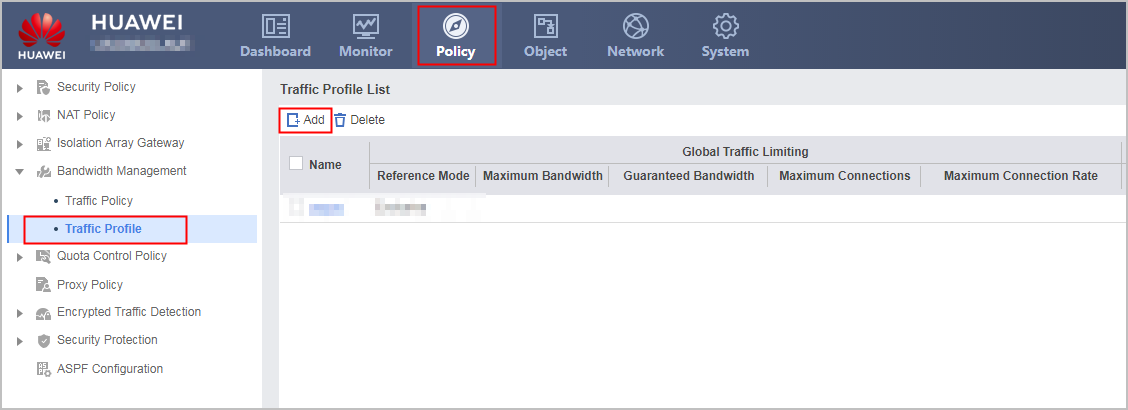
- Configure a traffic profile for employees to access the Internet.
- Choose .
- Choose .
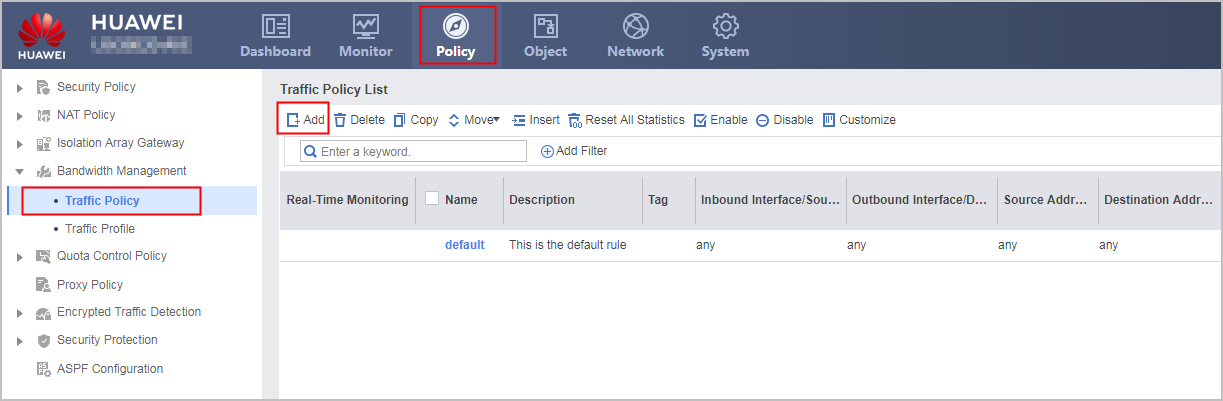
- Configure bandwidth management for employees to access the Internet.
- Choose .
- Choose .
- Configure a traffic profile for intranet Web servers.
- Configure bandwidth management for intranet Web servers.
Configuration Scripts
This section provides only the script related to the example.
#
sysname FW
#
 time-range rush_time
  period-range 15:00:00 to 18:00:00 working-day
#
interface GigabitEthernet0/0/1
 undo shutdown
 ip address 1.1.1.1 255.255.255.0
#
interface GigabitEthernet0/0/2
 undo shutdown
 ip address 10.2.0.1 255.255.255.0
#
interface GigabitEthernet0/0/3
 undo shutdown
 ip address 10.3.0.1 255.255.255.0
#
firewall zone trust
 set priority 85
 add interface GigabitEthernet0/0/3
#
firewall zone untrust
 set priority 5
 add interface GigabitEthernet0/0/1
#
firewall zone dmz
 set priority 50
 add interface GigabitEthernet0/0/2
#
traffic-policy
 profile profile_surf
  bandwidth maximum-bandwidth whole downstream 60000
  bandwidth maximum-bandwidth per-ip downstream 2000
 profile profile_websvr
  bandwidth maximum-bandwidth whole downstream 40000
  bandwidth maximum-bandwidth per-ip downstream 10000
 rule name policy_surf
  source-zone trust
  destination-zone untrust
  source-address 10.3.0.0 24
  time-range rush_time
  action qos profile profile_surf
 rule name policy_websvr
  source-zone untrust
  destination-zone dmz
  destination-address range 10.2.0.2 10.2.0.5
  action qos profile profile_websvr