Web: Example for Configuring Hierarchical Traffic Policies for Bandwidth Management on a Specific Department or on the Employees and Services of That Department
This section provides an example for configuring hierarchical traffic policies to control bandwidth of different departments, different employees in each department, and different services used by employees.
Networking Requirements
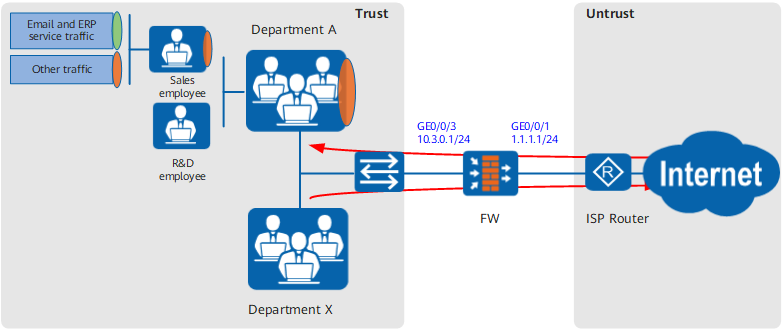
As shown in Figure 1, an enterprise has department A. Department A includes sales and R&D employees. The sales employees need to use email and ERP applications.
The enterprise requires to enable the bandwidth management function on the FW to assign bandwidth resources available for department A and further assign these bandwidth resources to the sales employees in the department, so that the email and ERP traffic of the sales employees can be properly forwarded. Specific requirements are as follows:
- The maximum downstream bandwidth of department A cannot exceed 60 Mbit/s.
- The maximum downstream bandwidth of sales employees in department A cannot exceed 30 Mbit/s.
- The minimum downstream bandwidth for email and ERP traffic of sales employees in department A cannot be lower than 20 Mbit/s.
Configuration Roadmap
- Set interface IP addresses and assign the interfaces to security zones.
- Configure a traffic policy for department A and reference the traffic profile in which the overall maximum downstream bandwidth is 60 Mbit/s.
- Configure a traffic policy for the sales employees in department A, use the traffic policy for department A as its parent policy, and reference the traffic profile in which the overall maximum downstream bandwidth is 30 Mbit/s.
- Configure a traffic policy for the email and ERP traffic of the sales employees in department A, use the traffic policy for the sales employees in department A as its parent policy, and reference the traffic profile in which the overall guaranteed downstream bandwidth is 20 Mbit/s.

- Upstream and downstream depend on the direction of FW bandwidth policy. For simplicity, upstream refers to the direction from Trust to Untrust, and downstream refers to Untrust to DMZ in this section.
- Assuming that the security zones, routers, and security policies have been configured, this section introduces only how to configure bandwidth management.
Procedure
- Set interface IP addresses and assign the interfaces to security zones.
- Click
 for GE0/0/3 and set the parameters as follows:
Zone
trust
IPv4
IP Address
10.3.0.1/24
- Click
- Configure a traffic profile for department A.
- Choose .
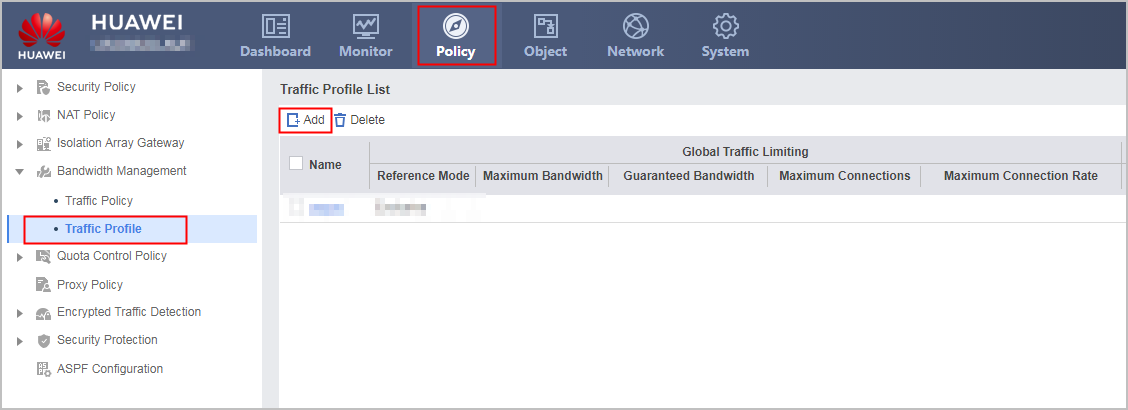
- Choose .
- Configure bandwidth management for department A.
- Choose .
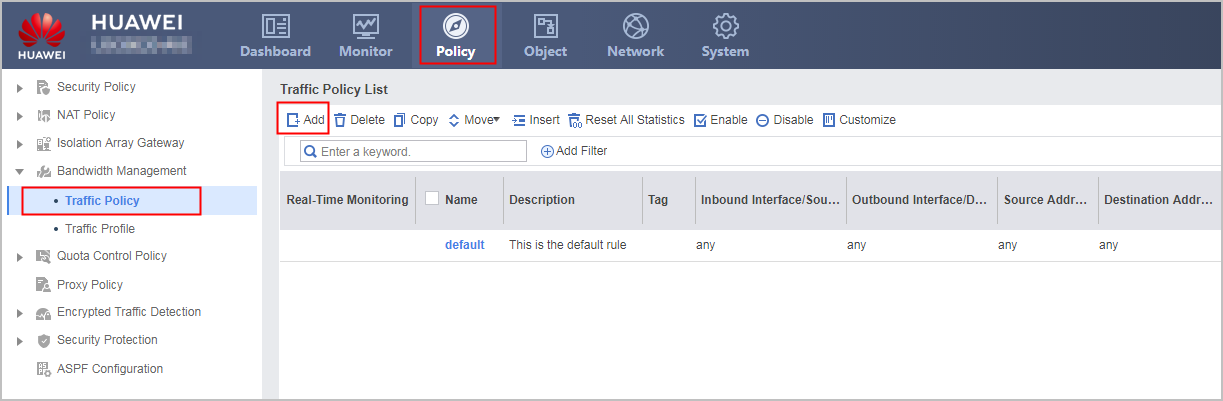
- Click Add and set the parameters as follows:
In the example, user authentication configuration for department A (dep_a) and sales employees in department A (dep_a_sale) has been completed.
Name
policy_dep_a
Source Zone
trust
Destination Zone
untrust
User
/default/dep_a
Action
Limit
Traffic Profile
profile_dep_a
- Choose .
- Configure a traffic profile for sales employees in department A.
- Configure bandwidth management for sales employees in department A.
- Configure a traffic profile for the email and ERP traffic of the sales employees in department A.
- Configure bandwidth management for the email and ERP traffic of the sales employees in department A.
- Click Add and set the parameters as follows:
The following example describes the bandwidth management configuration for Outlook Web Access and LotusNotes. You can specify other P2P services as required.
Name
policy_dep_a_sale_email
Parent Policy
policy_dep_a_sale
Source Zone
trust
Destination Zone
untrust
Application
Outlook Web Access, LotusNotes
Action
Limit
Traffic Profile
profile_dep_a_sale_email
- Click Add and set the parameters as follows:
Configuration Scripts
This section provides only the script related to the example.
#
sysname FW
#
interface GigabitEthernet0/0/1
 undo shutdown
 ip address 1.1.1.1 255.255.255.0
#
interface GigabitEthernet0/0/3
 undo shutdown
 ip address 10.3.0.1 255.255.255.0
#
firewall zone trust
 set priority 85
 add interface GigabitEthernet0/0/3
#
firewall zone untrust
 set priority 5
 add interface GigabitEthernet0/0/1
#
traffic-policy
 profile profile_dep_a
  bandwidth maximum-bandwidth whole downstream 60000
 profile profile_dep_a_sale
  bandwidth maximum-bandwidth whole downstream 30000
 profile profile_dep_a_sale_email
  bandwidth guaranteed-bandwidth whole downstream 20000
 rule name policy_dep_a
  source-zone trust
  destination-zone untrust
  user user-group /default/dep_a
  action qos profile profile_dep_a
 rule name policy_dep_a_sale parent policy_dep_a
  source-zone trust
  destination-zone untrust
  user user-group /default/dep_a_sale
  action qos profile profile_dep_a_sale
 rule name policy_dep_a_sale_email parent policy_dep_a_sale
  source-zone trust
  destination-zone untrust
  application app LotusNotes
  application app OWA
  action qos profile profile_dep_a_sale_email