This section describes how to bind an IP address to a MAC address using the Web UI.
Procedure
- Choose .
- On the Configure IP-MAC Binding page, enable IP-MAC Binding Function and click Apply.
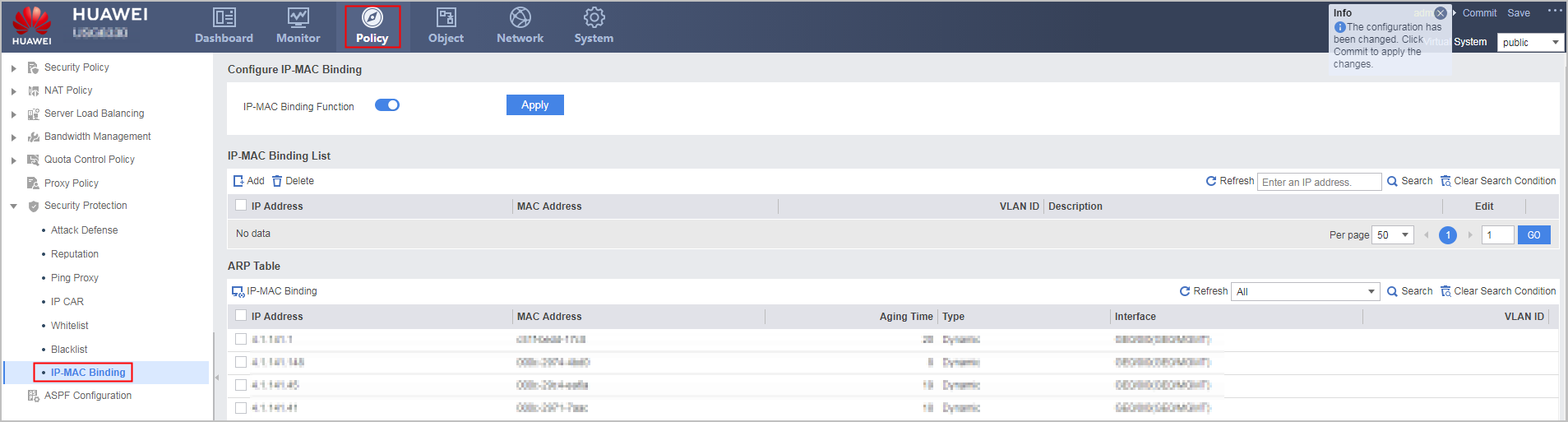
- Configure IP-MAC binding in IP-MAC Binding List.
- Click Add.
- Set the parameters for IP-MAC binding.
IP address
|
IP address in the IP-MAC binding.
As a destination IP address, the IP address is the address of the host under protection. As a source IP address, the IP address is the address of the host that initiates connections or launches attacks, and the address might be a forged one.
If an IP address is bound to multiple different MAC addresses, the latest binding overwrites the existing one. One MAC address can be bound to multiple IP addresses.
|
|---|
MAC address
|
MAC address in the IP-MAC binding.
The value can be the real MAC address of the host at a specified IP address or any specified MAC address.
|
|---|
VLAN ID
|
ID of the VLAN to which the IP address belongs.
|
|---|
Description
|
Description of the IP-MAC binding.
|
|---|
- Click OK.