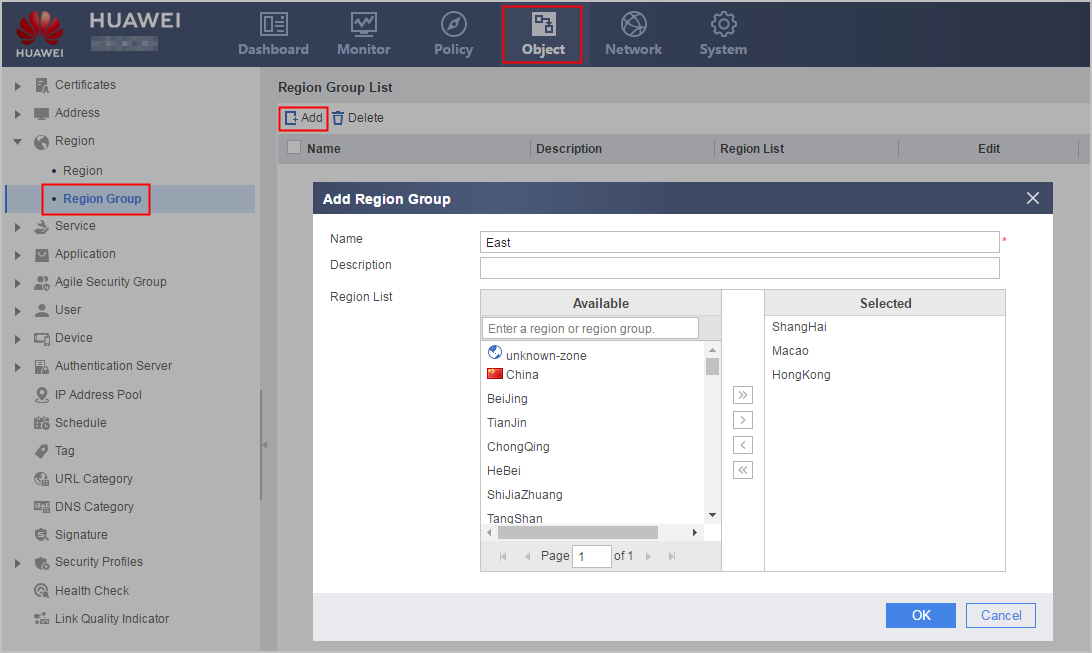
Creating a Region Group
To control multiple regions, you can create a region group and reference the group in a policy. Region group members can be predefined regions, user-defined regions, or region groups.
To control multiple regions, you can create a region group and reference the group in a policy. Region group members can be predefined regions, user-defined regions, or region groups.