Log Formats
This section describes encapsulation formats of different types of logs.
FWWhen outputting logs, a FW encapsulates log information in different formats. Encapsulation formats vary with the types of logs. The FW encapsulates log information in the following formats:
Binary format
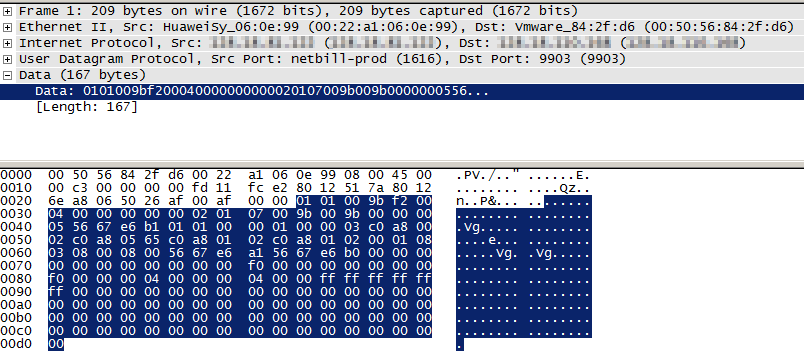
The binary format is widely applied for log encapsulation. Log information is encapsulated in binary format for transmission over the network. The encapsulation in binary format has small impacts on the firewall performance, but the transmission efficiency is high. This encapsulation format is applicable to logs with a large amount, for example, session logs.
The following figure shows a session log in binary format. From this data, you cannot learn the specific log information. You need a log server that supports this format to parse the log and learn its content.
Dataflow format
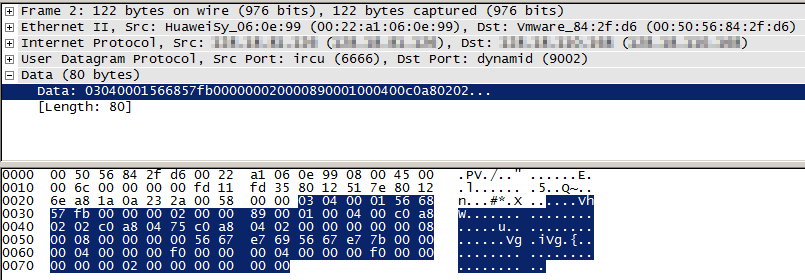
The dataflow format is specifically used on the FW. This format is essentially a binary format and mainly used to encapsulate service logs.
The following figure shows a session log in dataflow format. From this data, you cannot learn the specific log information. You need a log server that supports this format to parse the log and learn its content.
Netflow format
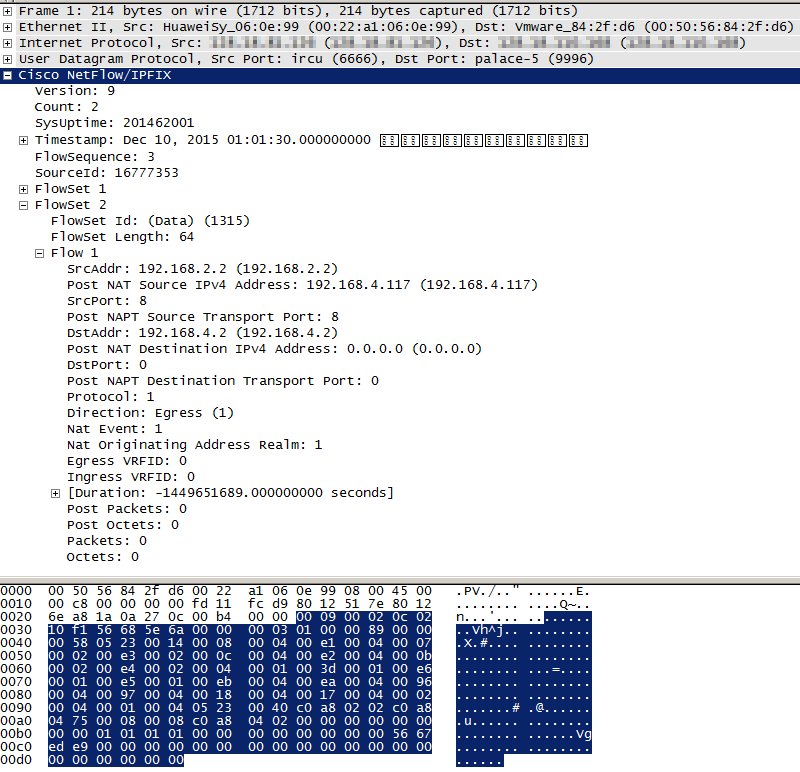
The netflow format is supported by the FW. The version of this encapsulation format is V9. This encapsulation format complies with the RFC 3954 standard and is mainly used to encapsulate session logs.
The following figure shows a session log in netflow format. Because the netflow format adopts the universal standard, the packet capture tool can parse the packet. Therefore, you can learn the content of the packet using the packet capture tool.
Syslog format
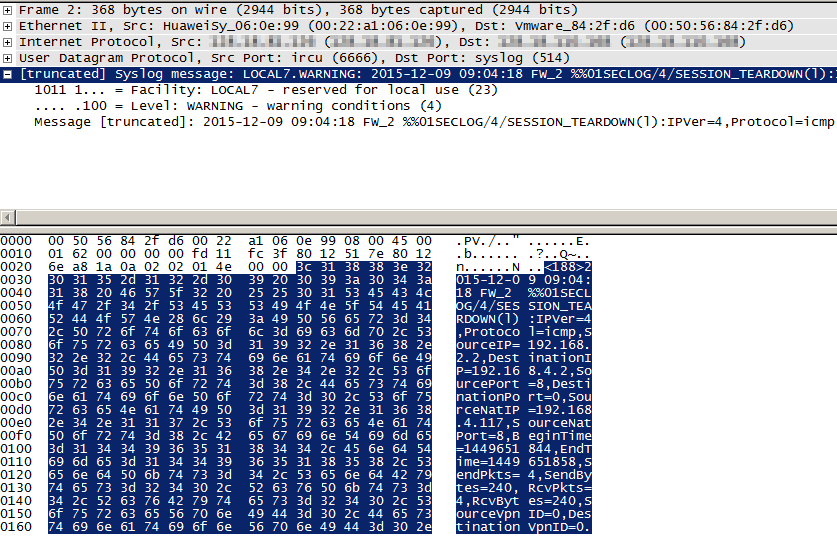
The syslog format supports log encapsulation in text files. This format complies with the universal syslog format standards and is initially used to encapsulate system logs. Currently, session logs and service logs can also be encapsulated in syslog format to satisfy requirements in different scenarios.
Currently, session logs, packet discard logs, port pre-allocation logs, service logs, and system logs can be output in syslog format. The log information is displayed in text format.
The following figure shows a session log in syslog format. The information in the session log is transmitted in text format. You can learn the content of the log such as protocol, address, and port number using the packet capture tool.