Configuring Across-Layer-3 MAC Identification Using the Web UI
This section describes how to configure across-Layer-3 MAC identification using the Web UI.
Prerequisites
Context
Intranet users use the FW to access the Internet, and the FW uses MAC addresses as matching conditions to control intranet traffic. If the FW uses a Layer-3 network device to connect to an intranet PC, the FW cannot obtain the MAC address of the intranet PC directly.

Procedure
- Choose .
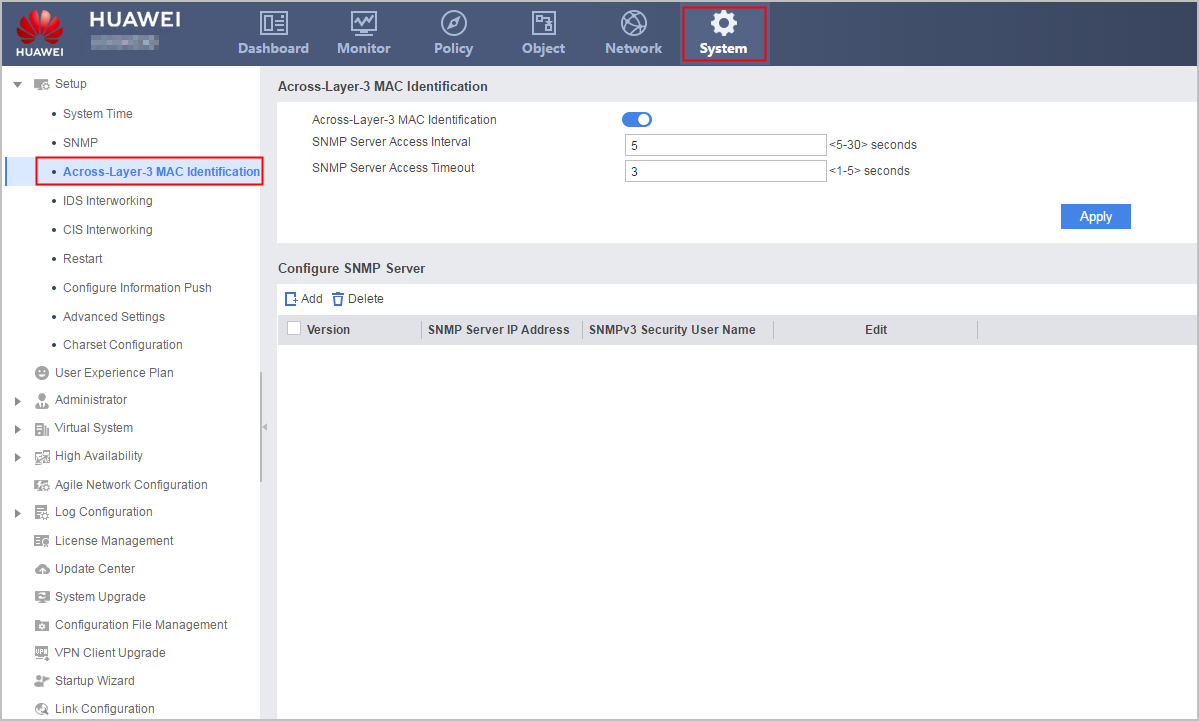
- Enable the across-layer-3 MAC identification function in Across-Layer-3 MAC Identification.
- Optional: Enter the parameters.
Parameter
Description
SNMP Server Access Interval
Interval between two SNMP requests.
SNMP Server Access Timeout
Length of time the SNMP server waits for a response to a request sent to the target network device. You can specify this parameter based on the update interval of a PC IP address and the network delay.
- Click Apply.
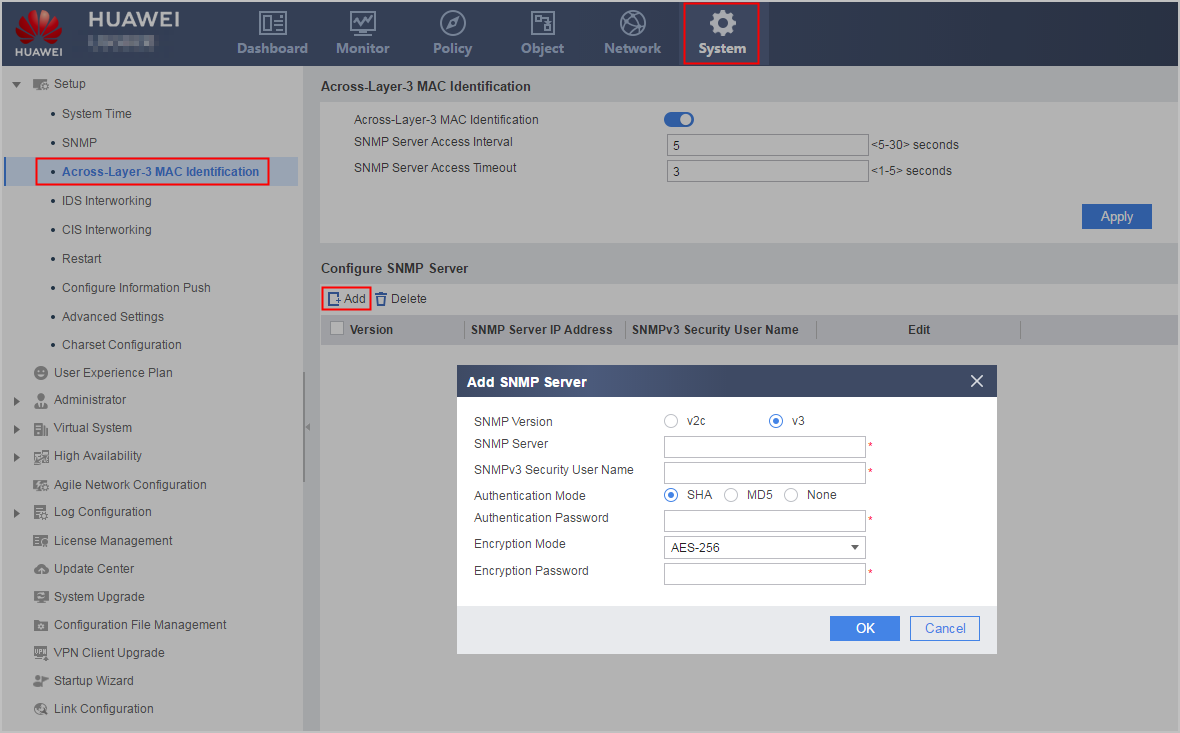
- Add an SNMP server.
- Configure an ID for the SNMP server.
Parameter
Description
SNMP Version
SNMP version of the SNMP server:
v2c
v3
SNMP Server
IP address of the target Layer-3 network device.
Select an IP address from the existing IP addresses of Layer-3 network devices.
The device supports 64 Layer-3 network devices as SNMP servers to synchronize ARP entries.
SNMPv3 Security User Name
Uer name must have been configured on a specific Layer-3 network device, and the user name and IP address must identify the same Layer-3 network device.
Authentication Mode
Authentication password must be the same as that on the SNMP server.
Authentication Password
Encryption Mode
Encryption Password
- Configure an ID for the SNMP server.