Manually Deleting Logs
This section describes how to manually delete logs.
When the disk is full, you can manually delete logs as follows:

Logs do not exist after they are cleared. Perform this operation with caution.
Manually Deleting Logs Through the Web UI
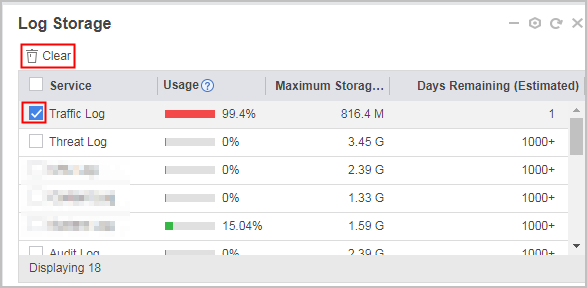
When the storage space of logs from a module hits or exceeds Alarm Threshold, you can manually clear logs to release the disk space.
- Click Dashboard. In Log Storage, select the service logs to be cleared and click Clear.
Manually Deleting Logs Through the CLI
- Run the system-view command to access the system view.
- Run the clear disk type { traffic-log | threat-log | url-log | content-log | system-log | user-log | policy-log | mail-log | audit-log | aapt-log | traffic-report | threat-report | url-report | policy-report | file-block-report | content-report | bandwidth-log | bandwidth-report } command to specify the type of logs or reports to be cleared when the disk space assigned to this type is insufficient.