Smart Report Search
This section describes how to view intelligent report search.
Smart Report Search
Intelligent report search displays comprehensive information including the traffic status and threat posture by a specific search condition on the web UI. To understand all activities related to a source IP address within 24 hours, you can view all report data of the source IP address in the intelligent report search.
For example, you can view all report data of source address 192.168.2.102. The following figure shows detailed operations and information displayed.
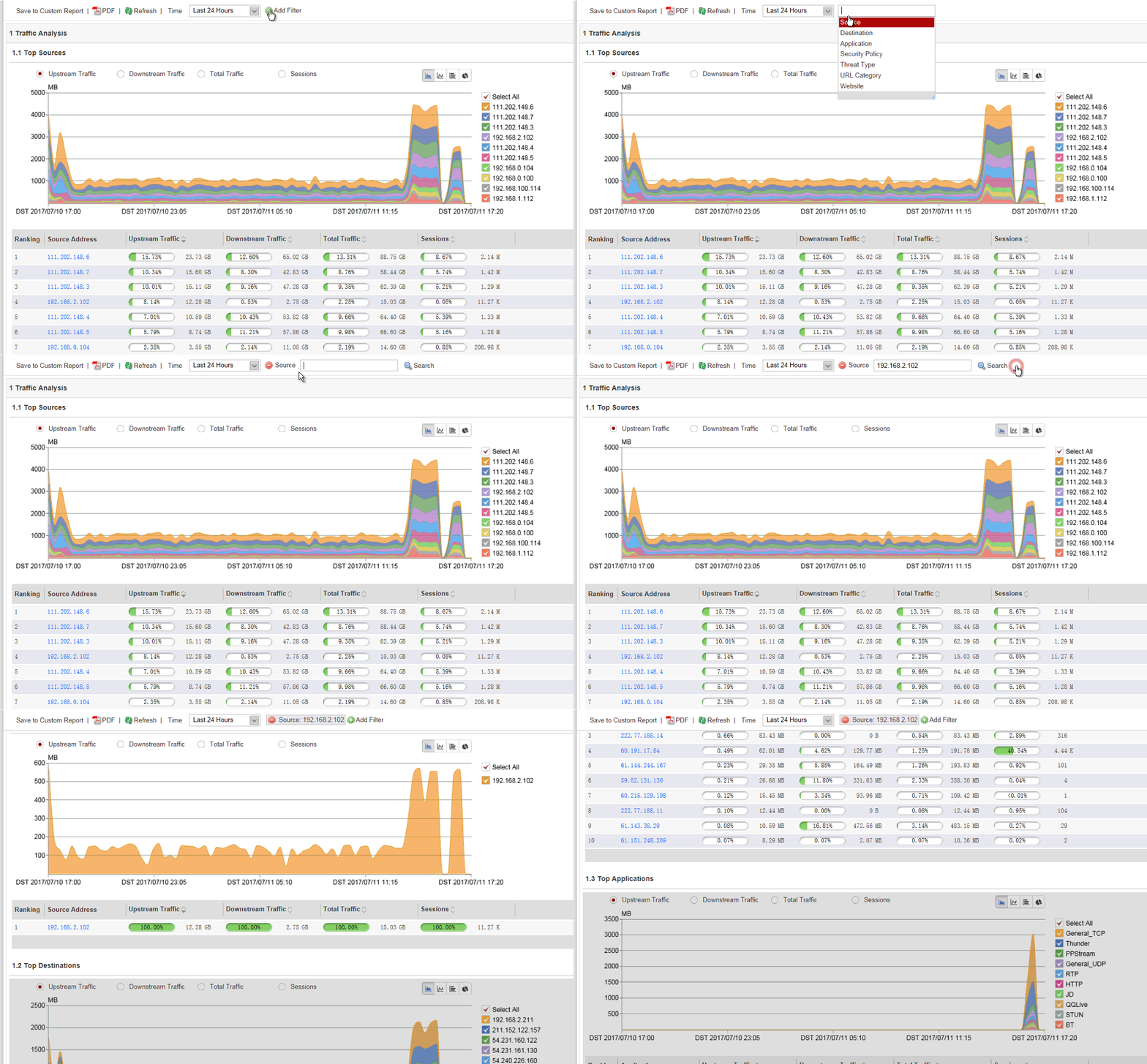
Intelligent report search provides report data statistics by seven search conditions. Log in to
the web UI, choose . Click  and select the search condition. You can view all
data displayed by the search condition.
and select the search condition. You can view all
data displayed by the search condition.
Saving the Data Generated Based on Smart Search
If you want to save the report data generated based on smart search for further query, use the user-defined report function.
The following figure shows detailed operations and information displayed.
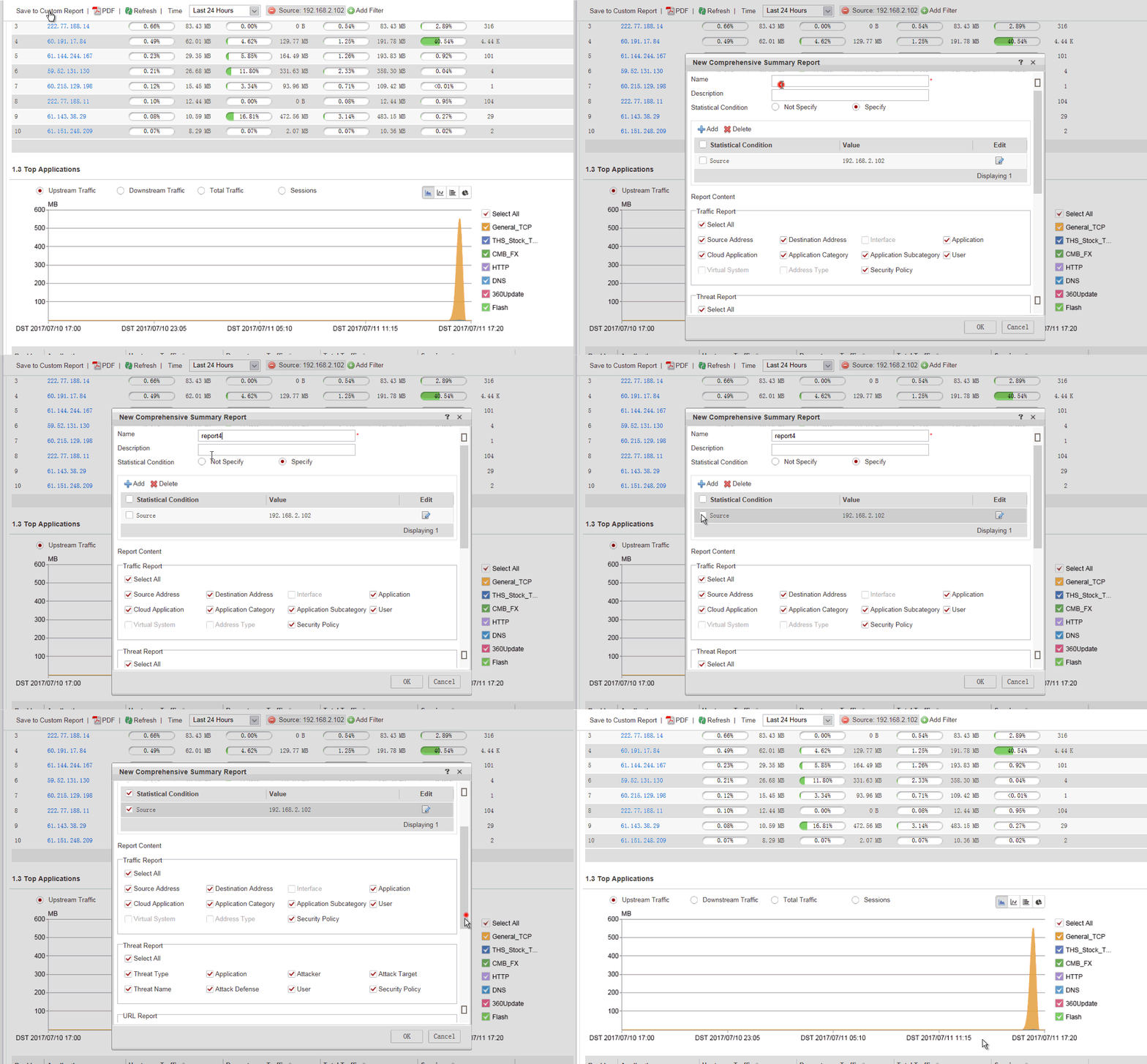
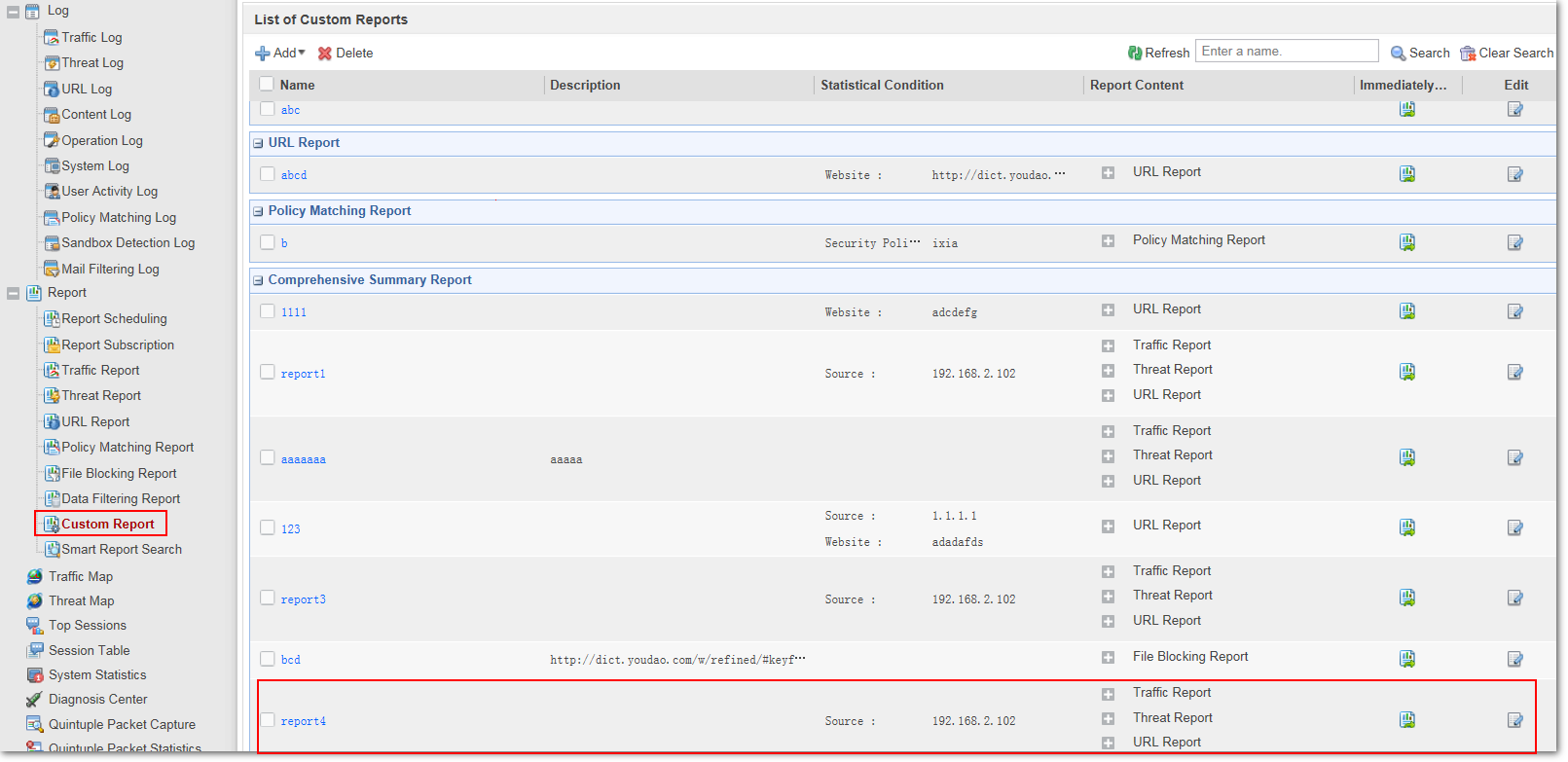
You can view generated user-defined report data in the Comprehensive Summary Report column of Custom Report.