Viewing the Threat Reports in the Threat Type Dimension
This topic describes how to view threat reports in the threat type dimension.
You can view the number of threats caused by intrusions, viruses, zombies, Trojan horses, worms, advanced threat, and attacks in the threat reports in the threat type dimension.
The USG6510E/6510E-POE/6530E does not support virus and intrusion threat types.
Only the USG6615E/6625E and USG6575E-B/6605E-B supports advanced threat types.
Viewing Reports
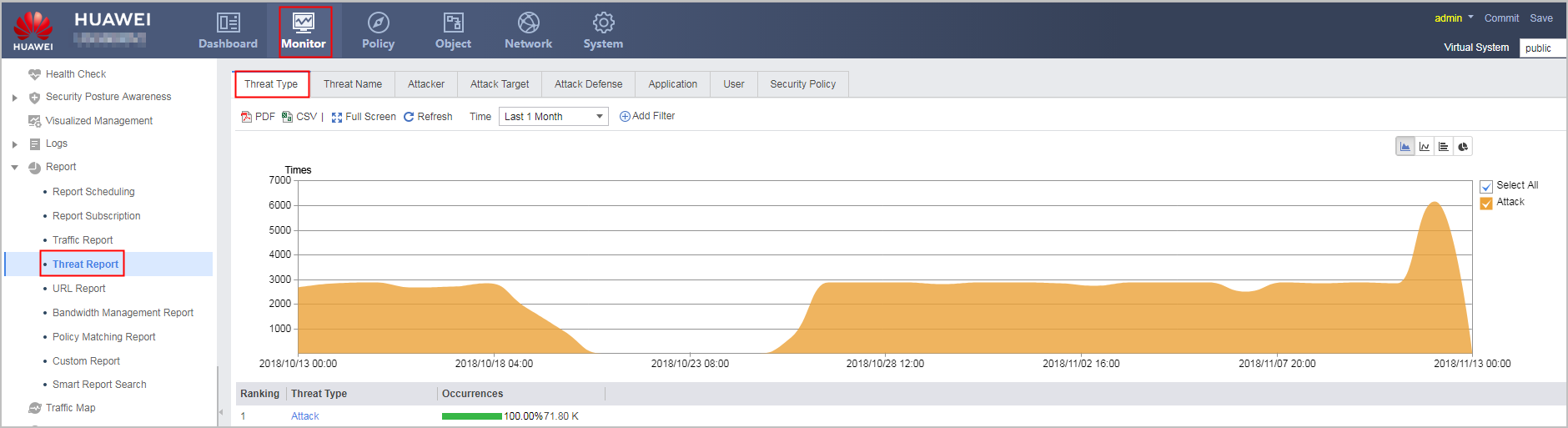
To view threat reports in the threat type dimension, click the Threat Type tab.
Customizing Generated Reports
- Attacker: You can view the top N number of threats caused by attacks, intrusions, viruses, zombies, Trojan horses, advanced threat, and worms based on this attacker.
- Attack target: You can view the top N number of threats caused by attacks, intrusions, viruses, zombies, Trojan horses, advanced threat, and worms based on this attack target.
- Application: You can view the top N number of threats caused by attacks, intrusions, viruses, zombies, Trojan horses, advanced threat, and worms based on this application.
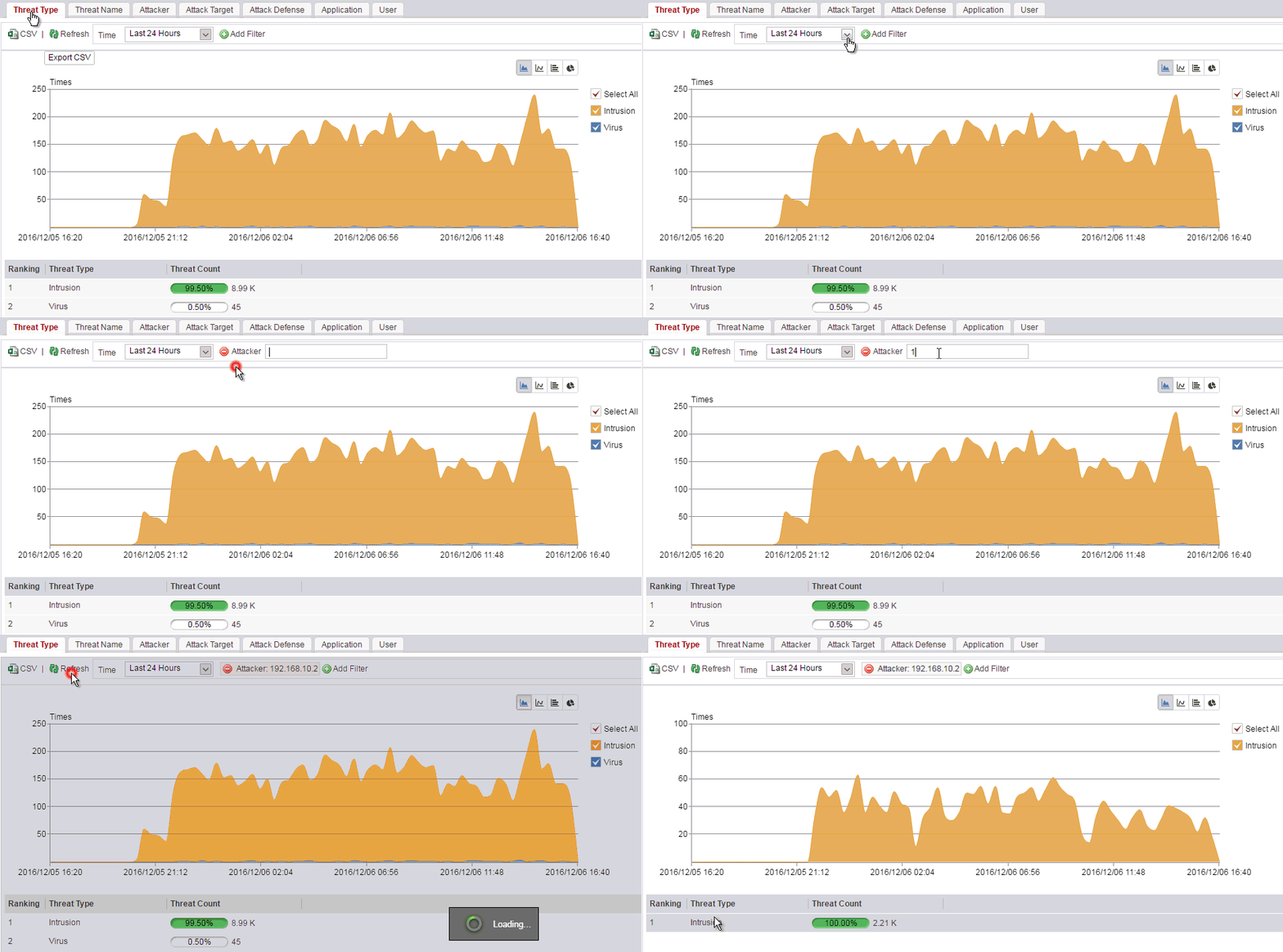
For example, you can view the number of threats in various types generated by an attacker with IP address 192.168.10.2. The following figure shows the specific operations and displayed information.
Drilling Threat Statistics in the Threat Name/Attack Target/Attacker Dimension
Only the USG6000E (not including USG6510E/6510E-POE/6530E) support this function.
The threat reports in the threat type dimension support secondary drilling to the threat name, attacker, or attack target. You can click the data link of a certain threat type to drill the threat statistics in the threat name, attacker, or attack target dimension.
For example, if a large number of threats of a specified threat type occur, you can view the trend of threats initiated by attackers based on this threat type. The following figure shows the specific operations and displayed information.
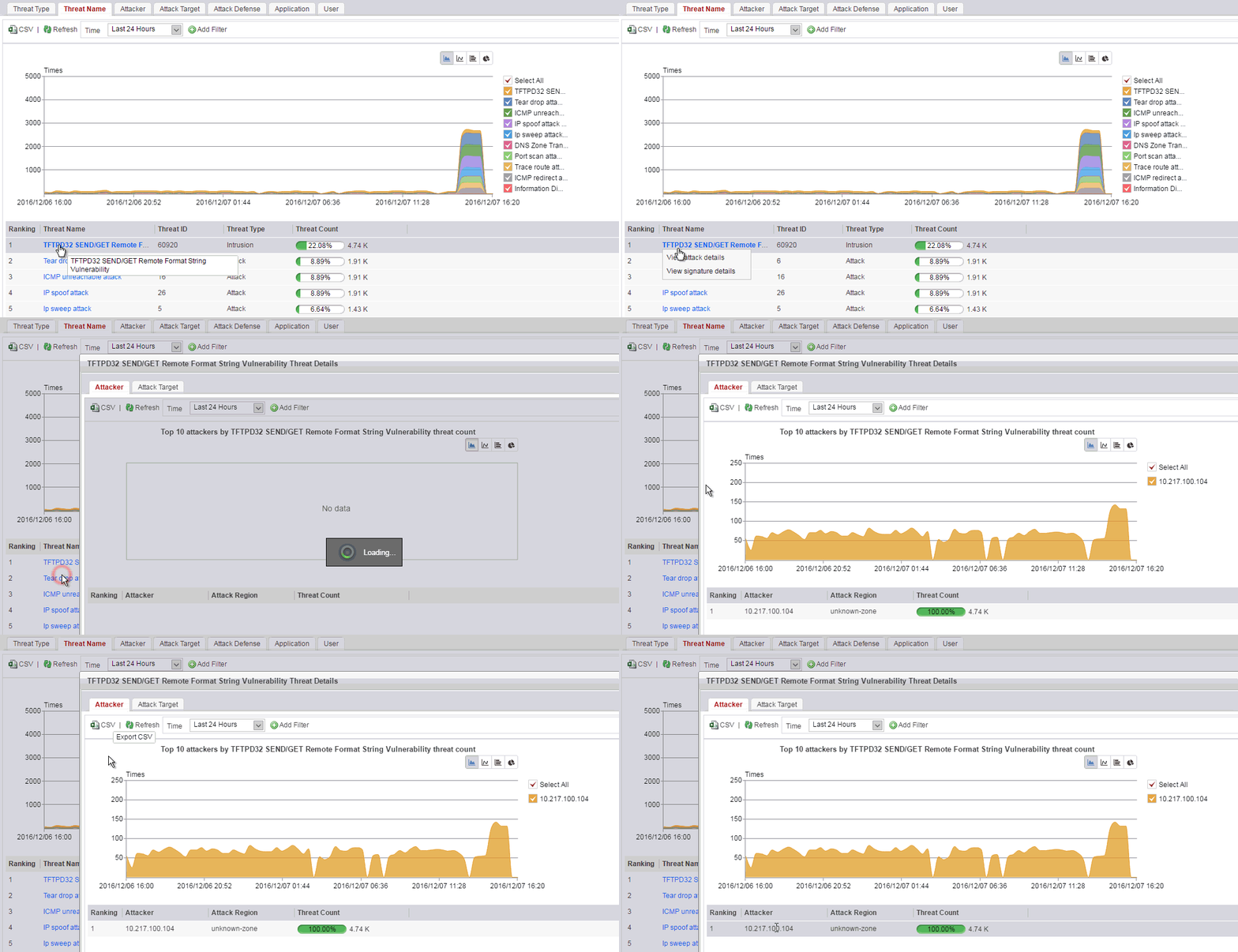
For threat names of the intrusion prevention type or botnet/Trojan/worm type, you can also view the signature details. You can click View signature details to view predefined signature information of threat names.
Note that the web UI may vary with the version.