Viewing Bandwidth Management Reports in the Bandwidth IP Connections Dimension
This topic describes how to view bandwidth IP connections reports.
When users access the intranet from the Internet or access the Internet from the intranet, the system blocks the access of these users' IP addresses if the number of concurrent IP connections exceeds the value of Per IP Limit Max Connection configured in Traffic Profile or the new IP connection rate exceeds the value of Per IP Max. Connection Rate configured in Traffic Profile.
If you want to view the trend of source IP addresses blocked by the system because the number of new IP connections exceeds the threshold, you can use the bandwidth IP connections report for real-time monitoring.
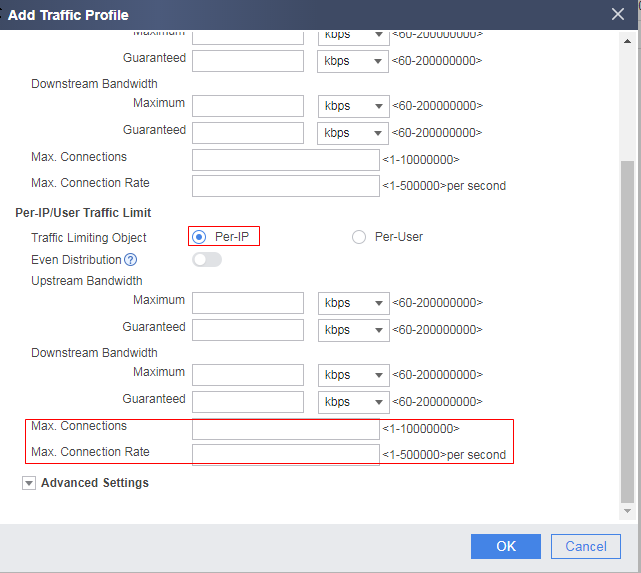
The report of bandwidth IP connections is displayed only when the thresholds shown in the figure are exceeded for per-IP traffic limiting of the traffic profile.
The following figure shows the information displayed in the report of bandwidth IP connections.
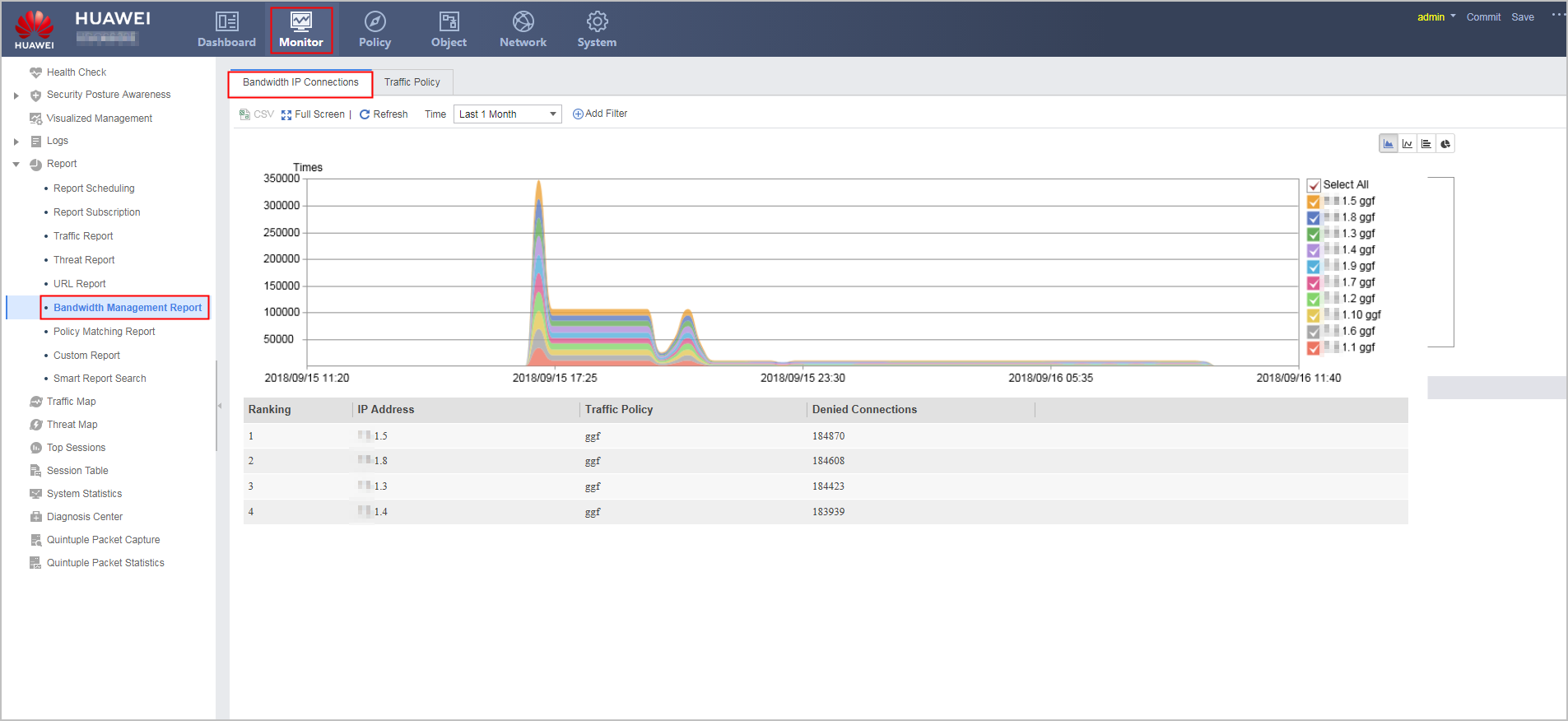

The source IP address is IP address of the source zone. For example, when IP addresses of extranet users in the Untrust zone access the intranet server in the Trust zone, the IP addresses that are blocked when the number of external IP addresses exceeds the threshold.
When you open this page for the first time, the system displays a message indicating that no disk space is allocated to bandwidth IP connections reports. To use this function, you need to allocate disk space in .
The FW provides the advanced search function of bandwidth IP connections reports. You can click Add Filter to view bandwidth IP connections information about a traffic policy or source IP address.