Example for Configuring Stateless Address Autoconfiguration
Networking Requirements
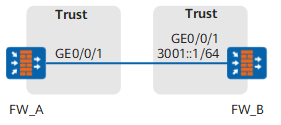
FW_A and FW_B are connected on the network shown in Figure 1. GigabitEthernet 0/0/1 on FW_A automatically obtains an IPv6 address to communicate with FW_B.
Configuration Roadmap
The configuration roadmap is as follows:
Enable stateless address autoconfiguration on FW_A to enable GigabitEthernet 0/0/1 to automatically obtain an IPv6 address.
Configure a global unicast address on FW_B and enable RA advertisement to use an RA message to advertise an IPv6 prefix to FW_A.
Procedure
- Configure FW_A.
- Set an IP address for each interface and assign the interfaces to security zones.
- Choose .
Click
 of GE0/0/1> and set the following parameters.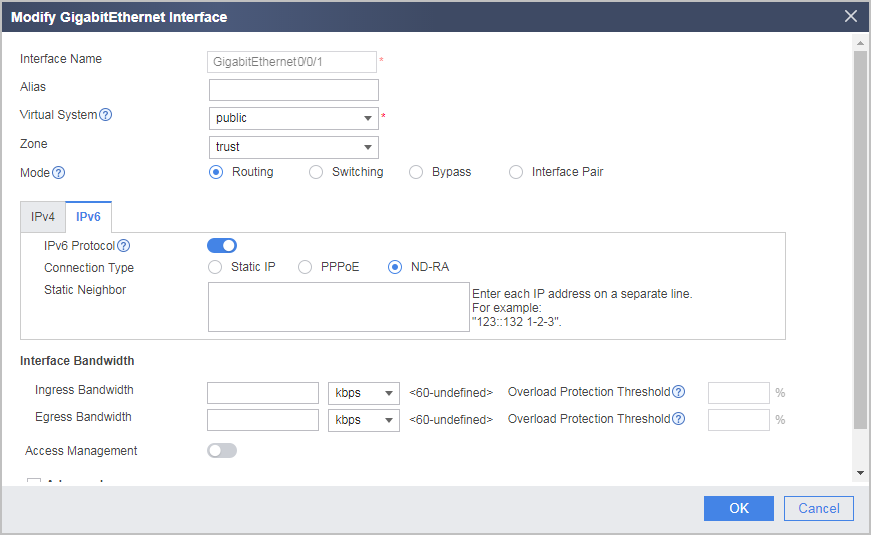
- Click OK.
- Configure security policies.
Choose .
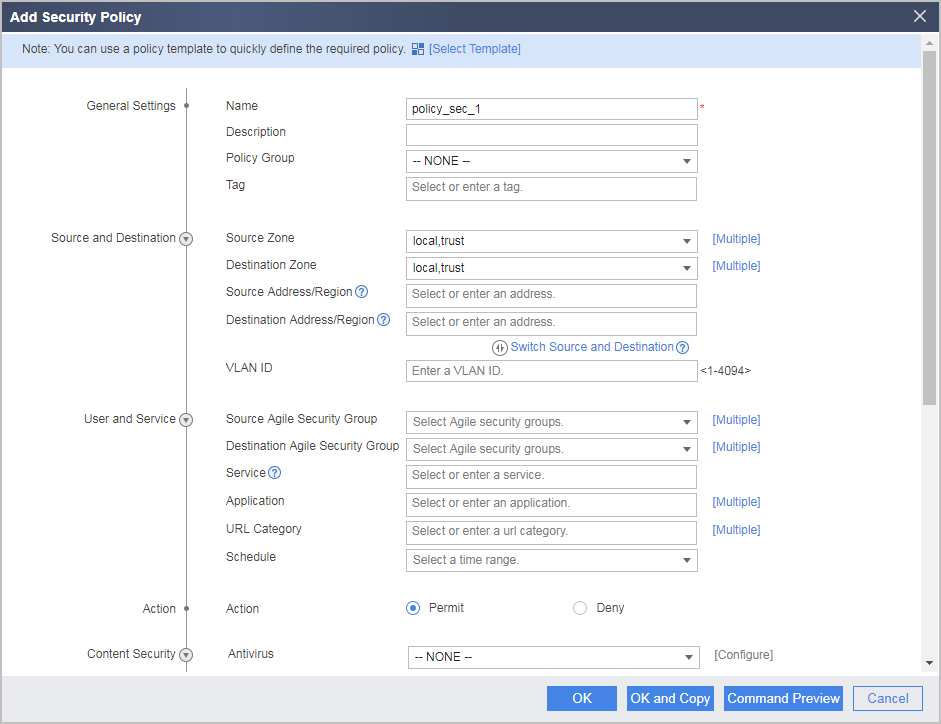
Click Add and set the parameters of the security policy for the Trust->Untrust interzone as follows.
- Click OK.
- Set an IP address for each interface and assign the interfaces to security zones.
- Configure FW_B.
- Set an IP address for each interface and assign the interfaces to security zones.
- Choose .
Click
of GE0/0/1> and set the following parameters.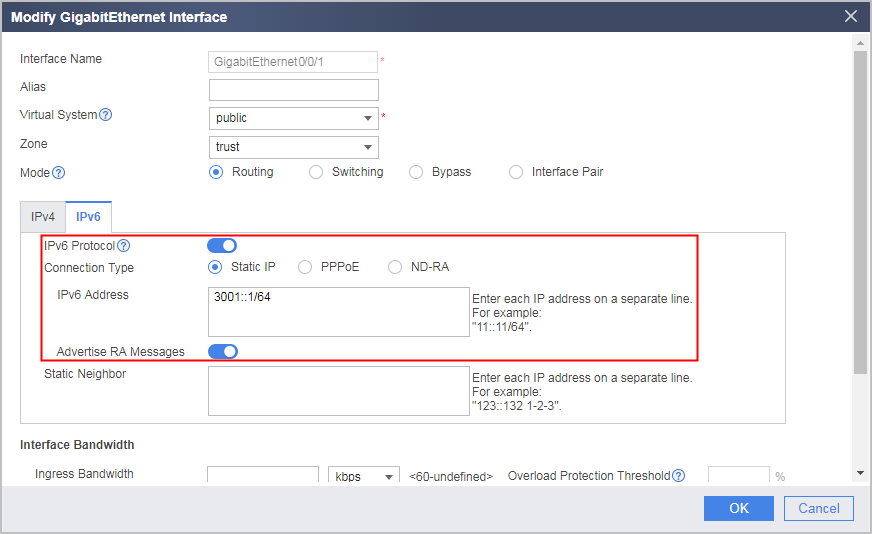
- Click OK.
- Configure security policies.
Choose .
Click Add and set the parameters of the security policy for the Trust->Untrust interzone as follows.
- Click OK.
- Set an IP address for each interface and assign the interfaces to security zones.
Configuration Scripts
Configuration script for FW_A:
#
 sysname FW_A
#
ipv6
#
interface GigabitEthernet0/0/1
 ipv6 enable
 ipv6 address auto link-local
 ipv6 address auto global
#
firewall zone trust
 set priority 85
 add interface GigabitEthernet0/0/1
#
security-policy
  rule name policy_sec_1
    source-zone local
    source-zone trust
    destination-zone local
    destination-zone trust
    action permit
#
return
Configuration script for FW_B:
#
 sysname FW_B
#
ipv6
#
interface GigabitEthernet0/0/1
 ipv6 enable
 ipv6 address 3001::1/64
 undo ipv6 nd ra halt
#
firewall zone trust
 set priority 85
 add interface GigabitEthernet0/0/1
#
security-policy
  rule name policy_sec_1
    source-zone local
    source-zone trust
    destination-zone local
    destination-zone trust
    action permit
#
return