Checking the Routing Table
When the network is disconnected, you can check whether a route to the specified destination exists in the routing table.

Procedure
- Choose .
- Configure the search criteria.
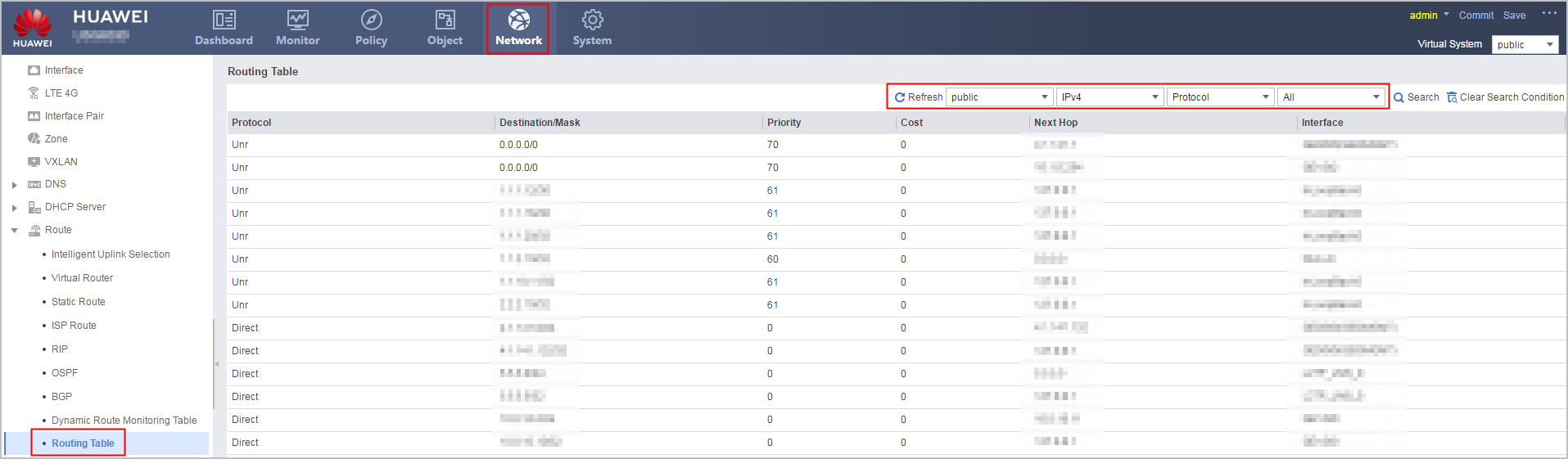 Figure 1 Search criteria
Parameter
Description
VPN Instance
Query route based on the VPN instance.
Protocol Type
Select IPv4 or IPv6 to query IPv4 or IPv6 routes.
Route Type
- Protocol: Query routes by protocol.
- Destination/Mask: Query routes by destination address and mask.
Protocol/Destination (Mask)
Select the protocol type when you query routes by protocol.
- All: Query routes of all protocols.
- Direct: Query only the direct routes.
- Static: Query only the static routes.
- UNR: Query only the UNR routes.
- BGP: Query only the BGP routes.
- OSPF: Query only the OSPF routes.
- RIP: Query only the RIP routes.
Enter the destination IP address and mask when you query routes by destination address and mask. If you do not enter a mask, the route to a specific host is displayed.