Web: Example for Configuring Anti-Spam Based on MIME Header Groups
This section describe how to configure anti-spam based on MIME header groups on the assumption that the FW functions as a security gateway at a enterprise.
Networking Requirements
A company has an independent mail domain name and has a mail server deployed inside the company. To prevent the mail server in the DMZ from receiving a large number of spam and occupying too many network resources, the company requires that the spam whose subjects contain keyword advertisement be blocked. To achieve so, you can configure the anti-spam function based on MIME header groups, that is, configure an MIME header group whose field name is Subject and field value is advertisement, and set the action to block.
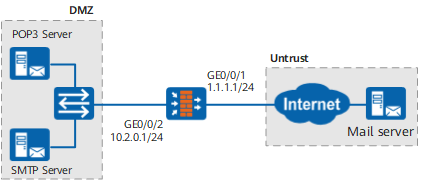
Configuration Roadmap
Set the interface IP address and add the interface to a security zone.
Configure the MIME header group, whose field name is Subject and field value is advertisement, to filter out mails whose subjects contain advertisement.
Create a mail content filtering profile, reference the MIME header group, and configure the control action.
Configure the security policy between the dmz and the untrust zone, and reference the mail content filtering profile.
Procedure
- Set the interface IP address and add the interface to a security zone.
- Click
 for GE0/0/1 and set the parameters as follows:
Zone
untrust
IP Address
1.1.1.1/24
- Click
- Configure the MIME header group, whose field name is Subject and field value is advertisement, to filter out mails whose subjects contain advertisement.
- Click Add.
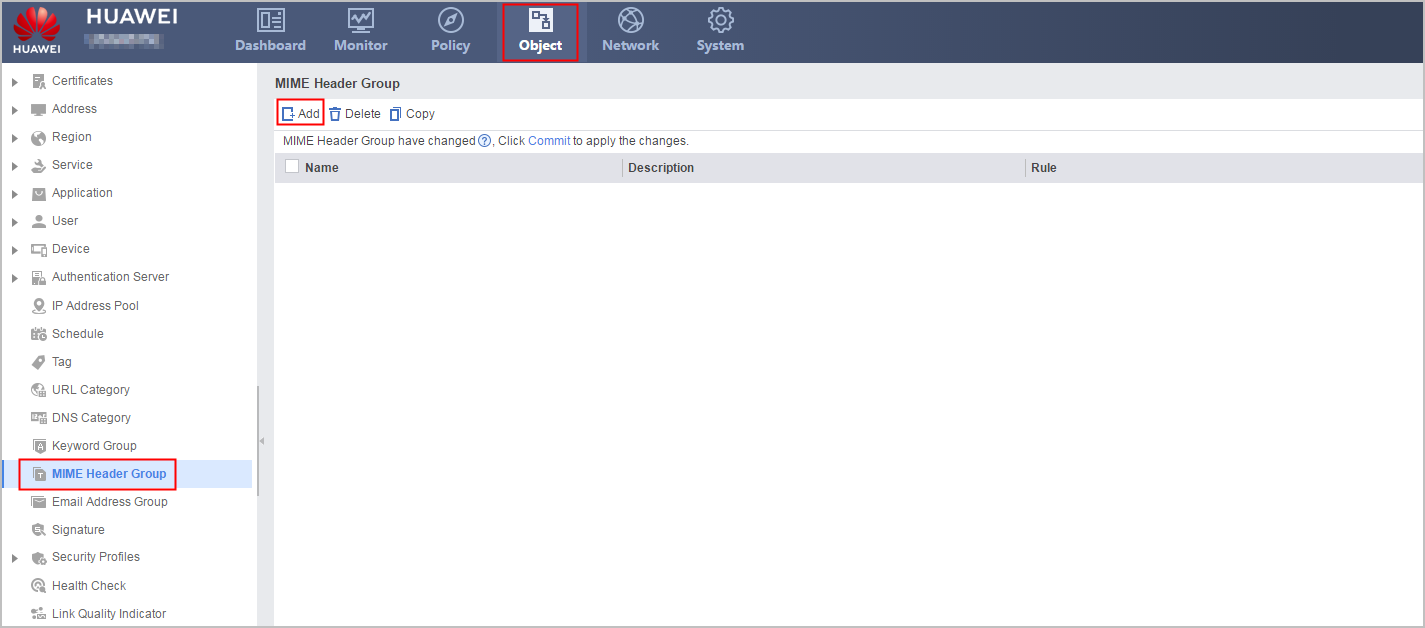
- Click Add.
- Create a mail content filtering profile, reference the MIME header group, and configure the control action.
- Click Add.
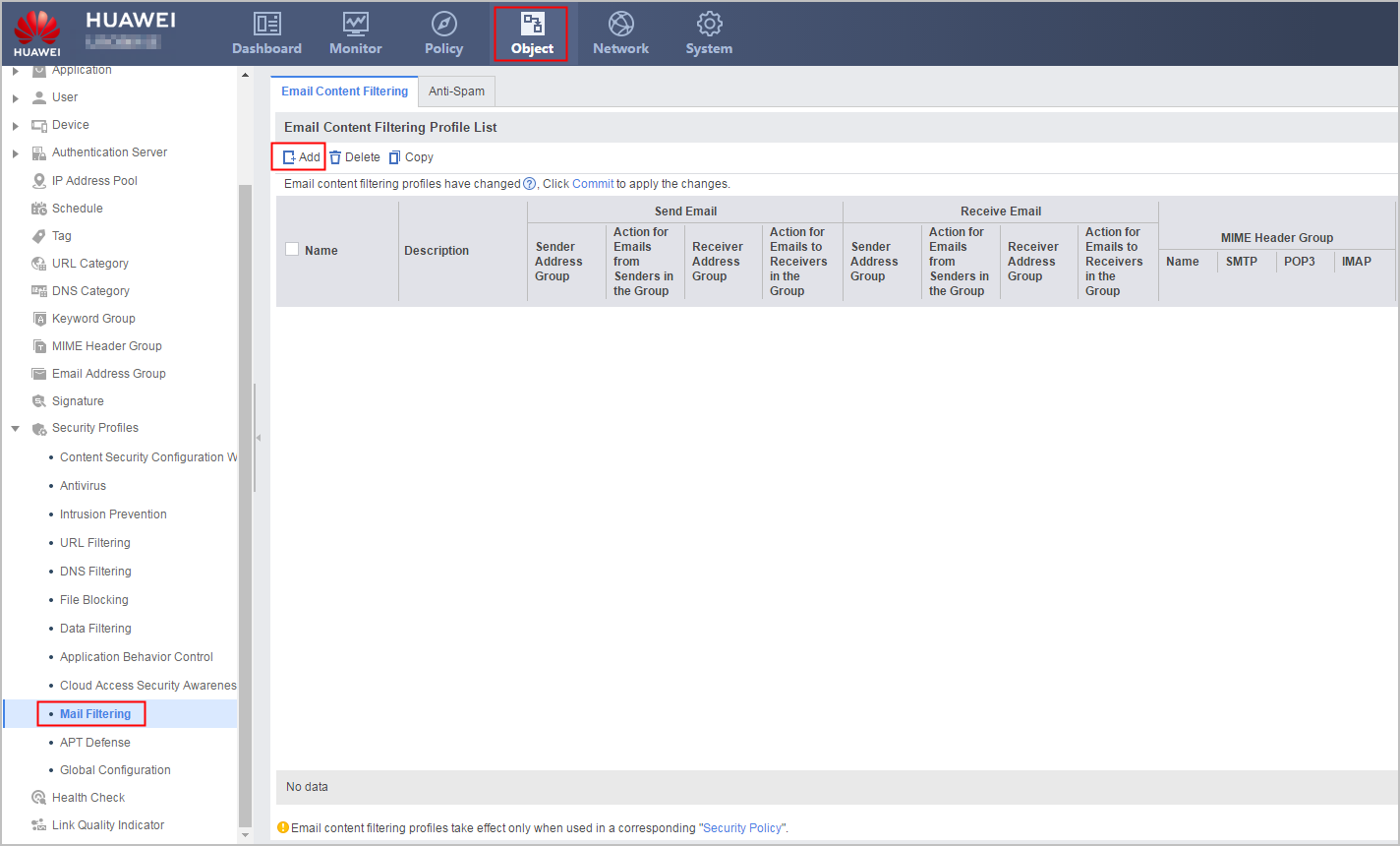
- Click Add.
- Configure the security policy between the dmz and the untrust zone, and reference the mail content filtering profile.
- Choose .
- Click Add Security Policy and set the parameters of the security policy between the untrust zone and the dmz as follows:
Name
policy_sec_untrust_dmz
Description
Security policy applied between the untrust zone and the dmz.
Source Zone
untrust
Destination Zone
dmz
Action
Permit
Content Security
Email Filtering
profile_mail_untrust_dmz
- Click OK.
- Click Submit on the upper right of the page.
Verification
When the client sends a mail whose subject contains advertisement, the mail fails to be sent and the mail server does not receive the mail.
After the mail is blocked, choose to view the mail filtering log. If the device does not have a hard disk or SD card, choose to view the mail filtering log.
Configuration Script
#
sysname FW
#
interface GigabitEthernet0/0/1
 undo shutdown
 ip address 1.1.1.1 255.255.255.0
#
interface GigabitEthernet0/0/2
 undo shutdown
 ip address 10.2.0.1 255.255.255.0
#
firewall zone untrust
 set priority 5
 add interface GigabitEthernet0/0/1
#
firewall zone dmz
 set priority 50
 add interface GigabitEthernet0/0/2
#
mime-header-group name mime_group
 description Mail filtering based on mime header
 rule name mime_rule
  field-name any Subject
  field-body any advertisement
#
profile type mail-filter name profile_mail_untrust_dmz
 description Mail filtering policy applied between the untrust zone and the dmz
 mime-header-group name mime_group SMTP action block
 mime-header-group name mime_group POP3 action block
 mime-header-group name mime_group IMAP action block
#
security-policy
 rule name policy_sec_untrust_dmz
 description Security policy applied between the untrust zone and the dmz
  source-zone untrust
  destination-zone dmz
  profile mail-filter profile_mail_untrust_dmz
  action permit
#
return