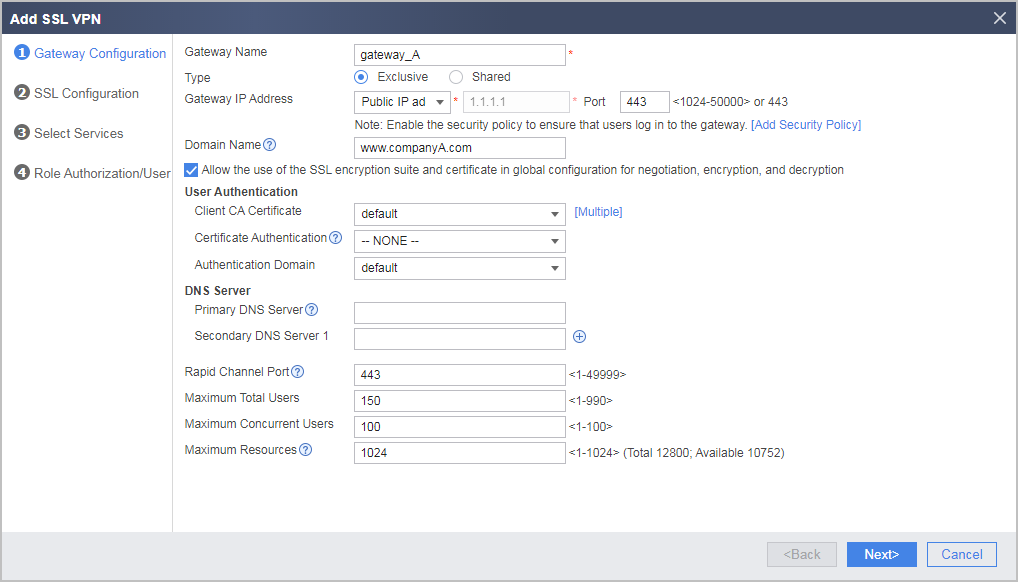
Configuring Multiple Exclusive Virtual Gateways
Configuring Multiple Exclusive Virtual Gateways in the Root System
You can configure multiple exclusive virtual gateways in the root system of the FW. Users can access the SSL VPN login page using the IP address (for example, 1.1.1.1) and port number. Users can also use the domain name (for example, example.huawei.com/research) and port number.
The configuration procedure is as follows:
- Choose .
- Click Add and set parameters as planned.
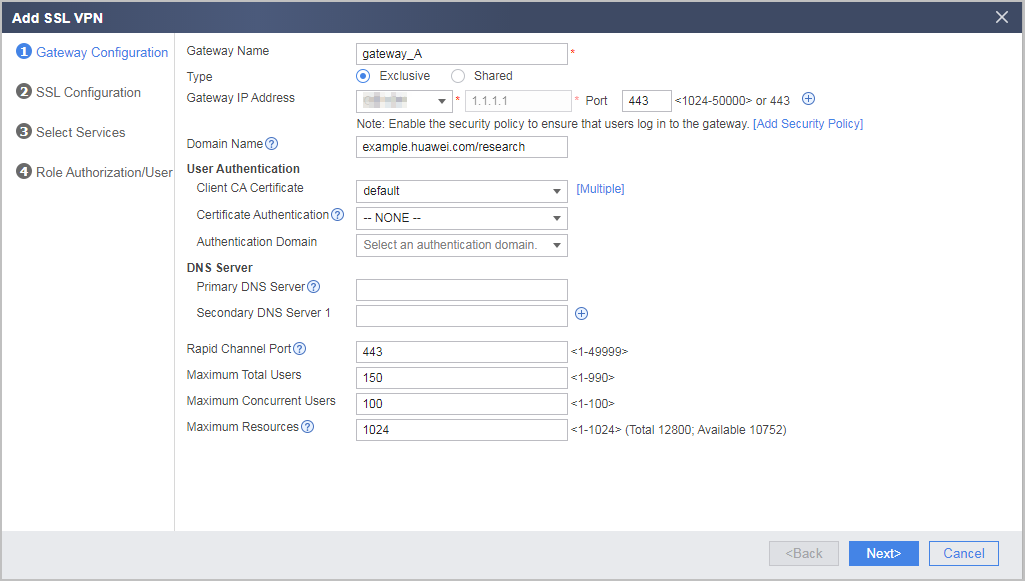
Configuring Multiple Exclusive Virtual Gateways in Different Virtual Systems Sharing a Public IP Address
You can configure exclusive virtual gateways in different virtual systems using the public IP address of the FW. Each virtual system exclusively uses a domain name and port number. If an exclusive virtual gateway has its own domain name, you can use the domain name to access the SSL VPN login page. If an exclusive virtual gateway does not have its own domain name, you can use the IP address and port number to access the SSL VPN login page. In this case, the port number is exclusively used by the virtual gateway.
The configuration procedure is as follows:
- Complete the operation of (Optional) Configuring Public Parameters of Multiple Virtual Gateways in the root system.
- Select and click the name of a virtual system in the Virtual System drop-down list.
- Choose .
- Click Add and set parameters as planned.