Configuring Multiple Shared Virtual Gateways
Configuring Multiple Shared Virtual Gateways in the Root System
You can configure shared virtual gateways in the root system using the public IP address. In this case, all virtual gateways share the same IP address and domain name. Users can access the SSL VPN login page by using the IP address and different port numbers. Alternatively, users can use different child domain names and port numbers.
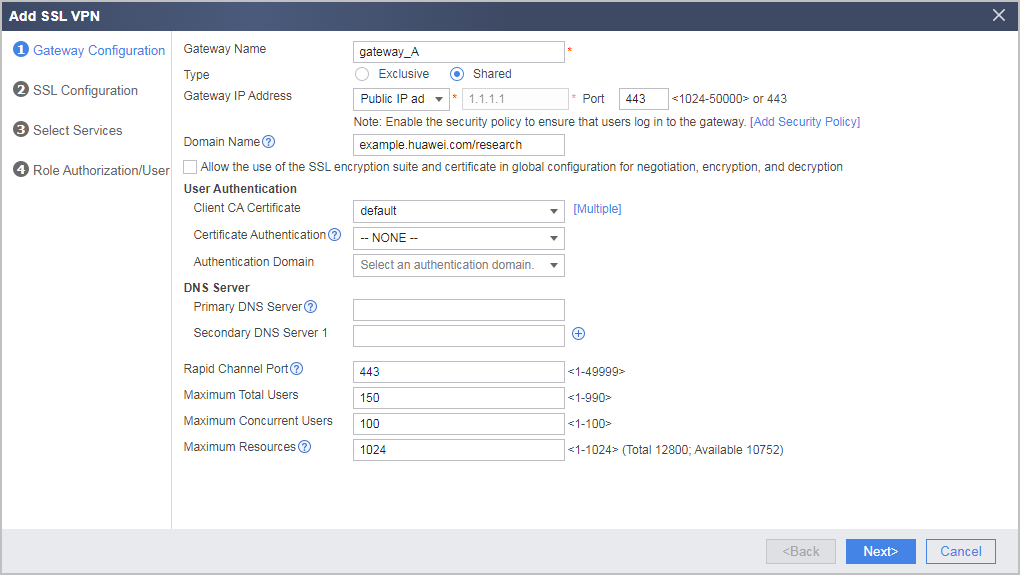
For example, an enterprise has two systems (research system and ERP system), and shared gateways gateway_A and gateway_B are created. They share the IP address and port of 1.1.1.1:2000. However, the domain name of the research system is example.huawei.com/research, and that of the ERP system is example.huawei.com/ERP. Remote users access the two domains through independent virtual gateways.
The configuration procedure is as follows:
- Choose .
- Click Add and set parameters as planned.
Multiple shared virtual gateways in different virtual systems sharing a public IP address
You can configure shared virtual gateways in different virtual systems using the public IP address. The public domain name/child domain name combination is used to access the virtual gateway service, and virtual gateways are distinguished by child domain name. SSL connections are set up using the certificate, SSL version, and cipher suite configured in the common configuration.
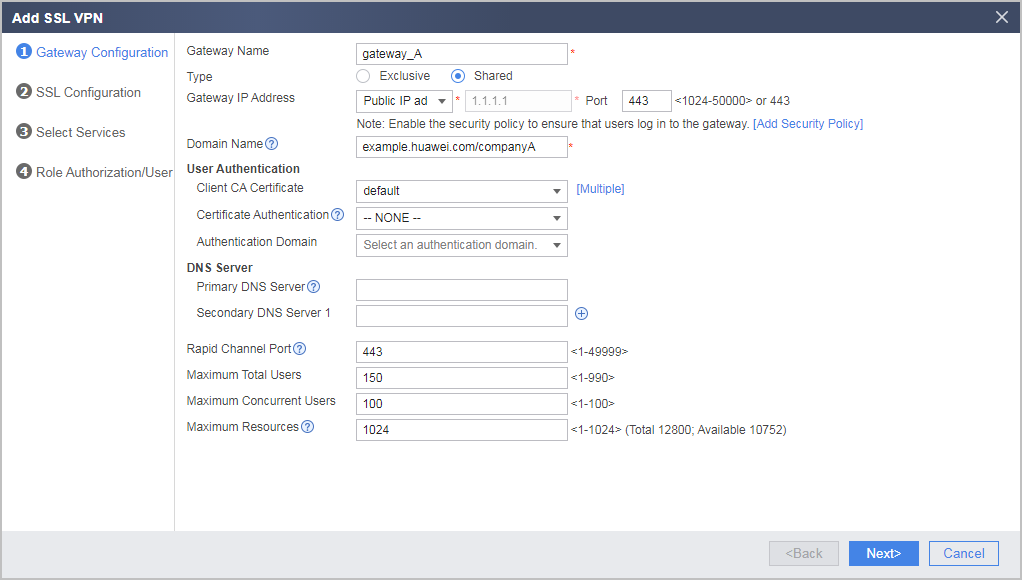
For example, multiple virtual systems are created on the FW for different enterprises. Shared virtual gateway gateway_A is created in one virtual system, and shared virtual gateway gateway_B is created on another virtual system. The two virtual systems share the same IP address and port (1.1.1.1:443). However, they use different domain names: one is example.huawei.com/companyA, and the other is example.huawei.com/companyB. Remote users can access their own virtual gateways through the domain names.
The configuration procedure is as follows:
- Complete the operation of (Optional) Configuring Public Parameters of Multiple Virtual Gateways in the root system.
- Select and click the name of a virtual system in the Virtual System drop-down list.
- Choose .
- Click Add and set parameters as planned.