Preventing Nested Remote Desktop Connection
Procedure
- Choose .
- Click
 for an SSL VPN gateway.
 - Choose .
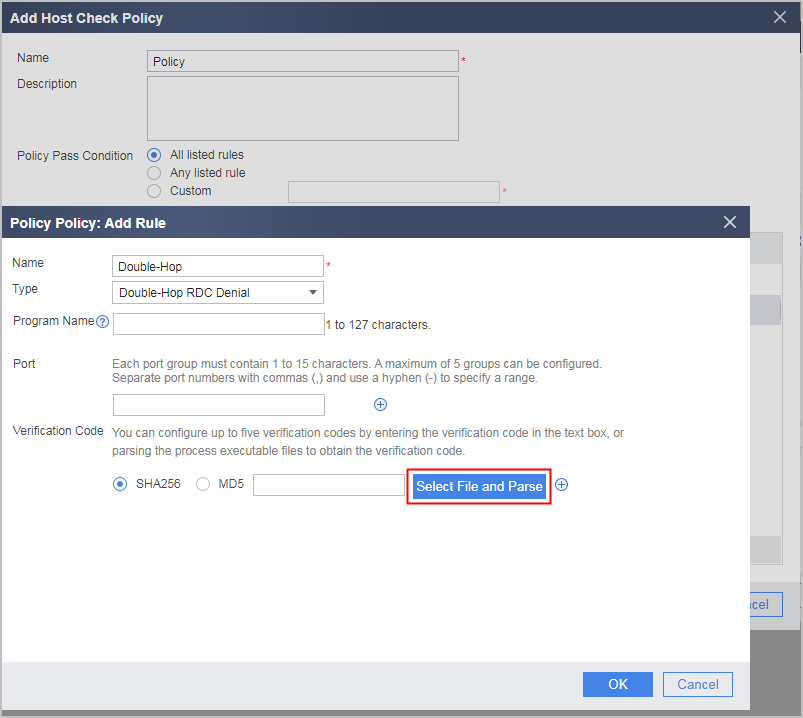
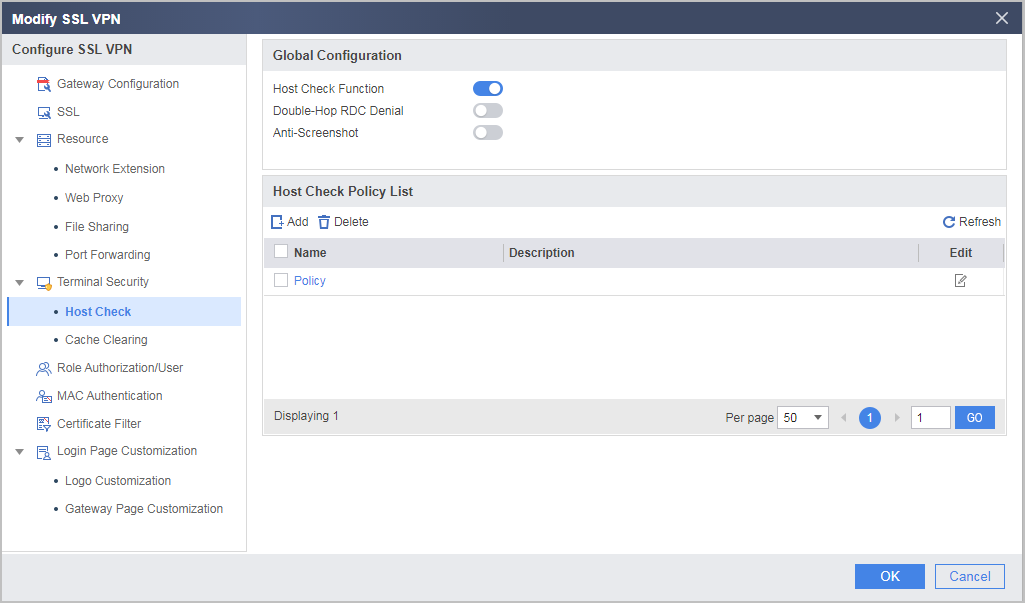
- Select Host Check Function under Global Configuration, click Add under Host Check Policy List, and create a host check policy.
After the Double-Hop RDC Denial function is enabled, the system checks the Microsoft Terminal Services Client (mstsc), pcanywhere, and VNC remote applications by default. Users can also define their own rules and specify the remote applications to be prevented.
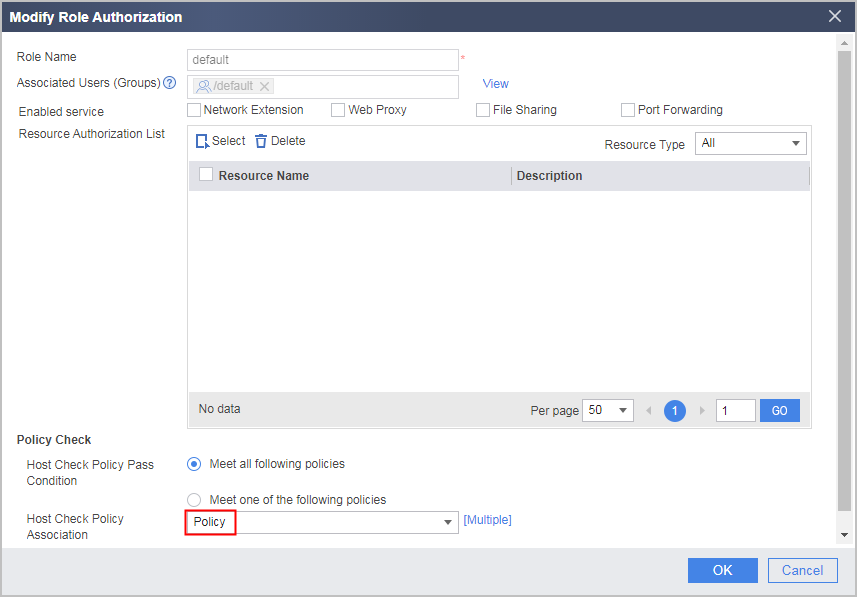
- Select Role Authorization/User, reference a created host check policy in the corresponding role, and click OK.
Verifying the Configuration
- Enter https://1.1.1.1:443 in the address bar of Internet Explorer to access the SSL VPN login page.
- In the login window, enter the user name and password, and then click Login.
- After the login is successful, the system automatically disconnects the remote request when other users access the user host through the remote desktop program.
It should be noted that Double-Hop RDC Denial is not about the user host remotely accessing another host, but about the user host being remotely accessed.