Upgrading the SSL VPN Client Patch
This section describes how to upgrade the SSL VPN client patch.
Procedure
- Log in to http://support.huawei.com/enterprise, choose , and select the correct client patch.
Choose .
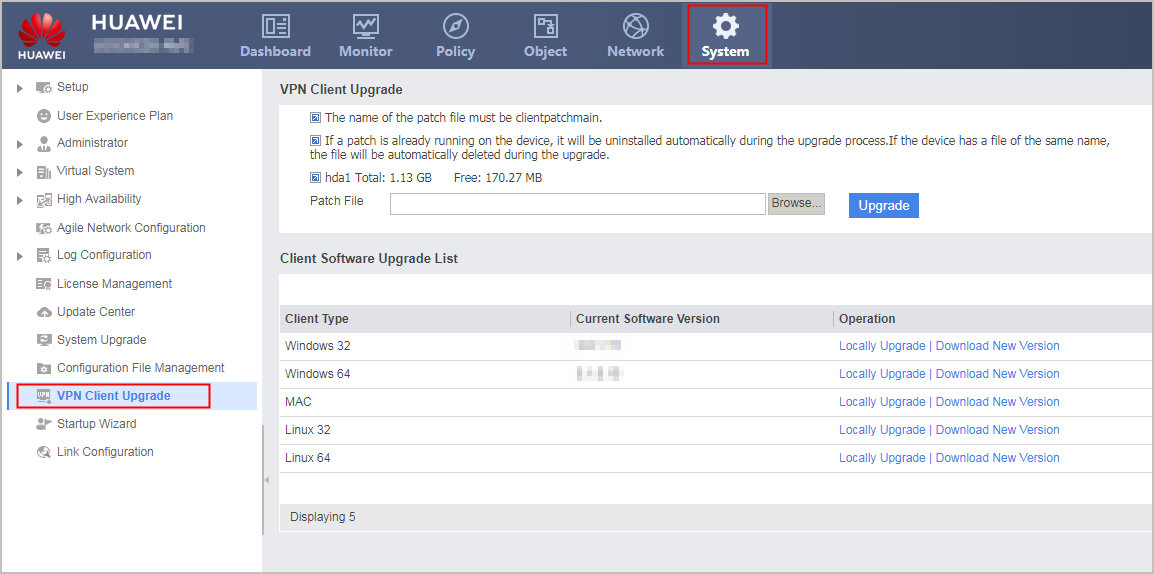
- Click Browse and select the client patch file to be uploaded.
- Click Upgrade. The device starts to automatically upgrade the client patch file.