Trial License
Antivirus and Intrusion Prevention License Trial
The FW provides a 2-month trial license including antivirus and intrusion prevention resources. You can trial the antivirus and intrusion prevention functions for two months by clicking Antivirus & IPS License Trial. The functions and update service are available during the trial period. After the trial expires, the functions and update service are unavailable. To use them, you must purchase a formal license.
The trial function is available only once. If you activate a formal license within the trial period, the trial ends and the functions specified in the formal license file take effect.
- Log in to the web UI and choose .
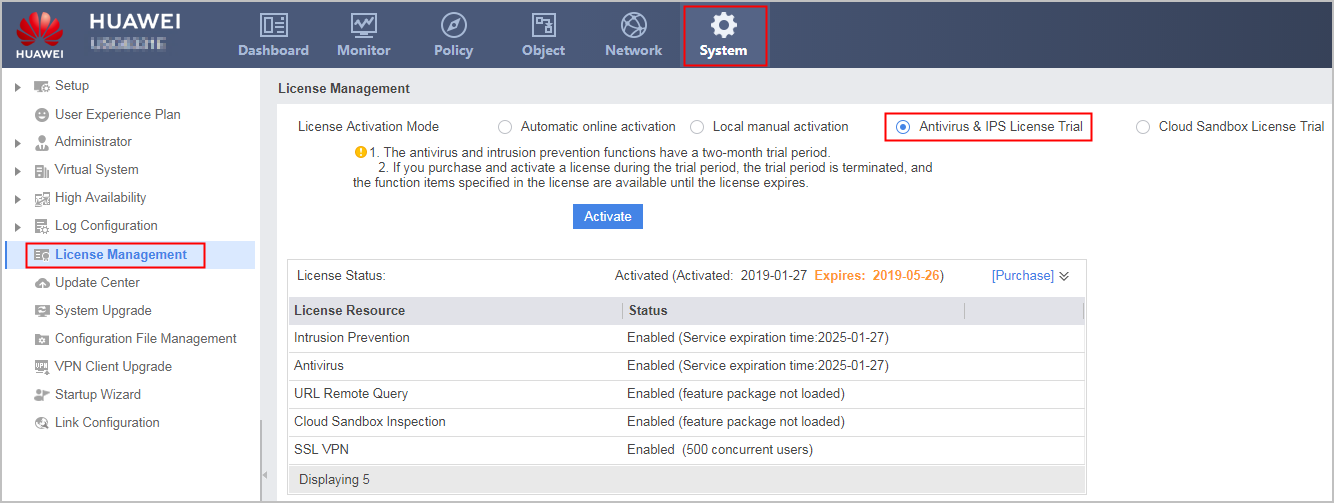
- Select Antivirus & IPS License Trial from License Activation Mode and click Activate to start the trial.
Cloud Sandbox License Trial
The FW provides the cloud sandbox license trial function. You only need to click Cloud Sandbox License Trial and dynamically load the cloud sandbox component package to trial the cloud sandbox detection function for six months. After the trial period expires, the cloud sandbox detection trial function is unavailable. To use it, you must purchase and activate a formal cloud sandbox detection license.
The trial function is available only once. If you activate a formal license within the trial period, the trial ends and the functions specified in the formal license file take effect.
- Log in to the web UI and choose .
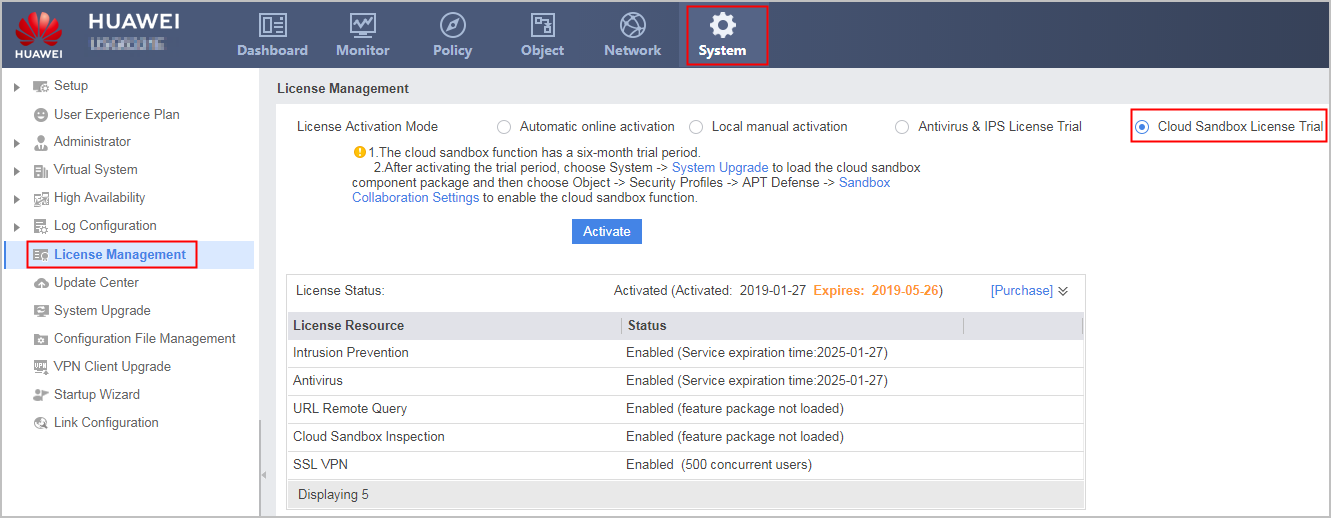
- Select Cloud Sandbox License Trial from License Activation Mode and click Activate to start the trial.
- After activating the trial license, you must dynamically load the cloud sandbox component package. For how to load the component package to the USG6000E, see Dynamic Loading in Upgrading the System Using the Web UI. After the component package is loaded, you can choose and enable the cloud sandbox function.