Viewing Threat Reports in the User Dimension
This topic describes how to view threat reports in the user dimension.
You can view top N number of threats generated for an intranet user in the threat reports in the user dimension.
Viewing Reports
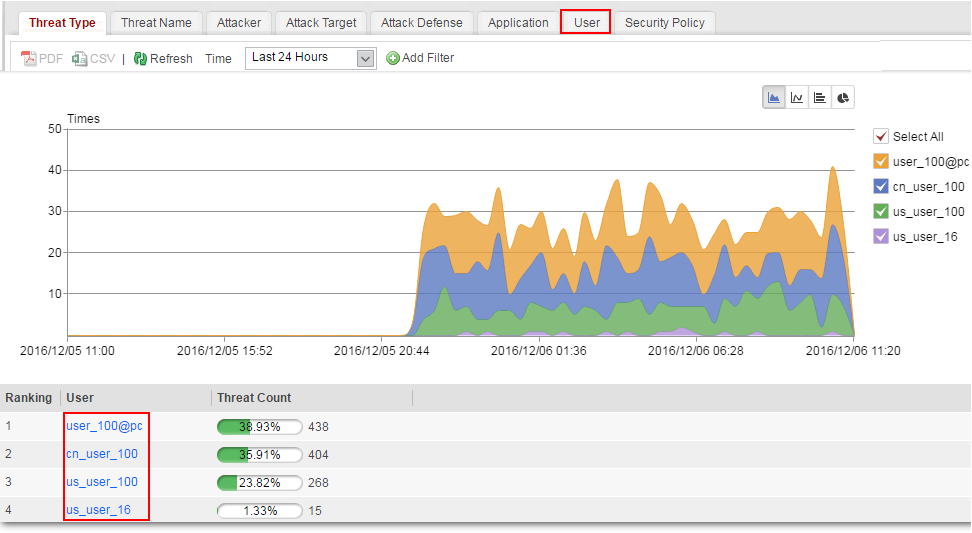
To view the threat report in the user dimension, click the User tab.
Customizing Generated Reports
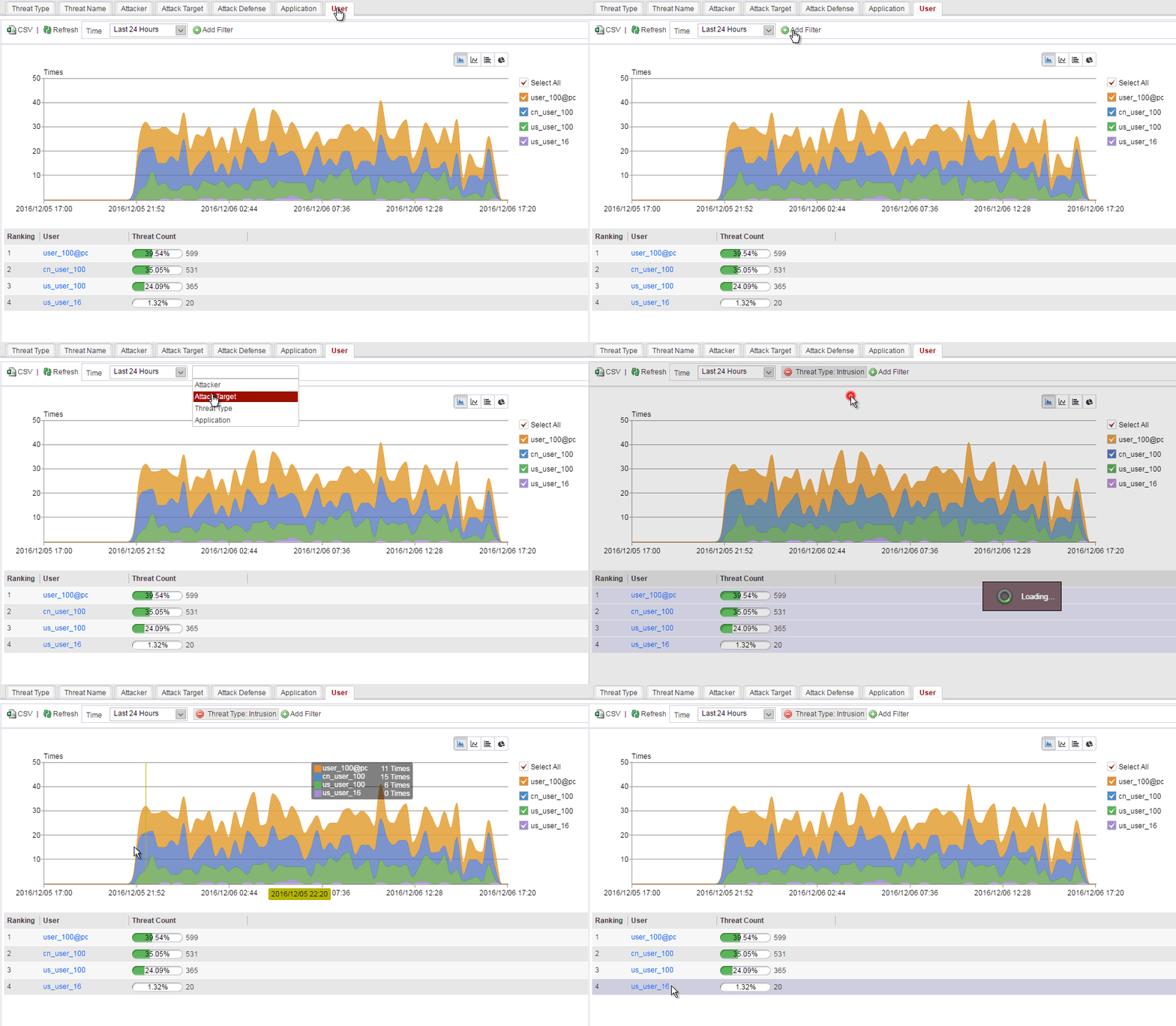
You can narrow the search range to view top rankings of the number of threats in a specific dimension using the advanced search function. To customize generated reports, specify one or more search conditions in Add Filter, and click Refresh.
For example, you can view the top N number of threats with specified virus threat names. The following figure shows the specific operations and displayed information.
Drilling Threat Statistics in the User Dimension
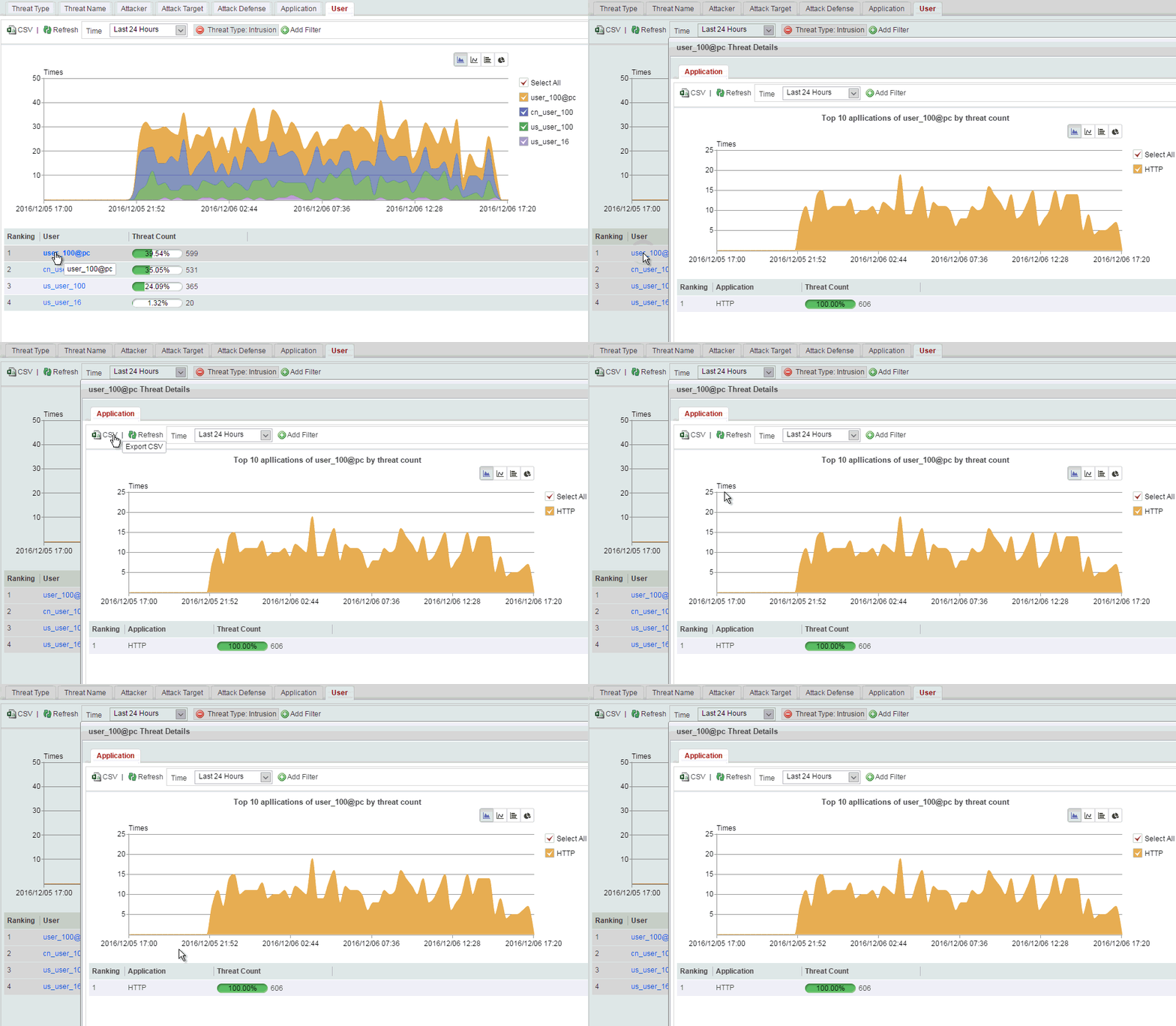
Only the USG6000E (not including USG6510E/6510E-POE/6530E) support this function.The threat reports in the user dimension support the application drilling based on a user. You can click the data link of a user to display the threats generated for accessing each application.
For example, if the number of threats to a certain user, matching security policies, is extremely high, you can view top applications that generate the threats. The following figure shows the specific operations and displayed information.