Configuring an Application Group
This section describes how to group applications that are subject to the same policies to simplify policy configuration.
Context
You can add predefined and user-defined applications to an application group if they are subject to the same policies.
Procedure
- Choose .
- Click Add.
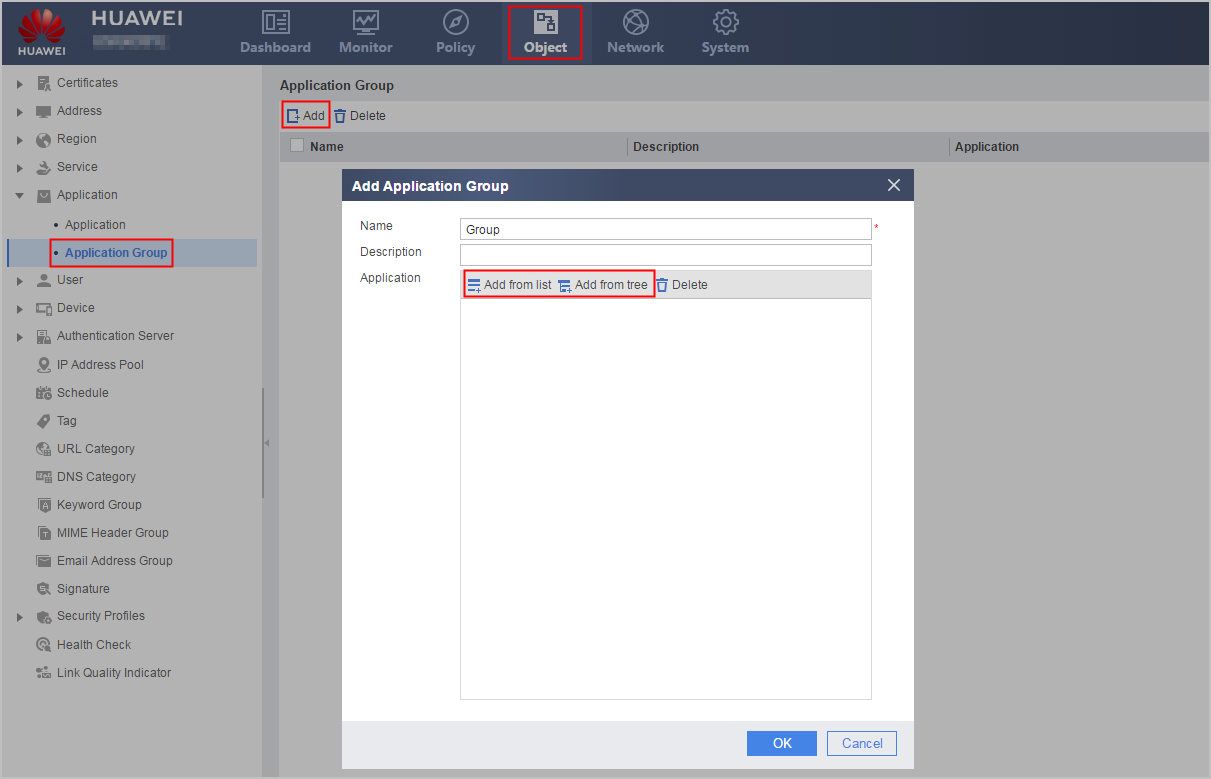
- Set the name and description of the application group.
Parameter
Description
Name
Name of the application group.
Description
Description of the application group.
To clearly describe the usage of application groups, you are advised to enter a meaningful description for each application group.
- Click Add from
list or Add from tree to add applications to the application
group.
The FW supports diversified applications. The device provides two methods for adding applications to an application group.
- If you have determined the specific applications to be added to the application group, use Add from list to add the applications selected through exact filtering to the application group.
- If you want to add applications of a specific category to the application group based on software or label category, use Add from tree to add the applications of the specific category to the application group.
- You can select a method for adding applications to an application group as required to improve the efficiency for configuring the application group.
Add applications to the application group by setting Add from list.
- Optional: You are advised to add applications after filtering
them using the following methods:
In Select Application, select Filter. Five columns, namely, category, subcategory, label, data transmission model, and risk level will be displayed. Select corresponding values for the five columns. The application list at the lower part of the interface is refreshed. The filtering conditions can be combined flexibly. For example, you can filter applications only by category or risk level, or by both.
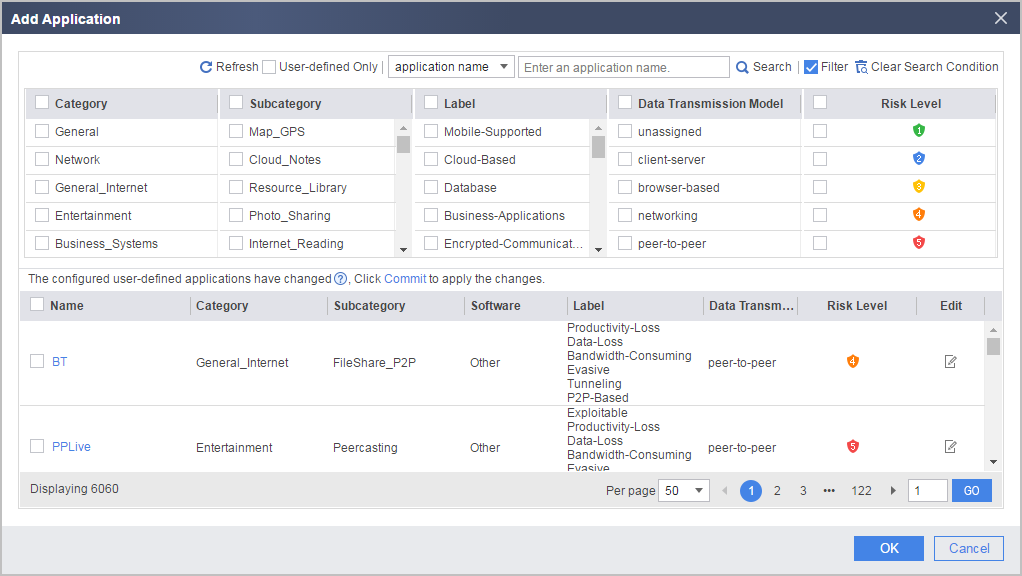
- Enter the name of the specified application in the search box, and click Search. The interface is refreshed and only the specified application is displayed.
- Select User-defined Only. The interface is refreshed and only the user-defined application is displayed.
- Select corresponding applications and click OK.
- Optional: You are advised to add applications after filtering
them using the following methods:
When you use Add from tree to add applications to the application group, perform the following operations:
- In Select Application, click software or
a label in Label/Software. All optional applications
will be displayed in Select.
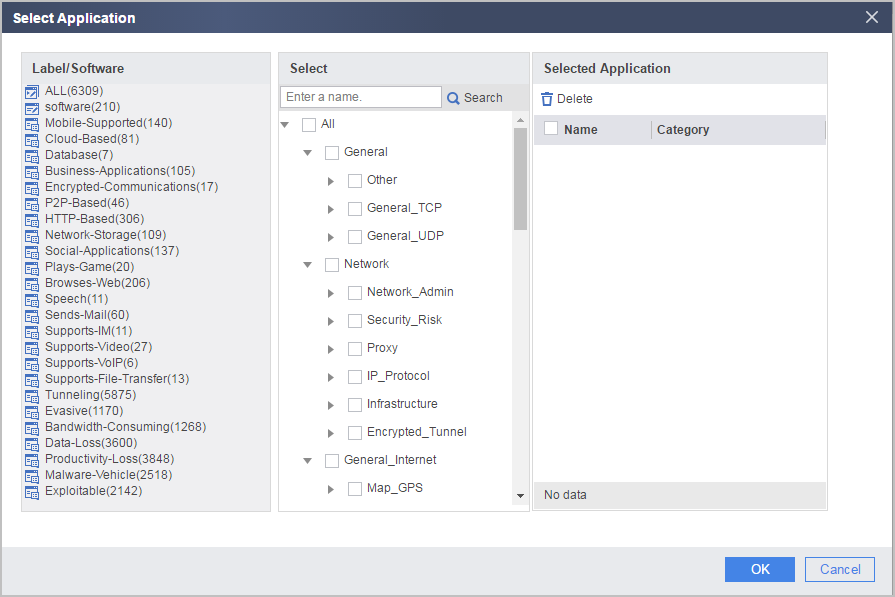
- In Select, select applications to be added to the application group. You can add multiple applications at a time, or repeat the previous steps to add multiple applications.
- Click OK.
- In Select Application, click software or
a label in Label/Software. All optional applications
will be displayed in Select.
- Click OK.