Configuring Packet Priority Re-marking Based on URL Categories
For certain types of URL packets, the device can change the DSCP values in the packets, so that other network devices can distinguish between the packets based on the changed DSCP values and take a specified action on each URL category.
Context
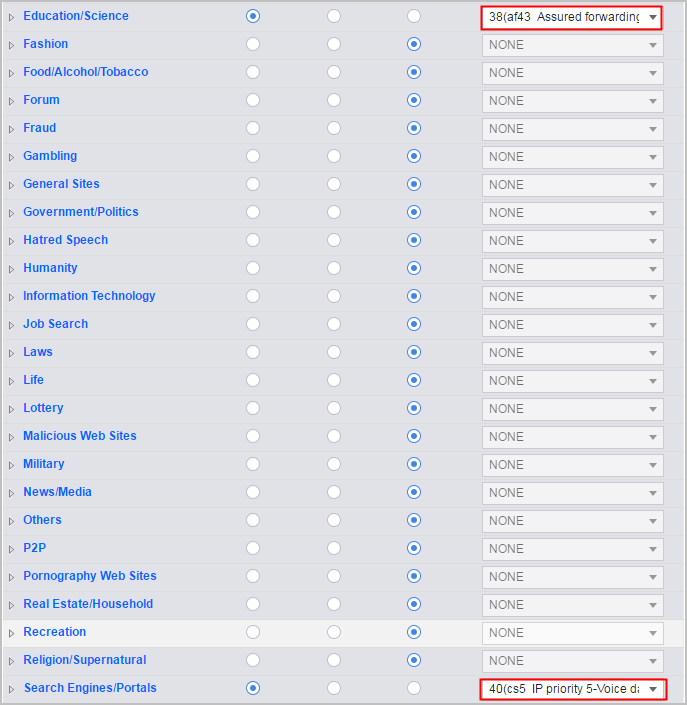
- Re-mark the priorities of education/science HTTP packets to 38 (AF43 ensures forwarding).
- Re-mark the priorities of search/portal HTTP packets to CS5 (40).
To meet the preceding requirements, configure the FW as follows.
Configuration on the Web UI
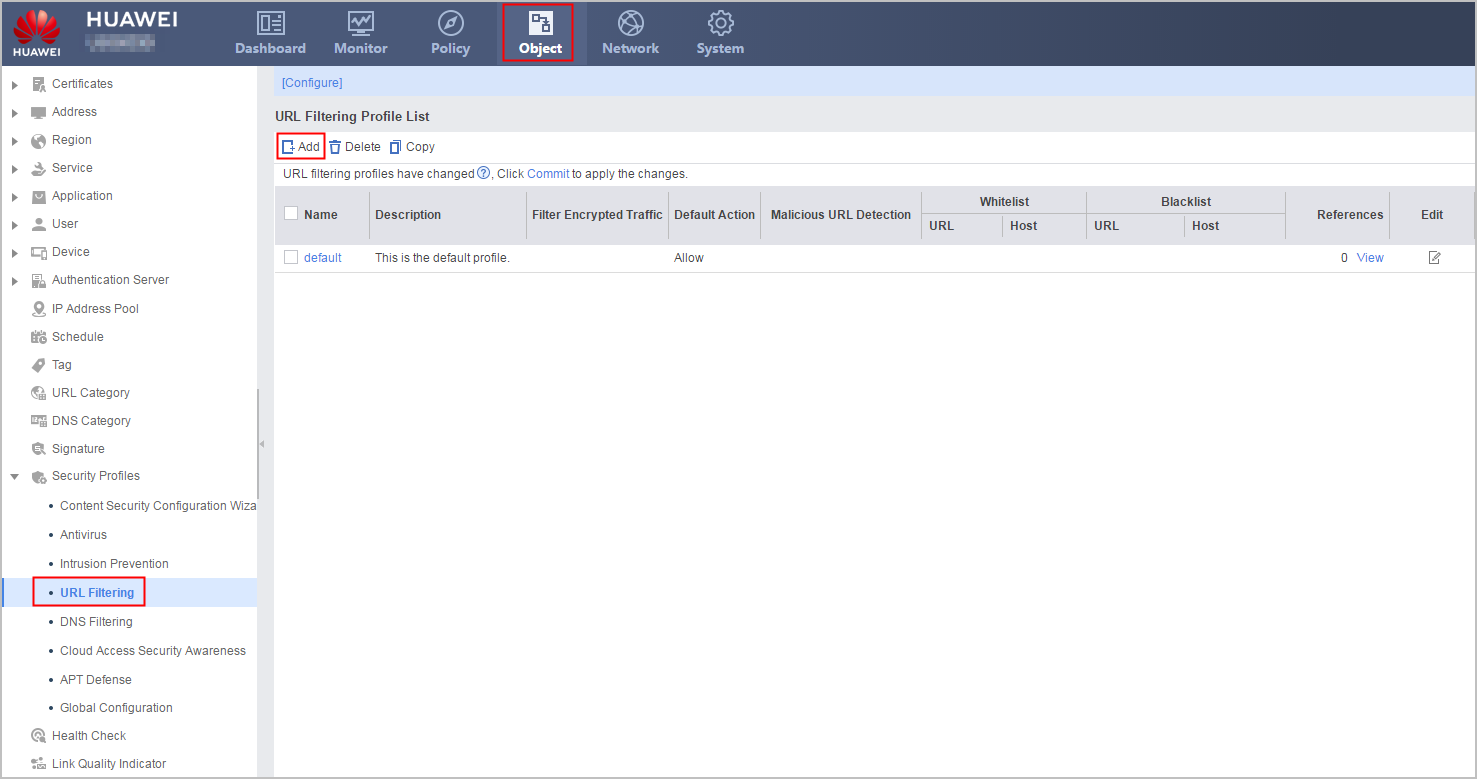
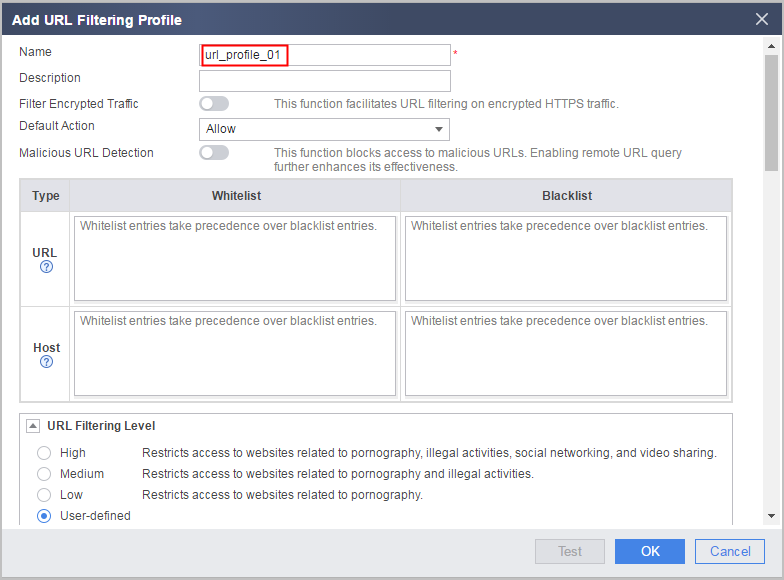
- Create a URL filtering profile.
- Reference the profile on security policies. For details on how to configure security policies, see Configuring a Security Policy Using the Web UI.
- Click Commit.
The configuration does not take effect immediately after you create or modify the profile. You must click Commit on the upper right of the interface to apply the configuration. To save time, you can commit the configuration after all operations on the profile are complete.
Configuration on the CLI
- Create a URL filtering profile.
profile type url-filter name name
- Configure packet priority re-marking based on URL categories
category { pre-defined [ category-id category-id | subcategory-id subcategory-id ] | user-defined [ name category-name ] } action { allow | alert | block | qos remark dscp dscp-value }
- Reference the profile on security policies. For details on how to configure security policies, see Configuring a Security Policy Using the CLI.
- Return to the system view and commit the configuration.
The new or modified security profile does not take effect until you run the engine configuration commit command to commit the configuration. To save time, you can submit the configuration after all operations on the profile are complete.
Configuration Example
Set the action of education/science and search/portal websites to Allow, and re-mark the priorities of HTTP packets of education/science websites to 38 (AF43) and the priorities of the HTTP packets of search/portal websites to CS5 (40).
<sysname> system-view
[sysname] profile type url-filter name url_profile_01
[sysname-profile-url-filter-url_profile_01] category pre-defined category-id 15 action allow
[sysname-profile-url-filter-url_profile_01] category pre-defined category-id 17 action allow
[sysname-profile-url-filter-url_profile_01] category pre-defined category-id 15 action qos remark dscp cs5
[sysname-profile-url-filter-url_profile_01] category pre-defined category-id 17 action qos remark dscp af43