Configuring URL Filtering That Supports Only the Whitelist Mode
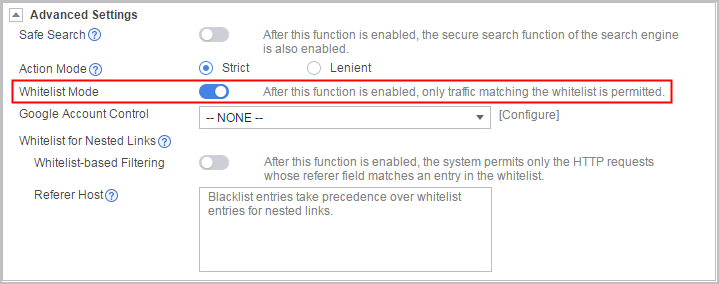
You can use only the whitelist function to filter URLs to simplify configurations.
Context
- If an HTTP request matches the whitelist, the HTTP request is allowed.
- If an HTTP request does not match the whitelist, the HTTP request is blocked.
This function is disabled by default.
Configuration on the Web UI
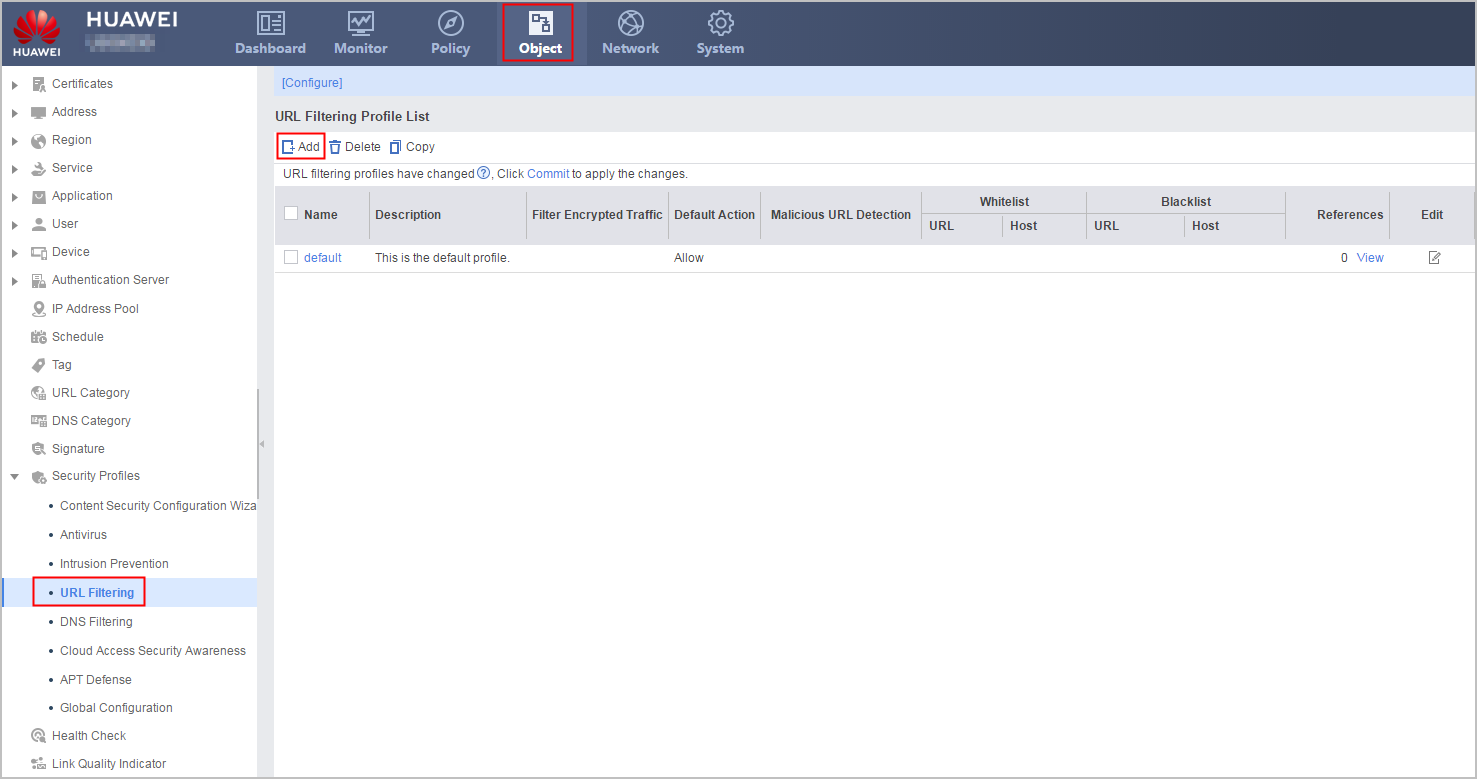
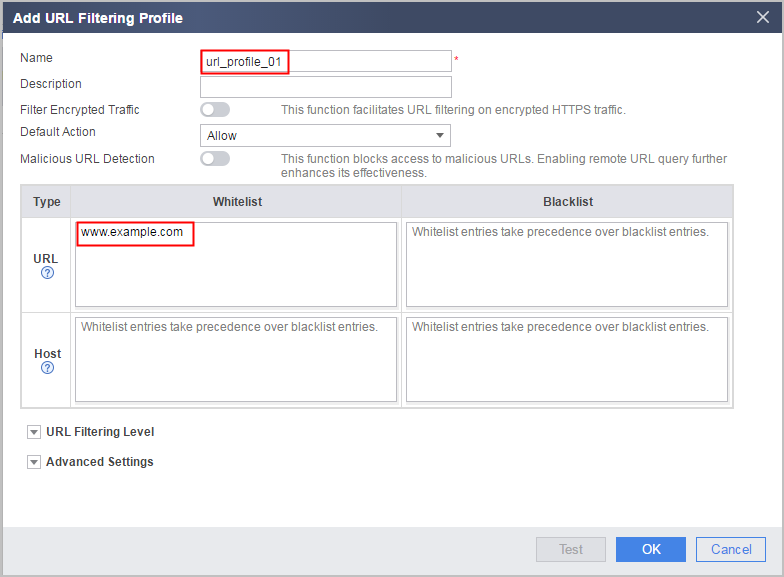
- Create a URL filtering profile.
- Reference the profile on security policies. For details on how to configure security policies, see Configuring a Security Policy Using the Web UI.
- Click Commit.
The configuration does not take effect immediately after you create or modify the profile. You must click Commit on the upper right of the interface to apply the configuration. To save time, you can commit the configuration after all operations on the profile are complete.
Configuration on the CLI
- Create a URL filtering profile.
profile type url-filter name name
- Add blacklist and whitelist rules to the URL filtering profile.
add { blacklist | whitelist } { url url-text | host host-text }
- Enable URL filtering that supports the whitelist mode only.
- Reference the profile on security policies. For details on how to configure security policies, see Configuring a Security Policy Using the CLI.
- Return to the system view and commit the configuration.
The new or modified security profile does not take effect until you run the engine configuration commit command to commit the configuration. To save time, you can submit the configuration after all operations on the profile are complete.
Configuration Example
Add www.example.com to the whitelist and enable the function that supports only the whitelist mode to permit the URL requests matching www.example.com and block all URLs that do not match www.example.com.
<sysname> system-view
[sysname] profile type url-filter name url_profile_01
[sysname-profile-url-filter-url_profile_01] add whitelist url www.example.com
[sysname-profile-url-filter-url_profile_01] whitelist-only enable